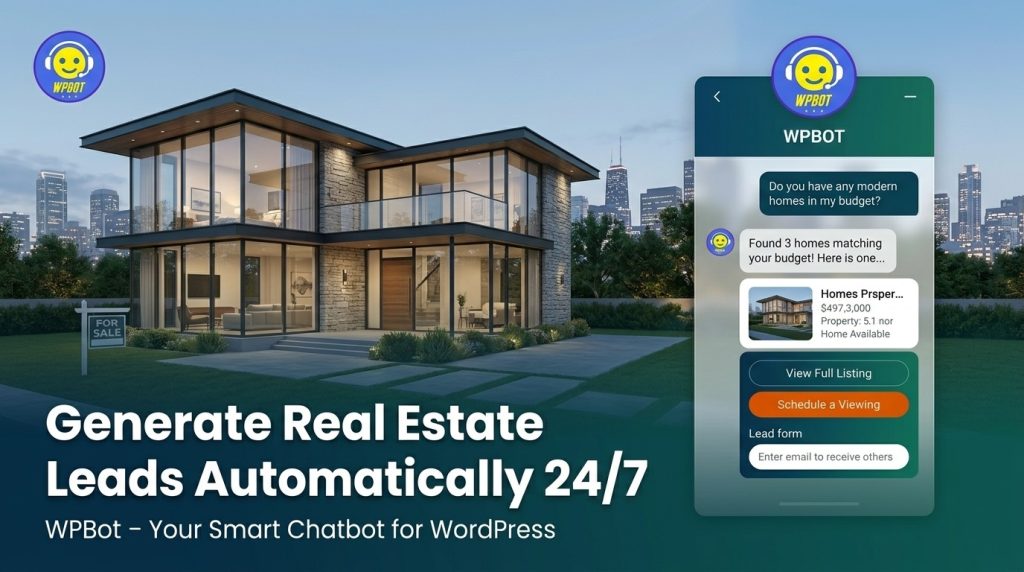
Yes, WPBot can automatically generate qualified real estate leads for your WordPress website 24/7. It answers property questions, qualifies buyers and sellers, captures contact details through conversational forms, schedules viewings, and even hands off hot leads to you—without you lifting a finger at 2 AM.
Real estate sites lose visitors fast. People browse listings, get stuck on details, and bounce. WPBot changes that by turning passive browsers into active leads.
What is WPBot?
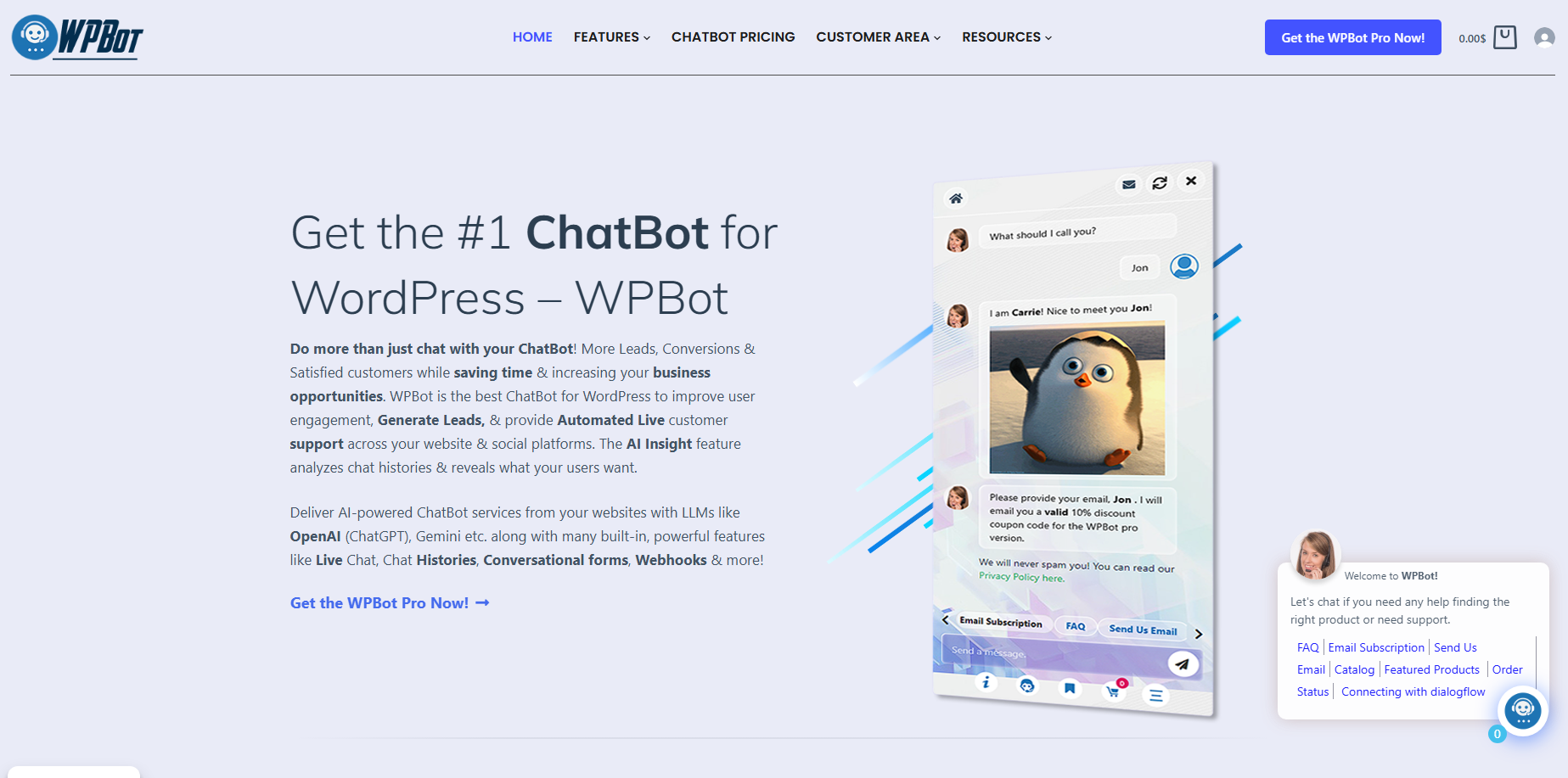
WPBot is a native WordPress chatbot plugin from QuantumCloud. It works right inside your dashboard—no complex third-party platforms or monthly SaaS fees required for core use.
You get rule-based responses, site search, FAQ handling, and lead capture out of the box. Connect it to OpenAI (ChatGPT), Google Dialogflow, Gemini, or others for smarter AI conversations. Everything stays on your server for full data control and GDPR compliance.
Key point for beginners: Install it like any plugin, tweak a few settings, and it starts working. No coding needed for basics.
Why Real Estate Agents and Brokers Need a Chatbot Now
Your website visitors expect instant answers. If they wait, they leave for Zillow or another listing.
Real results from chatbots in real estate:
- Up to 40% higher lead conversion rates.
- Handle 80% of routine inquiries automatically.
- 24/7 engagement even when you’re showing properties.
- Lower support costs (up to 30% savings reported in similar industries).
Busy scrollers don’t fill out long contact forms. They chat. WPBot meets them there.
How WPBot Generates Leads Automatically for Real Estate Sites
WPBot doesn’t just answer questions—it qualifies and captures.
Step-by-step lead flow:
- Visitor lands on a property page or homepage.
- Bot greets or triggers via scroll/exit intent.
- Asks natural questions: “Looking for a 3-bedroom in downtown?” or “First-time buyer?”
- Pulls matching listings via site search or your custom post types.
- Collects name, email, phone, budget, and preferences through conversational forms.
- Schedules viewings or sends details.
- Saves data in your WordPress database or pushes to CRM via Zapier/webhooks.
Punchy benefits:
- Qualifies leads — Only hot prospects reach your inbox.
- Never misses after-hours inquiries.
- Personalizes — Remembers preferences across sessions.
- Retargets — Exit-intent offers like “Want a virtual tour of this home?”
Real Estate Use Cases That Actually Work
Property Matching and Recommendations
Visitor says: “I need a family home under $400k near schools.” WPBot searches your listings, shows cards with photos, prices, and “Book Viewing” buttons.
Virtual Tours and Details
Shares links to Matterport tours, floor plans, or videos. Answers specifics: square footage, taxes, HOA fees, neighborhood stats.
Seller Lead Capture
For “Sell my house” inquiries: Guides through valuation questions, captures details, and books appraisal calls.
Financing and Loan Guidance
Explains mortgage options, connects to calculators, or qualifies for pre-approvals.
Appointment Booking
Integrates with calendars. “Want to see this property Saturday at 11?” Confirmed instantly.
Pro tip: Use conditional forms. Ask budget first, then bedrooms, then location—only show relevant options.
Setting Up WPBot for Your Real Estate Site (Beginner-Friendly Steps)
- Install the free version from WordPress.org or upgrade to Pro.
- Activate and go to WPBot settings.
- Customize greeting: “Hi! Looking for your dream home? Tell me what you’re searching for.”
- Build intents: Common questions like “What homes are available?” with answers or site search triggers.
- Add Conversational Forms Pro for lead capture (name, email, phone, preferences).
- Connect OpenAI for natural language if desired—train it on your listings and FAQs.
- Set triggers: Auto-open on first visit, exit-intent for abandoners, page-specific on listing pages.
- Style it to match your branding—colors, avatar, position.
- Test and launch.
Time estimate: Under 30 minutes for basics, a couple hours for polished real estate flows.
Powerful Features for Real Estate Pros
- Site Search + AI Hybrid — Falls back to your WordPress content if AI doesn’t know.
- Conversational Forms — Drag-and-drop, conditional logic, calculators (e.g., affordability), database storage, CSV export, email notifications.
- Retargeting & Exit Intent — Recover up to 25% of abandoning visitors with offers.
- Live Chat Handover — Bot handles basics, escalates to you via Slack or dashboard.
- Multilingual — Serve international buyers.
- Omnichannel — WhatsApp, Messenger, Telegram add-ons.
- Analytics — AI Insights summarize chats and reveal what users want.
- WooCommerce-ready — If you sell merch or services.
- White Label (Master plan) — Great for agencies managing client sites.
Short paragraphs for scrollers: These features work together. No more lost leads at night.
WPBot Pricing: Pay Once, Own It
- Free — Basic chatbot, FAQs, simple capture.
- Pro plans start around $39–$99/year (check current) with AI, forms, etc.
- Lifetime options available—huge savings vs. monthly SaaS tools.
Compare to competitors: Many charge $50–$800+/month with data on their servers. WPBot keeps it on yours.
WPBot vs Other Real Estate Chatbot Options
WPBot strengths:
- Native WordPress (no embed headaches).
- Data ownership.
- One-time/lifetime pricing.
- Deep site search integration.
- Conversational forms with logic.
Other tools like Tidio, Landbot, or dedicated real estate bots (e.g., Roof AI) work well but often lock you into subscriptions and external data storage. WPBot wins for WordPress users who want control and lower long-term costs.
Success Tips from Real Users
- Start simple: FAQ + search + one lead form.
- Add rich media: Property images, YouTube tours.
- Train AI on your specific listings and market knowledge.
- Monitor AI Insights weekly to refine responses.
- Combine with IDX/MLS integrations via links or custom data.
- Use notifications for promotions like open houses.
- A/B test greetings and triggers.
Agencies love it for client sites—bundle as a service.
Common Questions Real Estate Visitors Ask (Pre-Build These)
- Price ranges and availability.
- School districts and neighborhoods.
- Photos, videos, 3D tours.
- Financing and closing costs.
- Market trends and comps.
- Viewing or consultation booking.
- Seller services.
WPBot handles these instantly.
Measuring Success: What to Track
- Leads captured (emails, phones).
- Conversation completion rates.
- Reduction in bounce rate.
- Time saved on support.
- Conversion from chat to viewing/offer.
- ROI: Cost of WPBot vs. value of one extra closed deal.
Export form entries and review chat histories easily.
Potential Challenges and Fixes
Challenge: Bot gives wrong answers. Fix: Use precise intents, site search fallback, and regular training.
Challenge: Visitors ignore it. Fix: Smart triggers, compelling first message, matching branding.
Challenge: Data privacy. Fix: WPBot stores locally; add GDPR notice.
Pro move: Start with free version, prove value, then upgrade.
FAQs About WPBot for Real Estate
Is WPBot free to start? Yes. The core plugin on WordPress.org gives you solid lead gen basics.
Does it integrate with my MLS/IDX? Indirectly—link to listings or pull via custom posts. Use forms to capture intent then follow up.
Can it book appointments? Yes, via conversational forms or calendar links.
Will it work on mobile? Absolutely. Fully responsive.
Is AI required? No. Run on rules + site search, then add OpenAI later.
How secure is lead data? On your server. Export or integrate securely.
Can I use it on multiple sites? Depends on license—Master for agencies.
Ready to Generate Leads While You Sleep?
WPBot turns your real estate WordPress site into a 24/7 lead machine. It answers questions, qualifies prospects, captures details, and books viewings automatically.
Stop losing visitors who just need a quick chat. Install it today, set up a few key flows, and watch qualified leads roll in.
Conclusion
WPBot turns your real estate website into a nonstop lead generator. It answers questions instantly, qualifies prospects, captures contacts, and books viewings — even while you’re out showing homes.
No more lost visitors at 2 AM. No more manual replies to the same basic questions.
If you’re tired of watching potential clients bounce, give WPBot a try. Start with the free version, set up a few key flows, and watch qualified leads come in automatically.
Your next closed deal could start with a simple chat tonight.
Ready to make it happen? Install WPBot and let it work for you 24/7.