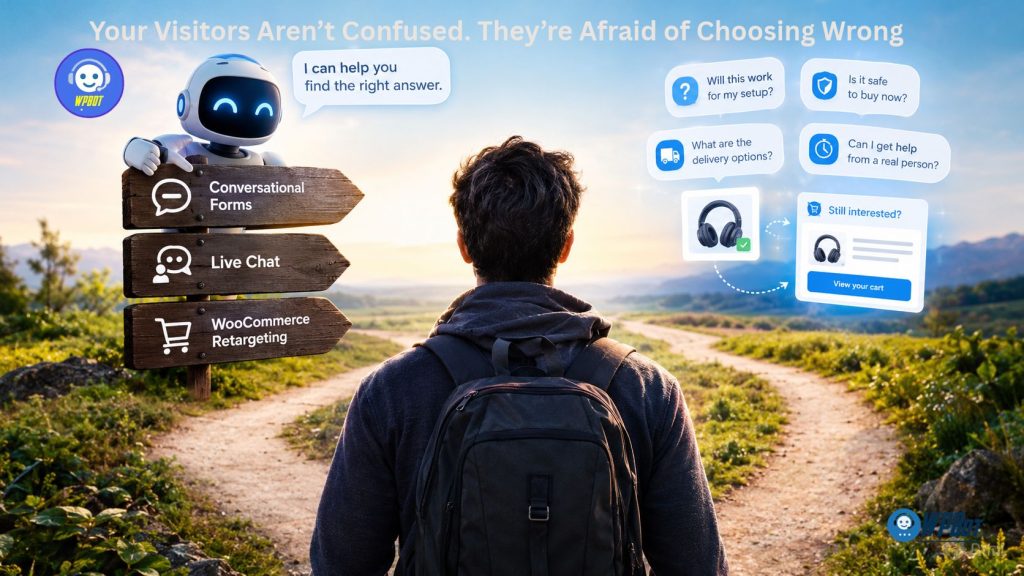
WPBot is a WordPress chatbot plugin that helps businesses guide visitors through website questions, capture relevant information with Conversational Forms, provide assistance through Live Chat, and support follow-up opportunities through configured WooCommerce retargeting workflows. By connecting customer questions with relevant answers and timely follow-up, WPBot can help businesses address buying uncertainty without relying entirely on aggressive popups or generic sales messages.
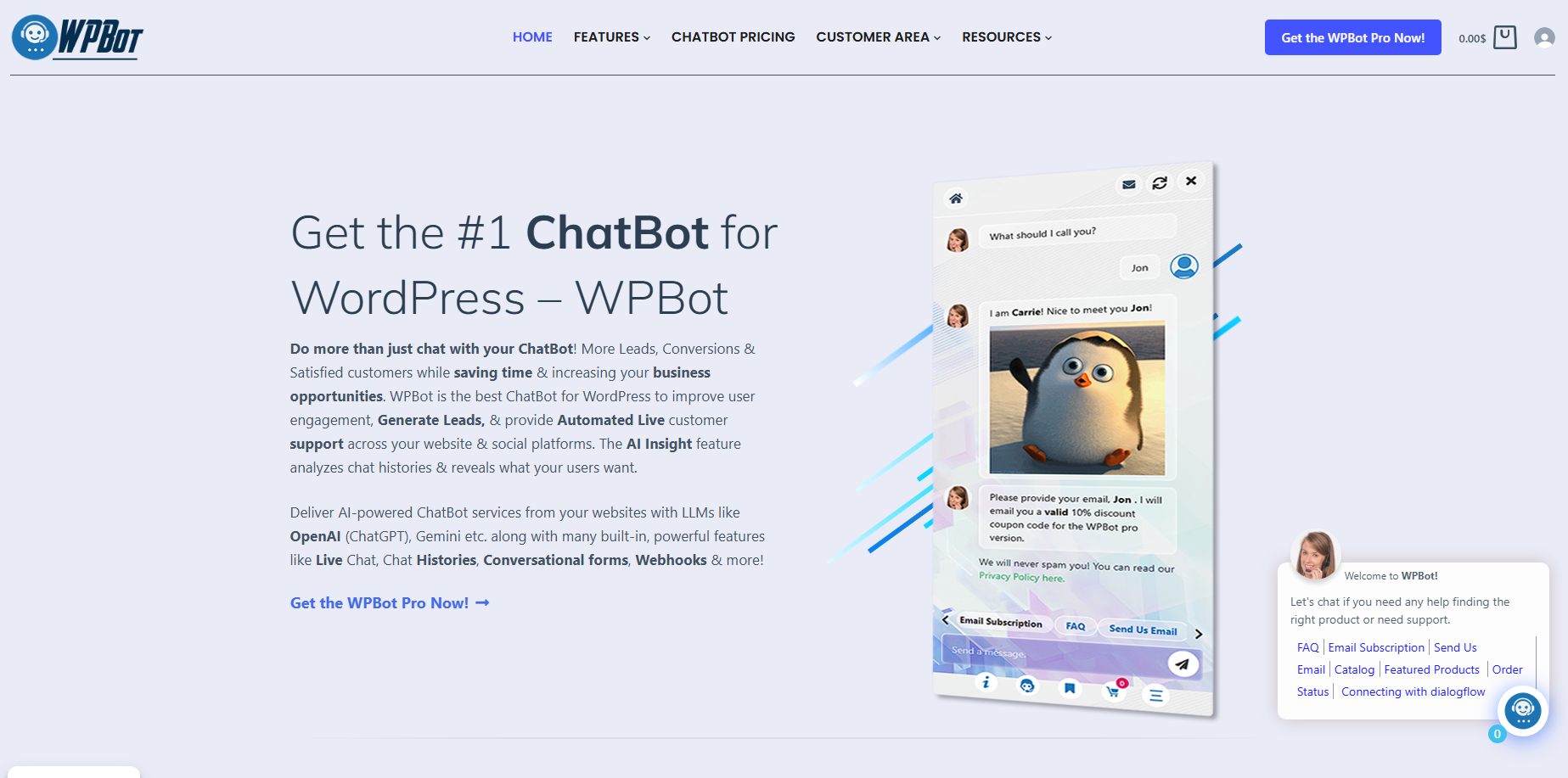
Why Do Visitors Leave Your Website Even When Your Product Looks Perfect?
Your website can have excellent product descriptions, competitive pricing, attractive images, and a straightforward checkout process while potential customers still hesitate. The missing element may not be more information; visitors may need confidence that the purchase is right for their particular situation.
WPBot gives WordPress businesses a way to address that uncertainty through conversations that help visitors ask questions, explain requirements, and discover relevant information. The strongest WPBot strategy connects three capabilities: Conversational Forms for understanding customer needs, Live Chat for resolving difficult questions, and WooCommerce retargeting for reconnecting with visitors who have shown interest but have not completed a purchase.
Consider a WooCommerce store selling wireless microphones. A visitor might understand the product specifications but still wonder whether the microphone works with a particular smartphone, whether the battery lasts through a recording session, or whether the return policy covers an unsuitable purchase.
A conventional sales message might push the visitor toward checkout. A better WPBot experience helps the visitor find verified answers, request human assistance when necessary, and return to the product when the remaining concerns have been addressed.
The central principle is simple: WPBot should help customers make informed decisions before asking customers to make a purchase.
What Is Really Stopping Visitors From Buying?
Customer hesitation usually involves a specific concern, even when the website owner cannot immediately see that concern in analytics. WPBot can help businesses investigate these concerns by making relevant questions easier to ask and answer.
|
Customer concern |
What the visitor may be thinking |
How WPBot can help |
|
Product suitability |
“Will this work for my needs?” |
WPBot can surface verified specifications and product information. |
|
Financial risk |
“Am I paying for features I don’t need?” |
WPBot can explain documented package differences and pricing terms. |
|
Technical uncertainty |
“Will this integrate with my existing setup?” |
WPBot can guide visitors to supported compatibility information. |
|
Trust and reliability |
“What happens if something goes wrong?” |
WPBot can provide access to published support and return policies. |
|
Purchase readiness |
“I need more time to decide.” |
WPBot can support appropriate follow-up through configured workflows. |
WPBot cannot automatically identify every unspoken fear, and a chatbot conversation does not prove why a visitor abandons a purchase. However, WPBot can give customers a convenient way to raise questions that might otherwise remain unanswered.
Why Does More Website Content Not Always Produce More Confidence?
A product page can contain thousands of words and still leave a customer unsure about one critical detail. More content will not solve the problem if the customer cannot find the relevant answer or understand how the answer applies to a particular situation.
WPBot can help visitors discover relevant content through conversational interactions and configured website search capabilities. Businesses should use WPBot to make existing information easier to access while keeping product descriptions, pricing, policies, and compatibility details accurate.
Why Can Aggressive Sales Messages Increase Customer Resistance?
A countdown timer or repeated discount popup may encourage action in some situations, but an interruption can make an uncertain visitor feel pressured rather than supported. WPBot offers another approach by making assistance available when visitors want to ask questions.
WPBot should not replace one intrusive sales tactic with another. A well-configured WPBot experience lets visitors choose whether to engage, gives useful answers before demanding contact details, and provides a clear next step when visitors need more help.
How Can WPBot Conversational Forms Turn Uncertainty Into Useful Information?
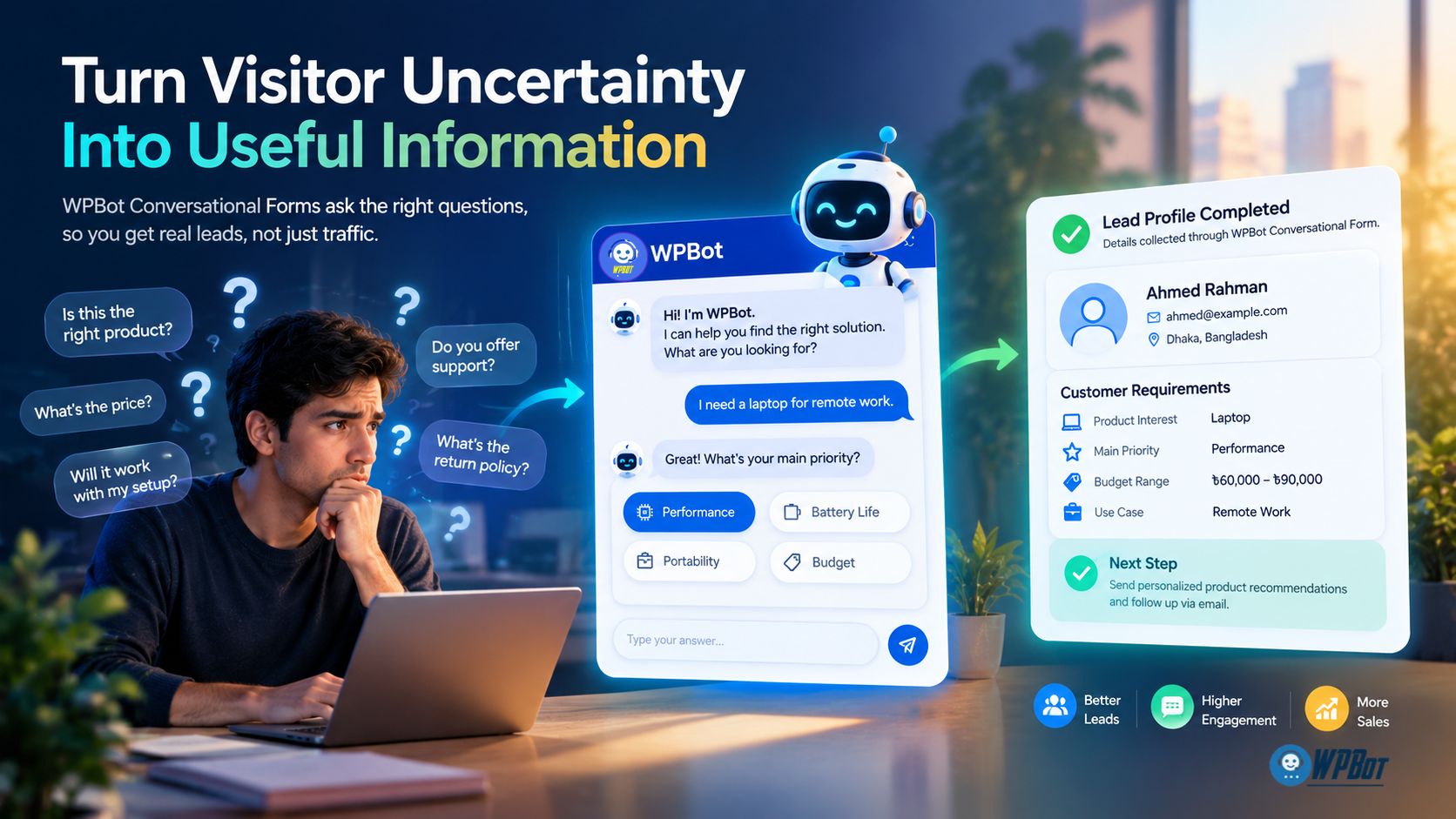
WPBot Conversational Forms can help businesses collect relevant information through a guided question-and-answer experience. Instead of presenting visitors with a long, intimidating form, businesses can structure the interaction around the customer’s immediate needs.
The goal is not to collect as much data as possible. The goal is to understand enough about the visitor’s requirements to provide a useful next step.
Why Do Traditional Contact Forms Lose Potential Customers?
A traditional contact form often asks for a name, email address, telephone number, company name, and a lengthy message before explaining what happens next. A hesitant visitor may abandon the form because the requested commitment feels disproportionate to the value offered.
WPBot Conversational Forms can make information collection feel more structured by asking relevant questions in a guided sequence. The business should explain why each requested detail matters and avoid making unnecessary fields mandatory.
For example, a WooCommerce store selling office equipment could use a WPBot conversation to ask what type of equipment a customer needs, which devices the customer uses, and what technical requirements matter most. WPBot can then guide the visitor toward relevant product information or an appropriate support channel, provided the workflow has been configured for that purpose.
How Should WPBot Structure a High-Intent Conversational Form?
A useful WPBot Conversational Form begins with the visitor’s problem rather than the business’s desire to collect contact details. Each question should help clarify the customer’s requirements or determine the most appropriate next step.
A practical WPBot Conversational Form can follow this sequence:
- Identify the customer’s goal. WPBot asks what the visitor wants to accomplish, such as finding a compatible product or requesting a service quotation.
- Clarify essential requirements. WPBot asks only the questions needed to distinguish between relevant options.
- Provide useful guidance. WPBot directs the visitor toward verified information or an appropriate product category.
- Offer a relevant next step. WPBot invites the visitor to request human assistance, submit an enquiry, or continue independently.
- Request contact information when justified. WPBot explains why contact details are needed and how the business intends to use the submitted information.
The exact branching logic depends on the WPBot configuration and the capabilities available in the installed version. Businesses should test each path to confirm that WPBot handles incomplete answers, unexpected responses, and unsuccessful submissions appropriately.
How Can WPBot Conversational Forms Qualify Leads Without Making Visitors Feel Interrogated?
Lead qualification becomes frustrating when businesses ask sales questions before providing any useful assistance. WPBot can support a more balanced experience by collecting only the information needed to determine whether a particular service or product is appropriate.
For example, a web development agency could configure a WPBot Conversational Form to identify the type of website, the required functionality, and the expected project timeline. WPBot can use the answers to direct the visitor toward the relevant enquiry process, subject to the configured workflow.
A visitor researching a small project should not have to complete the same lengthy questionnaire as a business planning a complex enterprise implementation. WPBot forms should adapt the questions to the visitor’s stated needs wherever the configured form logic supports branching.
What Metrics Show Whether WPBot Conversational Forms Are Working?
WPBot Conversational Forms should be measured by useful outcomes rather than the raw number of conversations started. Businesses should track form starts, completed submissions, abandonment points, qualified enquiries, and the proportion of submissions that lead to meaningful follow-up.
Consider a hypothetical WPBot implementation with 200 Conversational Form starts and 110 completed submissions. The completion rate would be:
Completion rate = 110 ÷ 200 × 100 = 55%.
If a revised WPBot form produces 140 completions from 200 starts, the completion rate becomes 70%, an improvement of 15 percentage points. The comparison is meaningful only when the measurement periods, traffic mix, and form objectives are sufficiently comparable.
WPBot reporting and external analytics may need to be configured to capture the relevant events. Businesses should verify which events the installed WPBot version exposes before promising automatic reporting for every metric.
How Can WPBot Live Chat Resolve the Questions That Automation Cannot?
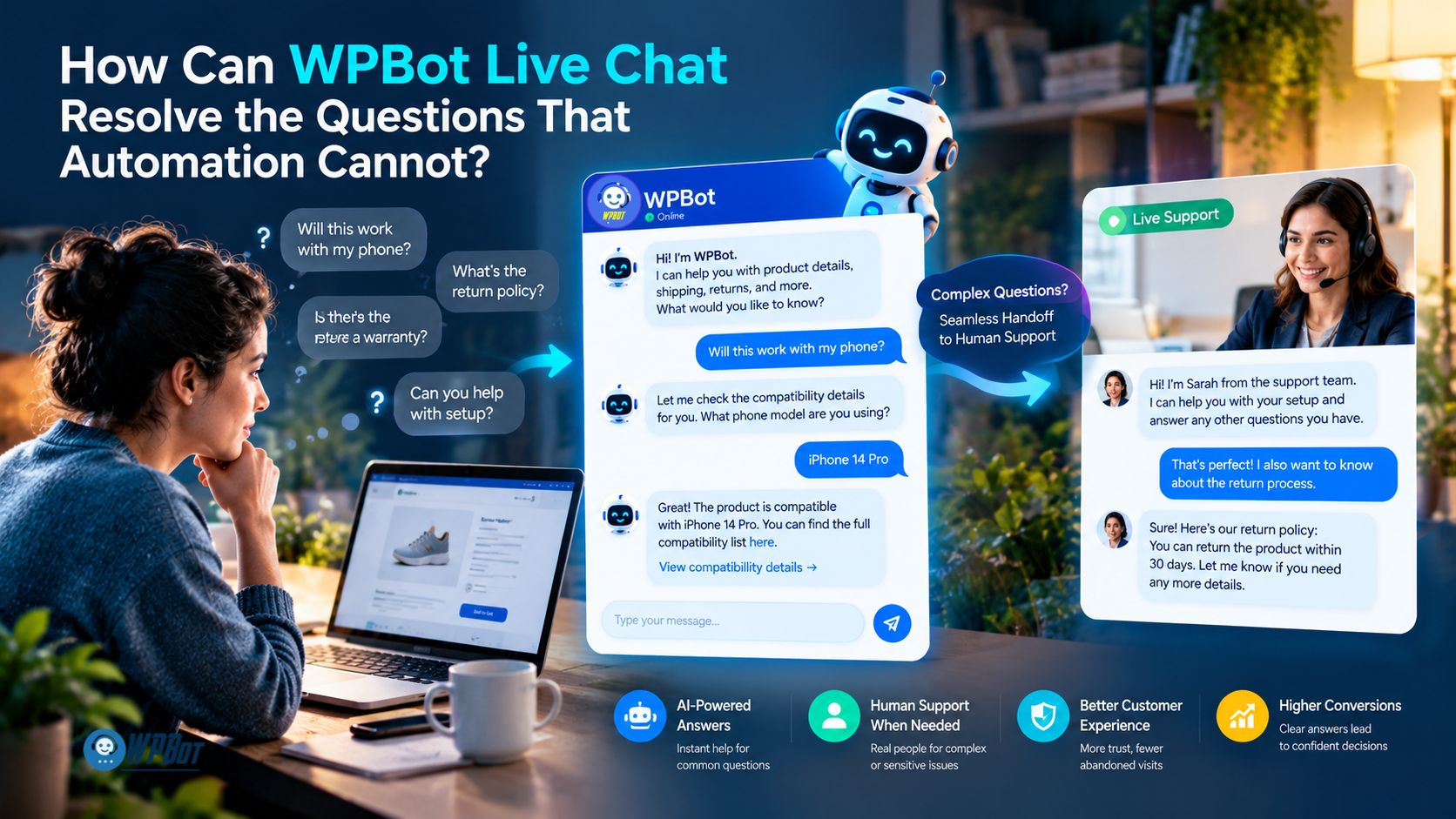
WPBot Live Chat can support a route from automated assistance to human conversation when a visitor needs clarification that a standard response cannot provide. Live Chat is especially valuable when the visitor’s concern requires judgment, account-specific investigation, or a nuanced explanation.
Automation can answer many routine questions, but a customer who remains uncertain about an expensive purchase may need a human representative. WPBot should help the business make that transition clear rather than trapping the visitor in an endless sequence of automated responses.
Why Do Hesitant Buyers Sometimes Need a Human Conversation?
A customer may ask whether a product is compatible with an unusual setup, whether a service can accommodate a special requirement, or how a complicated policy applies to a particular case. A generic answer may not resolve the concern because the customer needs a contextual explanation.
WPBot Live Chat can give the business a configured path for human assistance. The representative can review the question, clarify the customer’s requirements, and provide an answer grounded in the business’s actual policies and capabilities.
How Should WPBot Decide When a Conversation Needs Human Assistance?
WPBot implementations should define clear escalation conditions instead of assuming that every question can be handled automatically. Useful escalation triggers include unresolved questions, repeated failed answers, complaints, billing disputes, and requests requiring account-specific information.
A practical WPBot Live Chat workflow should include the following safeguards:
- Unresolved questions: WPBot offers a human-support route when a reliable answer is unavailable.
- Repeated clarification: WPBot recognizes when the conversation is not progressing and offers an alternative.
- Sensitive requests: WPBot avoids collecting unnecessary sensitive information in a general chat.
- Support availability: WPBot communicates actual support availability instead of implying that a representative is always online.
- Conversation continuity: WPBot passes relevant context to the human representative when the configured integration supports that capability.
Businesses should test the handoff process under realistic conditions, including periods when no representative is available. A visible Live Chat option is not sufficient if the customer receives no clear indication of what happens after the request is submitted.
How Can WPBot Live Chat Support WooCommerce Customers Before Checkout?
A WooCommerce customer may hesitate because the product description does not answer a compatibility question or the delivery terms are unclear. WPBot Live Chat can provide a route to assistance before the customer abandons the product page.
A useful WPBot Live Chat interaction focuses on the actual question rather than applying a generic sales script. A representative should be able to clarify verified product specifications, explain published policies, and help the visitor understand the next step without inventing guarantees.
How Should Developers Measure WPBot Live Chat Performance?
WPBot Live Chat should be evaluated using metrics that reflect both service quality and business efficiency. Relevant measures include first-response time, time to resolution, escalation rate, customer satisfaction, and the proportion of enquiries resolved without unnecessary repeat contact.
Suppose a hypothetical store handles 300 monthly enquiries and each enquiry currently requires an average of eight minutes of repetitive explanation. If improved WPBot information and Live Chat workflows reduce the repetitive portion by 25%, the potential time recovered would be:
300 × 8 minutes × 25% = 600 minutes, or 10 hours per month.
The estimate represents potential time savings, not a guaranteed WPBot outcome. Businesses should measure actual handling time and ensure that faster responses do not come at the expense of accurate answers or customer satisfaction.
How Can WPBot WooCommerce Retargeting Reconnect With Hesitant Buyers?
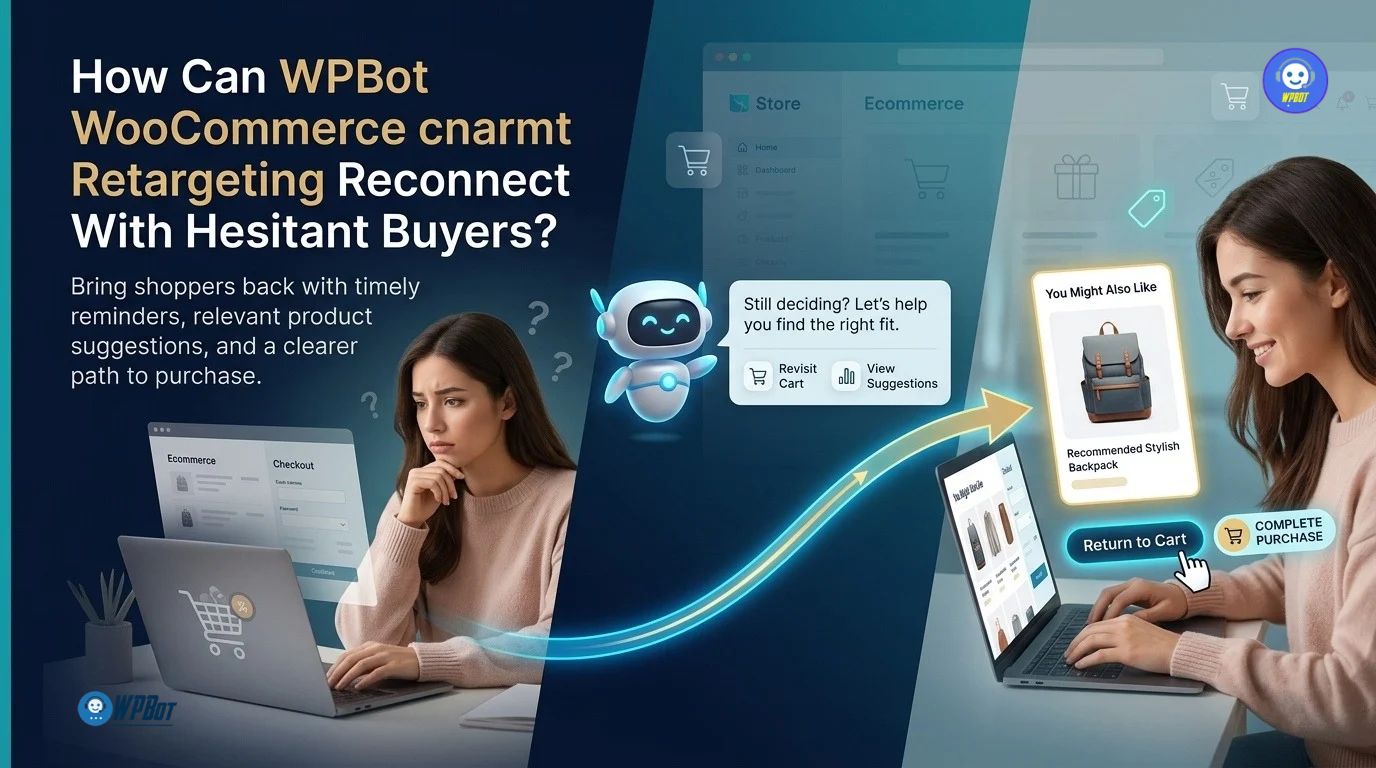
Retargeting gives businesses a way to reconnect with eligible visitors who previously showed interest but did not complete a purchase. WPBot can form part of a broader WooCommerce retargeting strategy by helping businesses understand customer questions and connecting suitable follow-up opportunities with relevant products or offers.
Retargeting is not a substitute for resolving product uncertainty. A customer who abandoned a cart because the product was incompatible needs better information, not simply another discount advertisement.
Why Should WooCommerce Retargeting Address the Original Buying Concern?
A generic retargeting message often repeats the same product image and purchase request that the customer already ignored. WPBot-informed retargeting can be more useful when the business uses permitted interaction data to understand broad customer needs and chooses a relevant follow-up message.
For example, a customer who viewed a product and sought information about compatibility may benefit from a message linking to verified compatibility details. A customer who abandoned checkout after reviewing shipping information may benefit from a clear link to delivery terms, provided the message does not disclose sensitive conversation details.
WPBot does not automatically guarantee that every conversation becomes an advertising audience or that every WooCommerce retargeting workflow is available by default. The business may need a compatible integration, analytics configuration, marketing automation tool, or advertising platform to implement the required workflow.
How Can WPBot Support a WooCommerce Cart-Abandonment Strategy?
A WooCommerce cart abandonment occurs when a shopper adds products to a cart but leaves without completing the purchase. Businesses can use appropriately configured WooCommerce events and permitted marketing channels to identify eligible abandoned carts and plan relevant follow-up.
A WPBot-supported workflow can combine three steps:
- Identify the unresolved concern. WPBot helps the business make product and support information easier to discover during the shopping journey.
- Choose an appropriate follow-up. The WooCommerce or marketing automation setup determines whether an eligible abandoned cart can receive a reminder through an authorized channel.
- Make the next step useful. The message directs the customer to the relevant product, cart, policy, or support resource instead of relying solely on urgency.
The specific event tracking, audience synchronization, message scheduling, and cart-recovery actions depend on the installed WooCommerce extensions and external integrations. Developers should verify the actual capabilities and data flow before describing a workflow as an included WPBot feature.
Which WooCommerce Retargeting Messages Are More Helpful Than Generic Discounts?
WPBot-informed retargeting should match the customer’s likely information need and avoid making unsupported assumptions about personal intent. A business can test several message types based on permitted behavioral signals.
|
Retargeting scenario |
More useful message |
WPBot’s potential role |
|
Product viewed without purchase |
“Need help comparing the product specifications?” |
WPBot helps visitors locate product information during the original visit. |
|
Cart abandoned after product research |
“Review the product details before completing your order.” |
WPBot supports question resolution before the visitor leaves. |
|
Compatibility question raised |
“Check the verified compatibility guide.” |
WPBot directs visitors toward relevant specifications. |
|
Shipping concern identified |
“Review delivery costs and estimated delivery conditions.” |
WPBot makes published delivery information easier to access. |
|
Customer needs personal assistance |
“Contact our support team with your question.” |
WPBot provides a configured Live Chat or support pathway. |
Retargeting messages should not reveal private chatbot conversations, sensitive details, or personal information to advertising networks. Businesses should use the minimum permitted data required for the chosen campaign and follow applicable consent and privacy rules.
How Much Revenue Could a WooCommerce Retargeting Campaign Recover?
Retargeting economics depend on the number of eligible abandoned carts, the average order value, the incremental recovery rate, and the costs of advertising or messaging. Businesses should distinguish revenue attributed to a campaign from revenue genuinely caused by the campaign.
Consider a hypothetical WooCommerce store with 500 eligible abandoned carts per month, an average order value of $60, and a 5% incremental recovery rate from a retargeting experiment.
Estimated incremental orders = 500 × 5% = 25 orders.
Estimated incremental revenue = 25 × $60 = $1,500 per month.
If campaign costs total $300, the incremental revenue-to-campaign-cost ratio is $1,500 ÷ $300 = 5:1. That ratio is not profit, because product costs, payment fees, fulfillment, returns, and other expenses remain to be deducted.
WPBot can contribute to the customer experience that informs this strategy, but the figures above are illustrative assumptions, not verified WPBot performance data. Businesses should use controlled tests or suitable comparison groups to estimate the incremental impact of retargeting.
How Should Developers Build a Responsible WPBot Retargeting Workflow?
A reliable implementation starts by separating conversational support from advertising activation. WPBot can help address questions, while WooCommerce events and a compatible marketing integration may manage eligibility, audience creation, and message delivery.
Developers should verify the following before launching a WPBot-supported retargeting campaign:
- Confirm which WooCommerce events are available and how the integration identifies an abandoned cart.
- Check whether marketing consent is required and how consent withdrawal is honored.
- Avoid transmitting raw chatbot transcripts or sensitive form responses to advertising platforms.
- Define audience-retention periods and exclusion rules for completed purchases.
- Test duplicate-event handling so customers do not receive repeated messages for the same event.
- Measure incremental conversions rather than relying only on platform-reported attribution.
A WPBot retargeting workflow should help customers return to a useful next step while preserving privacy and giving customers appropriate control over marketing communications.
How Do Conversational Forms, Live Chat, and Retargeting Work Together?
Conversational Forms, Live Chat, and WooCommerce retargeting solve different parts of the customer journey. WPBot can support the overall strategy when businesses design each interaction around a real customer need and use compatible integrations for follow-up.
|
WPBot strategy pillar |
Primary purpose |
Example outcome |
Key measurement |
|
Conversational Forms |
Understand requirements and collect relevant enquiry details |
More visitors complete a useful enquiry |
Form completion and qualified enquiry rates |
|
Live Chat |
Resolve questions that need human assistance |
Faster clarification for complex concerns |
Response time and resolution rate |
|
WooCommerce retargeting |
Reconnect with eligible visitors after an incomplete purchase |
Incremental recovered orders |
Incremental conversion and contribution margin |
The three pillars should not be treated as independent promotional features. WPBot Conversational Forms can help identify the visitor’s needs, WPBot Live Chat can help resolve questions that require a person, and a compatible WooCommerce retargeting setup can support a relevant follow-up when the visitor has left without completing a purchase.
The most important design principle is continuity. Businesses should make sure the customer receives consistent information across the chatbot, support team, product page, checkout, and follow-up messages.
How Can You Launch a WPBot Customer-Confidence Experiment in 30 Days?
A short, structured experiment is more useful than launching multiple chatbot features without a clear objective. WPBot can be evaluated through a focused implementation that measures whether visitors can find answers and complete relevant tasks more easily.
What Should You Do During Week One?
Review WooCommerce product enquiries, customer support requests, abandoned-cart reports, and existing website analytics. Select three to five recurring questions that could prevent customers from choosing a product or completing a purchase.
Record the baseline measures for those questions, including available form completion, support response, and checkout data. Define the primary outcome before changing the WPBot configuration.
How Should You Configure WPBot During Week Two?
Create or improve the relevant knowledge content and configure WPBot to direct visitors toward accurate answers. Build a focused Conversational Form for the selected enquiry type and test the WPBot Live Chat handoff for questions that need human support.
Verify that the relevant WooCommerce and marketing integrations support the intended retargeting workflow. Do not assume that an integration is active merely because a product or plugin name appears in the configuration.
What Should You Observe During Week Three?
Review permitted WPBot conversation data and identify unanswered questions, confusing responses, form abandonment, and failed support handoffs. Improve the underlying content and conversation flow before adding more marketing messages.
If retargeting is part of the experiment, verify consent handling, audience eligibility, completed-purchase exclusions, and message frequency. Use a limited, clearly defined audience before expanding the campaign.
How Should You Evaluate Results During Week Four?
Compare the results with the original baseline and document the conditions that could influence the comparison. Examine whether the selected questions are being resolved more effectively and whether the relevant customer tasks have improved.
Do not declare success based only on an increase in chatbot engagement or attributed revenue. The goal is to determine whether WPBot and the supporting workflow created a measurable improvement in the customer experience or business outcome.
What Makes WPBot Different From a Standalone SaaS Chatbot?
WPBot is designed for WordPress websites, making WordPress compatibility and the site’s existing architecture important considerations when evaluating WPBot against hosted chatbot services. The practical differences depend on the competing product, the WPBot license, the integrations selected, and the hosting environment.
|
Evaluation factor |
WPBot in a WordPress environment |
Hosted SaaS chatbot |
|
Deployment |
Installed and configured within a supported WordPress environment |
Usually configured through a hosted vendor account and website integration |
|
Website content |
Can use supported WordPress content and configured search capabilities |
Depends on the vendor’s supported content sources and synchronization |
|
Conversational Forms |
Available capabilities depend on the WPBot version and configuration |
Depends on the SaaS product and subscription tier |
|
Live Chat |
Depends on the WPBot features and configured live-chat integrations |
Depends on the hosted service and plan |
|
WooCommerce retargeting |
May require compatible WooCommerce events and external marketing integrations |
May require vendor-specific commerce integrations and paid features |
|
AI usage costs |
Depends on the selected AI provider, model, usage, and license terms |
Depends on the SaaS pricing model and included usage |
|
Hosting and maintenance |
The site owner manages WordPress hosting and relevant maintenance responsibilities |
The vendor manages the hosted service infrastructure |
|
Data handling |
Depends on WordPress storage, external AI providers, integrations, and configuration |
Depends on the SaaS vendor’s architecture and contractual terms |
WPBot should not be described as automatically cheaper, more private, or more capable than every SaaS chatbot. Businesses should compare the actual license price, external API costs, hosting requirements, integrations, data-handling practices, and ongoing maintenance before making a decision.
How Can WPBot Help Customers Make Better Decisions Instead of Just More Purchases?
The strongest WPBot strategy recognizes that a customer who asks a question is not necessarily ready to buy. A useful conversation helps the customer understand the available options, verify important details, and decide what to do next.
WPBot Conversational Forms can organize the information needed to understand a customer’s requirements. WPBot Live Chat can provide a path to human assistance when a question requires judgment, and a compatible WooCommerce retargeting workflow can reconnect with eligible visitors who leave without purchasing.
Businesses should judge WPBot by the quality of the customer experience and the measurable results of the complete implementation. More conversations, more collected email addresses, and more retargeting impressions do not automatically mean that customers are better served.
The goal is not to remove every reason a customer might say no. The goal is to remove unnecessary uncertainty so customers can make informed decisions.
WPBot can help WordPress businesses work toward that goal by connecting relevant answers, guided enquiries, human assistance, and responsible follow-up in a coherent customer journey.
FAQ:
WPBot is a WordPress chatbot plugin that helps businesses guide visitors through website questions, capture relevant information with Conversational Forms, provide assistance through Live Chat, and support follow-up opportunities through configured WooCommerce retargeting workflows. It connects customer questions with relevant answers and timely follow-up to address buying uncertainty.
Visitors may hesitate not because of lack of information but because they need confidence that the purchase is right for their particular situation. WPBot addresses this uncertainty by enabling conversations that help visitors ask questions, explain requirements, and discover relevant information.
WPBot Conversational Forms provide a guided question-and-answer experience focused on the visitor's immediate needs rather than requesting extensive contact details upfront. This structured interaction reduces visitor hesitation by explaining why each detail is requested and avoiding unnecessary mandatory fields.
WPBot Live Chat should be used to escalate conversations to human representatives when a visitor's questions require judgment, account-specific investigation, or nuanced explanations that automated responses cannot adequately provide.
WPBot WooCommerce Retargeting reconnects eligible visitors who previously showed interest but did not complete a purchase by understanding their original buying concerns and delivering relevant follow-up messages, such as linking to compatibility guides or delivery terms, instead of generic discount advertisements.
Businesses should track the number of form starts, completed submissions, abandonment points, qualified inquiries, and the proportion of submissions that lead to meaningful follow-up to measure the effectiveness of WPBot Conversational Forms.
WPBot is installed and configured within a WordPress environment and can use WordPress content and search capabilities. SaaS chatbots are usually hosted externally with vendor-managed infrastructure. Differences include deployment, content integration, conversational form capabilities, live chat integration, WooCommerce retargeting support, AI usage costs, hosting, maintenance, and data handling.
Developers should map all data flows, document data collection and storage, verify provider retention and processing terms, restrict access, define retention and deletion policies, obtain necessary consent, handle data subject requests, review security advisories, test vulnerabilities, ensure secure webhook handling with idempotency and bounded retries, and maintain updated software with secure integrations.
Final implementation principle:
WPBot works best when Conversational Forms, Live Chat, and WooCommerce retargeting are designed around verified customer needs, measurable outcomes, secure integrations, and transparent data handling. Developers should validate every version-specific feature and integration before making technical or performance claims.