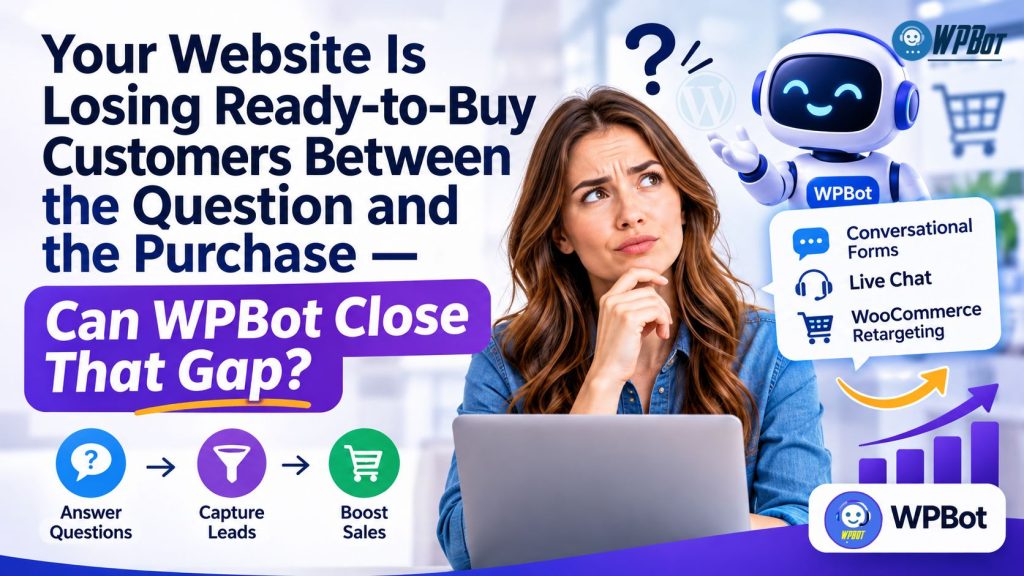
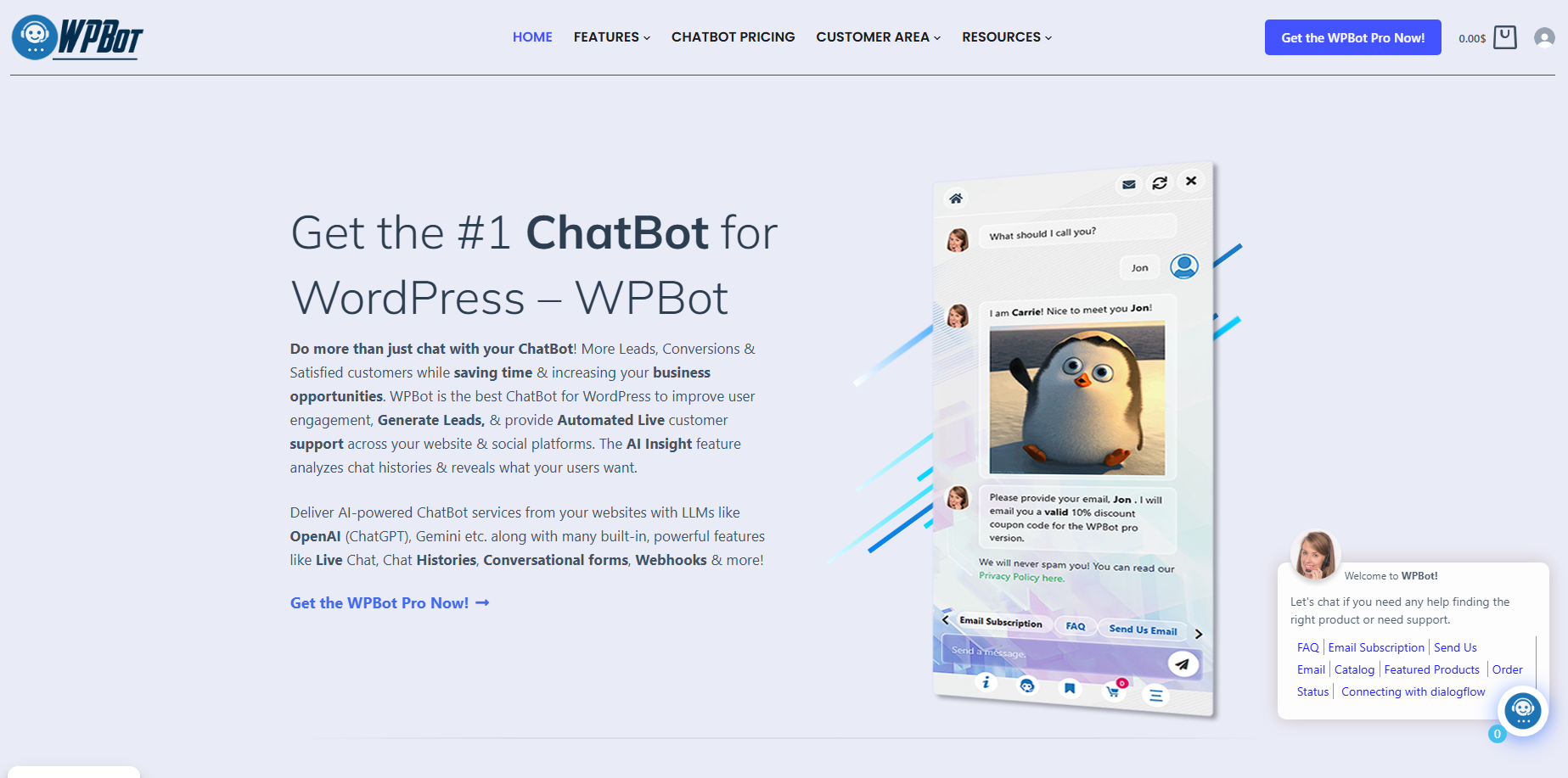
WPBot helps WordPress businesses close the gap between customer questions and purchases by combining AI-powered conversations, Conversational Forms, and real-time Live Chat with WooCommerce Retargeting. WPBot gives website visitors a way to get answers, submit buying requirements, reach human support, and receive relevant shopping assistance without relying entirely on traditional contact forms or delayed email responses.
Why Are Ready-to-Buy Customers Leaving Your Website Before Purchasing?
A visitor who reaches a product page, checks the pricing, and opens the checkout page may already have a strong intention to purchase. However, a single unanswered question about product compatibility, delivery, payment, installation, or returns can interrupt the buying decision.
The problem is not always insufficient website traffic. Many WordPress businesses already attract visitors with purchasing intent but struggle to turn customer interest into completed transactions.
Consider a customer shopping for a premium WordPress theme. The customer likes the design, understands the price, and wants to purchase, but needs confirmation about lifetime updates and compatibility before paying.
If the website provides no immediate answer, the customer may open another browser tab, contact a competitor, or abandon the purchase.
WPBot addresses the gap between buying intent and purchasing action by bringing customer assistance directly into the WordPress website.
Why Does One Unanswered Question Cost More Than One Lost Click?
A customer question represents more than a support request. A question about pricing, product compatibility, delivery, or payment can reveal a customer’s position in the purchasing journey.
WPBot helps businesses respond to customer questions while the visitor remains engaged with the website.
For example:
- WPBot product assistance: WPBot can answer product-related questions using configured knowledge sources and AI integrations.
- WPBot lead qualification: WPBot Conversational Forms can collect customer requirements before a sales representative becomes involved.
- WPBot human assistance: WPBot Live Chat can connect visitors with available support personnel.
- WPBot WooCommerce engagement: WPBot can support product discovery and shopping conversations that help customers continue toward a purchase.
A traditional contact form usually asks visitors to leave a message and wait. WPBot creates an opportunity to answer, qualify, and assist during the same browsing session.
Is Your Website Measuring Traffic Instead of Buying Intent?
Google Analytics can show page views, traffic sources, and conversion events. However, website analytics alone cannot explain every reason behind an abandoned purchase.
WPBot conversations can provide additional qualitative information about customer hesitation.
A visitor asking whether a product supports a particular feature reveals a different buying concern from a visitor asking about delivery charges. WPBot can help businesses identify recurring questions and improve product descriptions, FAQs, sales processes, and customer support.
WPBot turns customer conversations into useful information that businesses can apply to improve the purchasing experience.
Why Are Traditional Contact Forms Losing Valuable Sales Opportunities?
Traditional contact forms are useful for collecting information, but traditional contact forms often introduce unnecessary friction into the buying process.
A visitor may need to find a contact page, complete several fields, describe a problem, and wait for a response. A customer who needs a quick answer may not have enough patience to complete the entire process.
WPBot Conversational Forms offer a more interactive approach.
How Do WPBot Conversational Forms Make Lead Collection Easier?
WPBot Conversational Forms collect information through a guided conversation rather than presenting every field in one large form.
A business can structure a conversation around the information required for a particular sales or support process.
For example, a web development agency can use WPBot Conversational Forms to collect:
- WPBot customer name: Identify the person requesting a quotation.
- WPBot contact information: Collect an email address or other configured contact details.
- WPBot project requirements: Understand the website type, required features, and expected functionality.
- WPBot project budget: Capture the customer’s approximate investment range.
- WPBot project timeline: Understand the expected starting date and delivery requirements.
The business receives structured information instead of an incomplete message such as “I need a website. Please contact me.”
WPBot Conversational Forms can also support appointment inquiries, service requests, product questions, consultation requests, and other information-collection workflows, depending on the configured form.
Can WPBot Conversational Forms Qualify Leads Before Sales Teams Respond?
Lead qualification is important because sales teams should spend more time speaking with suitable prospects and less time collecting basic information.
WPBot Conversational Forms can collect information that helps a business evaluate a potential customer before a sales representative joins the conversation.
Consider a company selling premium business websites.
A WPBot Conversational Form could ask about:
- WPBot business requirements: Is the customer looking for an ecommerce website, corporate website, or membership website?
- WPBot project complexity: Does the customer require payment gateways, CRM integration, or custom development?
- WPBot purchasing readiness: Is the customer planning to start immediately or researching future options?
- WPBot budget expectations: Does the customer’s estimated budget match the company’s service packages?
The resulting information helps the sales team prioritize suitable inquiries.
WPBot does not need to replace the sales representative. WPBot helps collect the information required for a more productive sales conversation.
Why Should WPBot Conversational Forms Ask One Useful Question at a Time?
Long forms can make visitors feel that contacting a business requires too much effort.
WPBot Conversational Forms can organize information collection into smaller conversational steps. A visitor can answer one question before moving to the next relevant question.
A useful WPBot form should follow three principles:
- WPBot form simplicity: Request only information that the business genuinely needs.
- WPBot question relevance: Ask questions that match the visitor’s selected service or product.
- WPBot form transparency: Explain why sensitive or personal information is being requested.
For example, a WPBot consultation form should not request a customer’s company registration number when a name, email address, and project description are sufficient for the initial discussion.
How Can WPBot AI Actions Extend Conversational Forms Beyond Basic Lead Capture?
WPBot AI Actions can extend chatbot interactions into structured business workflows.
Instead of limiting a conversation to a simple question-and-answer exchange, WPBot AI Actions can help collect customer requirements and initiate configured actions.
Potential business workflows include:
- WPBot lead collection: Gather customer information and requirements.
- WPBot quotation requests: Collect specifications needed for a price estimate.
- WPBot booking inquiries: Capture appointment preferences and booking details.
- WPBot business automation: Send collected information to supported integrations through configured workflows and webhooks.
The exact action, integration, and destination depend on the installed WPBot version and configuration.
A practical example is a customer requesting a quotation for a customized ecommerce website. WPBot can collect the project requirements, organize the information, and pass the configured data to the relevant business workflow.
WPBot makes the first step of the sales process more useful by collecting actionable information while customer interest is still active.
Why Does Live Chat Matter When Customers Are Ready to Buy?
AI-powered answers are useful, but some purchasing decisions require human judgment.
A customer buying an expensive service may want to discuss project requirements with a real person. A WooCommerce shopper may need assistance with an unusual order issue. A business customer may require clarification about a customized quotation.
WPBot Live Chat provides a human assistance channel within the chatbot experience.
Can WPBot Live Chat Prevent Customers From Waiting for Email Replies?
Email is appropriate for detailed communication, but email is not always the best channel for urgent purchasing questions.
A visitor comparing two products may need an answer immediately. Waiting several hours for an email response can create an opportunity for a competitor to complete the sale first.
WPBot Live Chat gives businesses a way to handle conversations through a more immediate support channel.
WPBot can support a combination of automated chatbot assistance and human customer service, depending on the configured Live Chat workflow.
Why Should WPBot Combine AI Chatbot Assistance With Human Support?
A chatbot and a human support representative solve different problems.
WPBot AI assistance can handle repetitive questions, provide configured information, and guide visitors toward relevant options. Human support can handle complex requirements, exceptions, sensitive situations, and purchasing decisions that require personal judgment.
A useful WPBot support structure looks like this:
|
Customer situation |
WPBot response |
|
Basic product question |
WPBot provides an automated answer using configured knowledge sources. |
|
Pricing question |
WPBot provides configured pricing information. |
|
Complex technical question |
WPBot helps route the conversation toward human support. |
|
Customized quotation |
WPBot Conversational Forms collect project requirements. |
|
Order-related concern |
WPBot directs the customer toward the configured support workflow. |
|
Urgent sales inquiry |
WPBot Live Chat provides a channel for available human representatives. |
WPBot should make the transition between automated assistance and human support clear. A customer should understand whether an AI-generated answer or a human representative is responding.
How Does WPBot Live Chat With Slack Help Support Teams Respond?
Support teams do not always work from the WordPress administration dashboard.
WPBot Live Chat with Slack provides a workflow for connecting website conversations with a Slack-based support environment, subject to the installed version and integration configuration.
The Slack connection can help support personnel receive and manage relevant conversation notifications without relying exclusively on continuous WordPress dashboard monitoring.
For a distributed support team, the WPBot and Slack combination can make customer conversations easier to coordinate.
A practical workflow might look like this:
- WPBot visitor engagement: A visitor starts a conversation on the WordPress website.
- WPBot question handling: WPBot provides automated assistance where configured.
- WPBot human escalation: A conversation requiring personal attention reaches the configured support workflow.
- WPBot Slack coordination: Support personnel use the connected Slack workflow to coordinate assistance.
- WPBot customer follow-up: A representative provides the required response through the available support channel.
The business should test notification permissions, agent availability, conversation ownership, and message delivery before relying on WPBot Live Chat for critical customer support.
How Should Businesses Measure WPBot Live Chat Performance?
A high number of chatbot conversations does not automatically mean better customer support.
Businesses should measure whether WPBot Live Chat helps customers receive useful answers and complete meaningful actions.
Important metrics include:
- WPBot first-response time: Measure the time between a customer message and the first useful response.
- WPBot human handoff rate: Track how many conversations require a human representative.
- WPBot resolution rate: Measure how many conversations reach a satisfactory resolution.
- WPBot sales-assisted conversion rate: Compare purchasing outcomes for visitors who use sales assistance.
- WPBot unanswered conversation rate: Identify conversations that remain unresolved.
A business can calculate the human handoff rate using:
Human Handoff Rate = Human-Escalated Conversations ÷ Total Conversations × 100
For example, if WPBot handles 500 conversations and 100 conversations require human assistance, the human handoff rate is 20%.
The 20% figure is an illustrative calculation, not a guaranteed WPBot performance benchmark.
Why Is WooCommerce Retargeting Essential When Shoppers Abandon Their Carts?
WooCommerce businesses invest money and time in product photography, search engine optimization, advertising, product descriptions, and customer acquisition.
However, a customer can add a product to the cart and leave before completing checkout.
An abandoned cart does not always mean the customer has lost interest. A shopper may still want the product but need clarification about shipping, payment, product compatibility, delivery time, or return policies.
WooCommerce Retargeting gives businesses an opportunity to reconnect with customers and encourage another purchasing action.
Why Do WooCommerce Customers Abandon Carts Before Payment?
Cart abandonment can happen for several reasons:
- WPBot checkout assistance: A shopper may need clarification about payment methods.
- WPBot delivery information: A shopper may want to confirm shipping charges or delivery time.
- WPBot product compatibility: A shopper may need confirmation that a product works with existing equipment.
- WPBot purchase confidence: A shopper may want more information about warranties, returns, or product quality.
- WPBot customer assistance: A shopper may need help resolving a technical or ordering issue.
A WooCommerce store should not treat every abandoned cart as a discount opportunity.
Sometimes a clear answer is more valuable than a promotional offer.
How Can WPBot WooCommerce Retargeting Bring Shoppers Back?
WPBot can support WooCommerce product-related conversations and retargeting workflows that help businesses re-engage shoppers.
The goal is to make relevant product information and shopping assistance available during the customer’s decision-making process.
A practical WPBot WooCommerce workflow can include:
- WPBot product discovery: Help shoppers find products through conversational assistance.
- WPBot product questions: Answer configured questions about product features and availability.
- WPBot shopping assistance: Help customers understand relevant product options.
- WPBot cart-related engagement: Support configured retargeting interactions with shoppers.
- WPBot purchase assistance: Guide customers toward the appropriate product or checkout destination.
The available retargeting triggers and actions depend on the specific WPBot version, WooCommerce configuration, and enabled integrations.
Businesses should distinguish between on-site chatbot engagement, abandoned-cart recovery, and external advertising retargeting. These activities have different technical requirements and should not be presented as interchangeable features.
Can WPBot Product Recommendations Help Customers Make Faster Decisions?
Too many product choices can create decision fatigue.
A shopper searching for a laptop accessory may not know which product supports the required connection type. A visitor browsing an online electronics store may need assistance comparing features.
WPBot product-related assistance can help shoppers discover relevant WooCommerce products through configured conversational search and recommendation capabilities.
For example:
- WPBot product matching: Help customers find products that match stated requirements.
- WPBot product comparison: Provide relevant product information to support purchasing decisions.
- WPBot WooCommerce search: Help customers locate products through conversational questions.
- WPBot purchase guidance: Direct shoppers toward relevant product pages.
Businesses should ensure that WPBot product information reflects current WooCommerce inventory, product variations, pricing, and other configured data sources.
How Should WooCommerce Businesses Calculate WPBot Retargeting ROI?
A business should measure recovered revenue rather than count chatbot messages alone.
Consider a WooCommerce store with the following illustrative monthly figures:
|
Metric |
Example |
|
Monthly abandoned carts |
1,000 |
|
Average cart value |
$60 |
|
Cart recovery rate before WPBot |
3% |
|
Target recovery rate after optimization |
5% |
|
Additional recovered orders |
20 |
|
Additional gross revenue |
$1,200 |
The calculation is:
Additional Recovered Orders = 1,000 × (5% − 3%) = 20
Additional Gross Revenue = 20 × $60 = $1,200
The $1,200 represents additional gross revenue, not net profit. Payment fees, discounts, product costs, shipping, taxes, and operating expenses must be considered separately.
WPBot should receive credit only for conversions that can reasonably be attributed to WPBot-assisted interactions. Businesses should use appropriate tracking and comparison periods to avoid attributing every recovered order to the chatbot.
Why Does WPBot Offer a More Connected Sales Experience Than Separate Tools?
Many businesses use separate systems for lead generation, customer support, product search, and ecommerce engagement.
Separate systems can introduce additional configuration work, integration requirements, subscription costs, and fragmented customer conversations.
WPBot brings several important customer engagement capabilities into the WordPress environment.
WPBot Versus Traditional Contact Forms: Which Approach Helps Capture More Context?
|
Capability |
Traditional contact form |
WPBot |
|
Customer interaction |
Static fields |
Conversational interaction |
|
Information collection |
Form submission |
Configured conversational forms |
|
Automated answers |
Usually unavailable |
AI-powered chatbot assistance |
|
Human assistance |
Usually separate |
Live Chat capability |
|
Product questions |
Usually separate |
Conversational product assistance |
|
Lead qualification |
Depends on form design |
Configurable conversational workflows |
Traditional contact forms remain useful for straightforward submissions. WPBot adds conversational assistance and additional engagement options around the information-collection process.
WPBot Versus SaaS Chatbot Subscriptions: What Should WordPress Owners Compare?
A WordPress owner should evaluate more than the advertised monthly subscription.
The total cost of a chatbot depends on software licensing, AI provider usage, hosting, integrations, support requirements, and maintenance.
|
Cost category |
WPBot self-hosted WordPress setup |
SaaS chatbot service |
|
Core software |
Depends on WPBot license |
Depends on subscription plan |
|
WordPress integration |
Native WordPress plugin approach |
Depends on provider integration |
|
AI provider usage |
Depends on selected API and usage |
Depends on provider pricing |
|
Data handling |
Depends on WordPress configuration and external services |
Depends on SaaS provider policies |
|
Hosting |
WordPress hosting resources |
Usually provider infrastructure |
|
Customization |
Depends on WPBot features and WordPress development |
Depends on subscription tier |
|
Long-term cost |
License, hosting, APIs, and maintenance |
Subscription, usage, and integrations |
WPBot’s Master Lifetime License is positioned as a one-time license rather than a recurring software subscription. The advertised lifetime terms, supported features, site allowance, and renewal conditions should be checked against the current license offer before purchase.
A lifetime software license does not mean unlimited external AI API usage, free hosting, or unlimited third-party service consumption.
Why Does WPBot Master Lifetime License Matter for WordPress Agencies?
Agencies managing multiple WordPress websites need to consider licensing costs alongside implementation and support costs.
WPBot Master Lifetime License has been marketed with a one-time payment model, lifetime updates and support, white-label branding, and support for up to 50 WordPress client websites, subject to the applicable license terms.
The WPBot Master Lifetime License proposition can be relevant to agencies that want to standardize chatbot deployment across client websites.
Agencies should verify current license entitlements, activation rules, feature access, and support conditions before making purchasing decisions.
How Can Developers Deploy WPBot Without Creating an Unnecessary Technical Burden?
A chatbot should improve the customer experience without creating an unstable WordPress installation.
WPBot implementation should begin with a clear feature plan, a realistic knowledge source, and a controlled integration strategy.
What Should Developers Configure Before Activating WPBot?
A developer should complete the following WPBot implementation checks:
- WPBot installation: Install the correct WPBot package and verify compatibility with the active WordPress version.
- WPBot configuration: Enable only the features required by the business.
- WPBot knowledge sources: Configure accurate website content and other supported information sources.
- WPBot AI integration: Add valid API credentials when an external AI provider is required.
- WPBot Conversational Forms: Test each question, validation rule, and submission destination.
- WPBot Live Chat: Test human availability, escalation, and notifications.
- WPBot WooCommerce integration: Test product search, product information, and relevant shopping workflows.
- WPBot security: Review permissions, API credentials, data retention, and access controls.
- WPBot performance: Test frontend behavior, AJAX or REST requests, caching compatibility, and server load.
- WPBot monitoring: Review logs, errors, failed integrations, and conversation quality.
A staged deployment is safer than activating every feature simultaneously.
How Can Developers Avoid Sending Incorrect Information Through WPBot?
An AI chatbot is only as reliable as the information and configuration behind its answers.
WPBot knowledge sources should contain current product information, accurate business policies, and clearly written support documentation.
Developers should pay particular attention to:
- WPBot pricing accuracy: Keep product prices and service charges synchronized with authoritative sources.
- WPBot inventory accuracy: Avoid presenting outdated stock information as current inventory.
- WPBot policy accuracy: Maintain current shipping, refund, warranty, and privacy information.
- WPBot answer boundaries: Define how WPBot should respond when reliable information is unavailable.
- WPBot escalation rules: Provide a human assistance route for uncertain or sensitive questions.
WPBot should never be configured to invent delivery commitments, guarantee refunds, or make unsupported product compatibility claims.
Can WPBot Turn Customer Conversations Into a Measurable Growth Strategy?
A chatbot should not be evaluated only by the number of conversations generated.
A business should evaluate whether WPBot helps visitors obtain useful information, submit qualified inquiries, receive assistance, and complete purchases.
Which WPBot Metrics Should Marketing Teams Track?
|
WPBot metric |
Measurement |
Business value |
|
Conversation initiation rate |
Chat starters ÷ eligible visitors |
Measures chatbot engagement |
|
Conversational form completion |
Completed forms ÷ started forms |
Measures lead collection effectiveness |
|
Lead qualification rate |
Qualified leads ÷ submitted leads |
Measures lead quality |
|
Human handoff rate |
Human-assisted conversations ÷ total conversations |
Measures support escalation |
|
Assisted conversion rate |
Attributed purchases ÷ chatbot-assisted visitors |
Measures sales contribution |
|
Cart recovery rate |
Recovered abandoned carts ÷ eligible abandoned carts |
Measures recovery performance |
The denominator for each metric should be defined consistently. For example, a cart recovery calculation should distinguish eligible abandoned carts from all website sessions.
How Can WPBot Help Businesses Improve Conversion Rates Over Time?
WPBot conversation data can reveal recurring customer concerns that traditional analytics may not explain.
A store receiving repeated questions about product dimensions may need better product descriptions. A service business receiving repeated pricing inquiries may need clearer service packages.
A business can use WPBot conversation insights to improve:
- WPBot knowledge quality: Add accurate answers for frequently asked questions.
- WPBot form design: Remove unnecessary questions that reduce completion.
- WPBot support workflows: Improve escalation for complex customer problems.
- WPBot product information: Address recurring compatibility and feature questions.
- WPBot retargeting strategy: Test relevant recovery messages and shopping assistance.
The strongest WPBot implementation is not necessarily the implementation with the most features enabled. The strongest WPBot implementation is the implementation that solves identifiable customer problems and produces measurable business outcomes.
Is Your Website Ready to Help Customers Complete Their Purchases?
A website can attract visitors, display excellent products, and rank in search engines while still losing customers through unanswered questions and disconnected support processes.
WPBot gives WordPress businesses a way to address three important parts of the purchasing journey.
- WPBot Conversational Forms: Collect customer requirements, qualify leads, and organize inquiries through guided conversations.
- WPBot Live Chat: Connect customers with human support when automated answers are not enough.
- WPBot WooCommerce Retargeting: Help shoppers continue their purchasing journey through relevant product assistance and configured retargeting workflows.
The goal is not to replace every human interaction with AI. The goal is to remove unnecessary friction between a customer’s question and the action that the customer wants to complete.
Your customers should not have to leave your website just because they need one more answer. WPBot helps turn those unanswered questions into conversations, qualified opportunities, customer engagement, and potential sales.
Ready to close the gap between customer questions and purchases? Explore WPBot and build a more conversational WordPress sales experience.
FAQ:
WPBot is a conversational AI chatbot for WordPress that combines AI-powered conversations, Conversational Forms, real-time Live Chat, and WooCommerce Retargeting to help businesses close the gap between customer questions and purchases by providing immediate assistance and engagement on their websites.
Customers with strong purchase intent may leave if they have unanswered questions about product compatibility, delivery, payment, installation, or returns. Lack of immediate answers can cause them to seek information elsewhere or abandon the purchase.
WPBot Conversational Forms collect information through guided, interactive conversations by asking one useful question at a time, which reduces friction and increases form completion rates. They also qualify leads by collecting relevant customer requirements before sales team involvement.
WPBot Live Chat connects visitors with human support representatives when automated AI answers are insufficient, providing immediate assistance for complex questions, urgent sales inquiries, or customized quotations, and reducing the wait time compared to email responses.
WPBot WooCommerce Retargeting supports product-related conversations and retargeting workflows to re-engage shoppers who abandon carts by providing relevant product information, clarifications on payment or delivery, and shopping assistance to encourage completion of purchases.
Developers should install the correct WPBot package, enable only required features, configure accurate knowledge sources, add valid AI API credentials, test Conversational Forms and Live Chat, ensure WooCommerce integration works correctly, review security settings, and monitor performance and logs.
WPBot stores conversation data and contact information in the website's WordPress database and sends queries to external AI providers when integrated. Developers must manage access control, retention, backups, deletion policies, and review third-party service data handling to ensure GDPR compliance.
Important WPBot metrics include conversation initiation rate, conversational form completion rate, lead qualification rate, human handoff rate, assisted conversion rate, and cart recovery rate. These metrics help measure chatbot engagement, lead quality, support escalation, sales contribution, and recovery performance.
Final Developer and Marketing Recommendation
WPBot should be evaluated as a customer engagement and conversion system, not merely as a floating chatbot icon.
The strongest implementation connects three important capabilities:
- WPBot Conversational Forms: Understand customer requirements and collect qualified leads.
- WPBot Live Chat: Resolve difficult questions through human assistance.
- WPBot WooCommerce Retargeting: Re-engage shoppers through appropriate on-site and configured off-site workflows.
When developers configure the three WPBot pillars correctly, businesses can build a more connected customer journey from the first question to the purchasing decision.
The real opportunity is not simply getting more people to open a chatbot. The opportunity is helping more interested visitors get the answers and assistance required to make a confident purchase.
WPBot: Turn Questions Into Leads. Turn Conversations Into Customers.