Contents
- 1 Why “Making Money While You Sleep” Is Not a Myth
- 2 What Is a Chatbot?
- 3 How Exactly Do Chatbots Make You Money?
- 4 How AI Makes Chatbots Smarter
- 5 What Is WPBot?
- 6 What Is WoowBot?
- 7 Chatbots vs Human Sales Teams
- 8 Real-World Use Cases That Generate Revenue
- 9 How to Set Up a Money-Making Chatbot (Step-by-Step)
- 10 Advanced Monetization Strategies
- 11 Common Mistakes That Kill Revenue
- 12 Are Chatbots Expensive?
- 13 ROI Calculation Example
- 14 Do Chatbots Work for Small Businesses?
- 15 SEO Benefits of Chatbots
- 16 Security and Data Considerations
- 17 Future of Revenue Automation
- 18 Frequently Asked Questions (FAQs)
- 19 Final Thoughts: Should You Use a Chatbot?
Chatbots make you money 24/7 by capturing leads, answering questions, recommending products, recovering abandoned carts, booking appointments, and closing sales — automatically.
They work when you’re offline.
They reply instantly.
They don’t take breaks.
If you run a WordPress or WooCommerce site, tools like WPBot and WoowBot can turn your website into a non-stop sales machine.
In this guide, I’ll break everything down. Simple. Clear. No fluff.
Why “Making Money While You Sleep” Is Not a Myth
Let’s be realistic.
Your website is open 24 hours.
But you are not.
Visitors come from:
- Different time zones
- Late-night browsing
- Mobile searches
- Social media clicks
If nobody responds to them instantly, you lose the sale.
Studies from HubSpot show that faster response time significantly increases conversion rates.
People don’t wait.
A chatbot solves that.
What Is a Chatbot?
A chatbot is software that:
- Talks to website visitors
- Answers questions automatically
- Suggests products or services
- Collects user data
- Connects to AI like ChatGPT
It works through:
- Rule-based automation
- AI-based conversations
- Hybrid systems (best option)
On WordPress, chatbots integrate directly with your website and product database.
That’s where automation becomes revenue.
How Exactly Do Chatbots Make You Money?
Let’s break it down into real revenue mechanisms.
1. They Capture Leads Automatically
Imagine this:
A visitor lands on your site at 2:13 AM.
They are interested.
They have a question.
Instead of leaving, they see:
“Hi! Can I help you choose the right plan?”
The chatbot collects:
- Name
- Phone
- Business size
- Budget
Now you have a qualified lead.
Even if they don’t buy immediately, you can:
- Send follow-up emails
- Run retargeting ads
- Offer discounts
That’s long-term revenue.
2. They Recover Abandoned Carts
Cart abandonment rates are high. Often above 60%.
Why?
- Confusion
- Shipping questions
- Pricing doubts
- Payment concerns
A chatbot can:
- Detect cart activity
- Offer help instantly
- Provide coupon codes
- Explain return policy
- Answer payment questions
In WooCommerce, tools like WoowBot can:
- Show cart summary
- Push checkout links
- Send reminder messages
That means recovered sales.
3. They Recommend Products (Upsell + Cross-Sell)
A smart chatbot doesn’t just answer.
It suggests.
For example:
Customer: “I want a budget microphone.”
Bot response:
- Suggests 3 models
- Shows pricing
- Adds comparison table
- Offers bundle discount
Result?
Higher average order value.
This is the same logic used by companies like Amazon, which relies heavily on AI-based recommendations.
You can apply this logic to your small business too.
4. They Book Appointments Automatically
If you run:
- Consulting
- Coaching
- Medical practice
- Real estate
- Legal services
A chatbot can:
- Show calendar slots
- Sync with booking system
- Confirm appointments
- Send reminders
No admin staff required.
Zero missed opportunities.
5. They Qualify Visitors Before You Talk to Them
Not all visitors are serious buyers.
A chatbot can ask:
- What’s your budget?
- What’s your timeline?
- Are you ready to buy?
Now you only talk to hot leads.
Time saved = money saved.
6. They Reduce Support Costs
Hiring support staff costs money.
Training costs money.
Mistakes cost money.
A chatbot can answer:
- FAQs
- Shipping policies
- Refund rules
- Product specs
- Installation guides
This reduces:
- Support tickets
- Email load
- Live chat expenses
Lower costs = higher profit margin.
How AI Makes Chatbots Smarter
Traditional bots followed scripts.
Modern bots use AI.
When integrated with AI models like ChatGPT, they:
- Understand natural language
- Respond conversationally
- Handle complex queries
- Provide contextual answers
This increases:
- User engagement
- Trust
- Conversion rates
And trust equals revenue.
What Is WPBot?
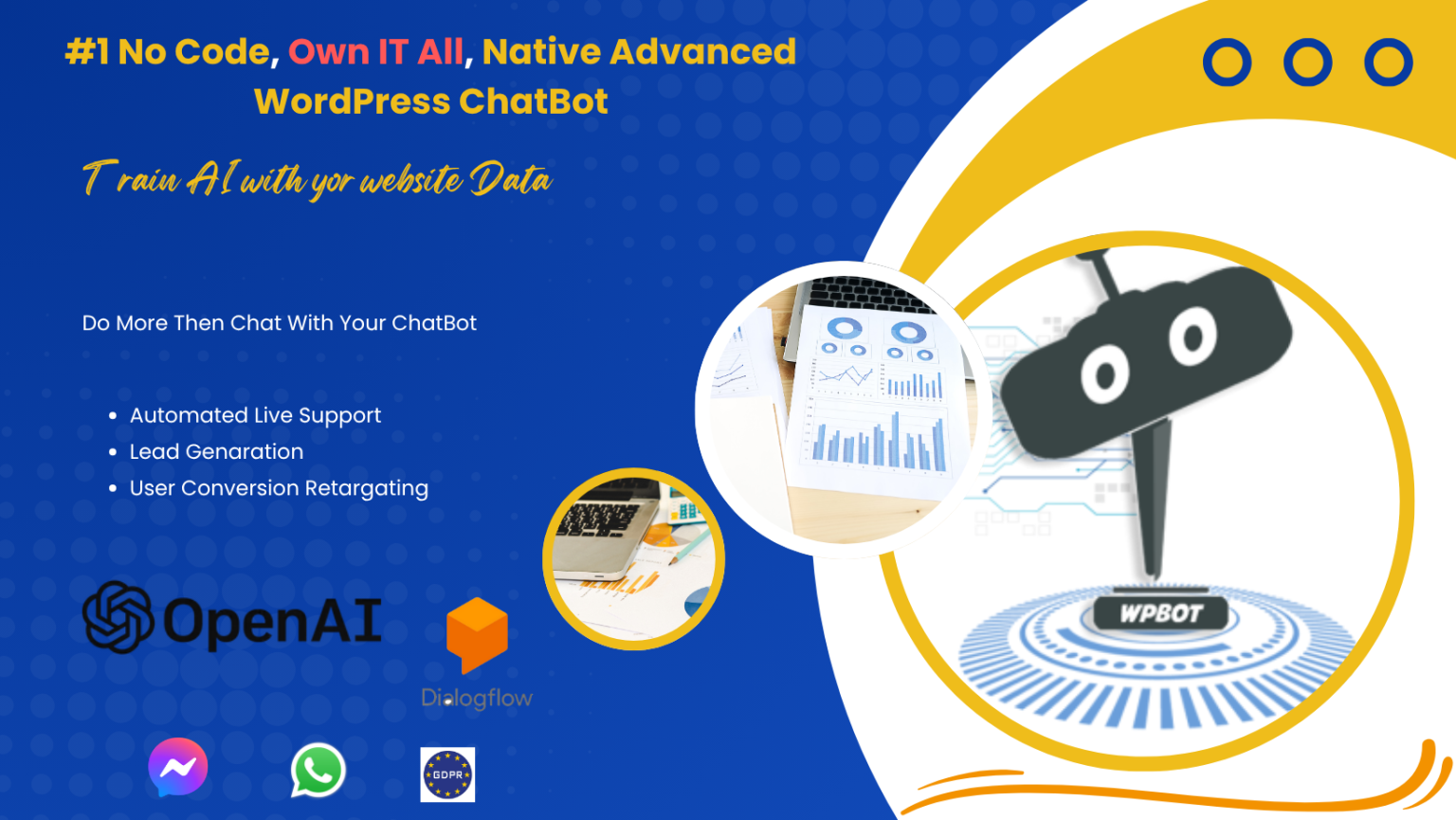 WPBot is a WordPress chatbot plugin that works:
- Without monthly SaaS fees
- Directly inside WordPress
- With or without AI integration
- With WooCommerce
It can:
- Answer FAQs
- Search site content
- Collect emails
- Integrate with AI
- Support multilingual chats
For business owners, this means:
One-time investment. Long-term automation.
What Is WoowBot?
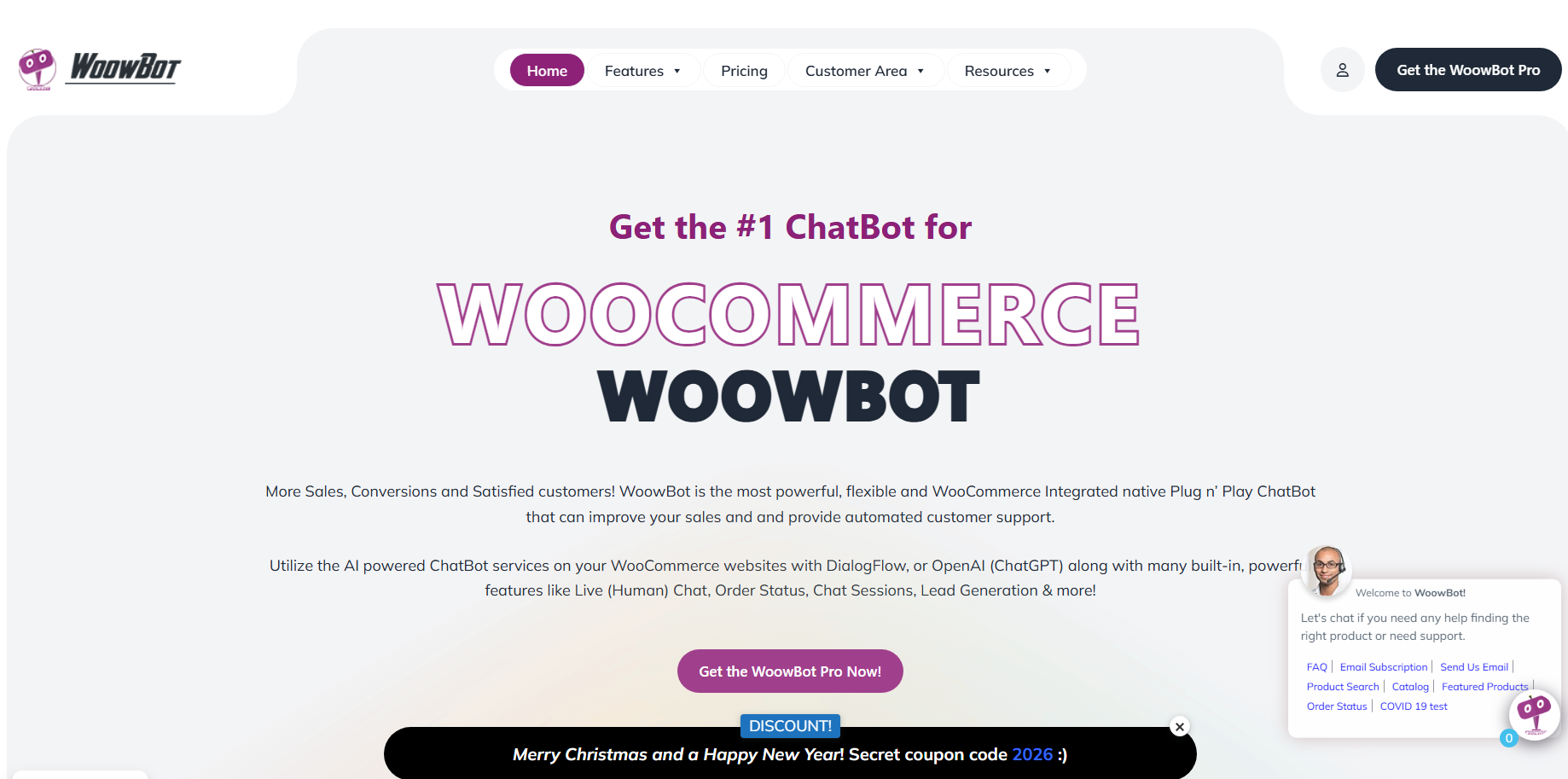 WoowBot is the most powerful, flexible and WooCommerce Integrated native Plug n’ Play ChatBot that can improve your sales and and provide automated customer support.
It can:
- Search products instantly
- Show pricing
- Add to cart
- Display product details
- Recommend related items
It acts like a digital sales assistant.
24/7.
Chatbots vs Human Sales Teams
Let’s compare.
|
Feature |
Human Staff |
Chatbot |
|
Works 24/7 |
❌ |
✅ |
|
Instant Response |
❌ |
✅ |
|
Salary Required |
✅ |
❌ |
|
Handles Unlimited Users |
❌ |
✅ |
|
Never Gets Tired |
❌ |
✅ |
|
Scales Easily |
Difficult |
Easy |
This doesn’t mean replacing humans.
It means:
Humans handle complex cases.
Bots handle repetitive tasks.
That combination maximizes profit.
Real-World Use Cases That Generate Revenue
E-Commerce Stores
- Product search automation
- Discount triggers
- Cart recovery
- Order tracking
SaaS Businesses
- Free trial onboarding
- Demo booking
- Feature explanation
- Pricing comparison
Digital Agencies
- Lead capture
- Project estimation
- Service qualification
Online Courses
- Course recommendations
- Enrollment support
- FAQ handling
Affiliate Websites
- Direct product linking
- Guided buying assistance
How to Set Up a Money-Making Chatbot (Step-by-Step)
Step 1: Define Revenue Goal
Choose one primary goal:
- More leads
- More sales
- Higher order value
- More bookings
Do not try to automate everything at once.
Step 2: Install the Plugin
If using WordPress:
- Install WPBot
- Connect AI (optional)
- Configure basic settings
Step 3: Create Revenue-Focused Flows
Examples:
Lead Flow
- Greeting
- Offer lead magnet
- Capture email
- Tag in CRM
Sales Flow
- Ask need
- Suggest product
- Offer discount
- Push checkout link
Step 4: Add Smart Triggers
Use triggers like:
- Exit intent
- Time on page
- Cart activity
- Scroll percentage
Automation works best when triggered intelligently.
Step 5: Measure Performance
Track:
- Conversion rate
- Lead capture rate
- Cart recovery rate
- Average order value
- Chat engagement rate
Use Google Analytics or built-in reports.
Advanced Monetization Strategies
Now let’s go deeper.
1. Dynamic Coupon Strategy
Chatbot offers:
- 5% discount if user hesitates
- 10% discount if cart value exceeds threshold
Psychology + automation = revenue boost.
2. Retargeting List Building
Collect email before showing premium content.
Then run:
- Email campaigns
- Facebook retargeting ads
- Lookalike audience campaigns
3. Multilingual Revenue Expansion
If your chatbot supports multiple languages, you can target:
- Global traffic
- International buyers
- Non-English speakers
More audience = more revenue potential.
4. AI-Based Product Education
Instead of long manuals, let chatbot:
- Explain features
- Compare versions
- Suggest ideal plan
This reduces friction in buying decisions.
Common Mistakes That Kill Revenue
Avoid these.
- Overcomplicated chat flows
- Robotic tone
- No clear CTA
- Asking too many questions
- No analytics tracking
Simple flows convert better.
Are Chatbots Expensive?
It depends.
SaaS chatbots often charge:
- Monthly subscription
- Per conversation fee
- Per agent cost
Self-hosted solutions like WPBot avoid recurring SaaS fees.
Long term, that improves ROI.
ROI Calculation Example
Let’s do simple math.
If chatbot:
- Recovers 5 extra sales per day
- Average order value = $50
Daily extra revenue = $250
Monthly extra revenue = $7,500
Even if plugin cost = $100–$200
Return on investment is massive.
Do Chatbots Work for Small Businesses?
Yes.
In fact, small businesses benefit more because:
- They have limited staff
- They cannot respond 24/7
- They need automation to compete
Chatbots level the playing field.
SEO Benefits of Chatbots
This is overlooked.
Chatbots:
- Increase time on site
- Reduce bounce rate
- Improve engagement signals
Search engines consider user behavior.
Better engagement = better rankings over time.
Security and Data Considerations
Important.
Ensure:
- GDPR compliance
- Secure data storage
- Clear privacy policy
- SSL encryption
Never ignore compliance.
Future of Revenue Automation
AI is evolving.
Voice bots.
Omnichannel bots.
WhatsApp automation.
CRM-integrated bots.
Businesses that automate early gain long-term advantage.
Frequently Asked Questions (FAQs)
Do chatbots really increase sales?
Yes. When configured correctly, they improve response speed, guide customers, and reduce friction in the buying process.
Can a chatbot replace customer support?
Not fully. It handles repetitive queries. Humans handle complex issues.
Is AI necessary?
Not mandatory. But AI improves conversation quality and conversions.
How long does it take to set up?
Basic setup: 1–2 hours.
Advanced automation: a few days.
Do chatbots work on mobile?
Yes. Most modern chatbots are fully responsive.
Final Thoughts: Should You Use a Chatbot?
If you want:
- 24/7 automation
- More leads
- More sales
- Lower support costs
- Higher average order value
Then yes.
Chatbots are not a trend.
They are infrastructure.
Set it once.
Optimize it.
Let it work while you sleep.