Contents
- 1 What Is WPBot Master?
- 2 What Makes WPBot Master Different?
- 3 What Does “50 Chatbots Under One License” Really Mean?
- 4 Who Is WPBot Master Built For?
- 5 How WPBot Master Works (Simple Explanation)
- 6 Key Features That Make WPBot Master Powerful
- 7 Real Business Use Cases
- 8 WPBot Master vs Traditional Chatbot Licensing
- 9 Why This Matters for Profit Margins
- 10 How WPBot Master Helps You Sell Services (Not Just Plugins)
- 11 Common Mistakes Without WPBot Master
- 12 Is WPBot Master Right for You?
- 13 SEO & Performance Considerations
- 14 Final Verdict: The Real Power of WPBot Master
- 15 Frequently Asked Questions (FAQ)
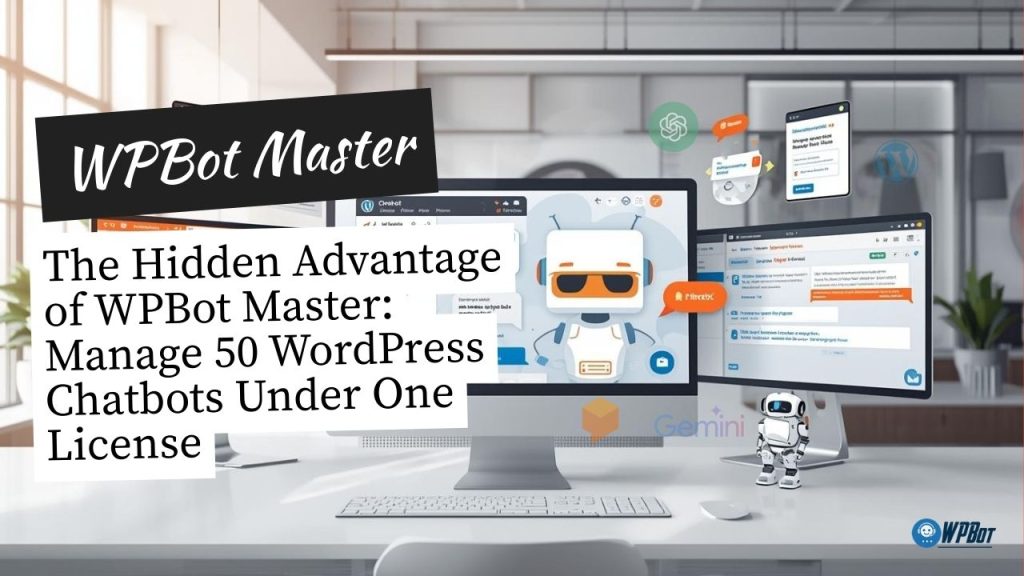
WPBot Master lets you build, manage, and control 50 WordPress AI chatbots under a single master license, white-lable branding, centralized control, saving massive costs and unlocking a scalable agency or service business model.
That’s the hidden advantage most people miss.
Now let me walk you through why this matters, how it works, and who benefits the most—in plain, simple language.
What Is WPBot Master?
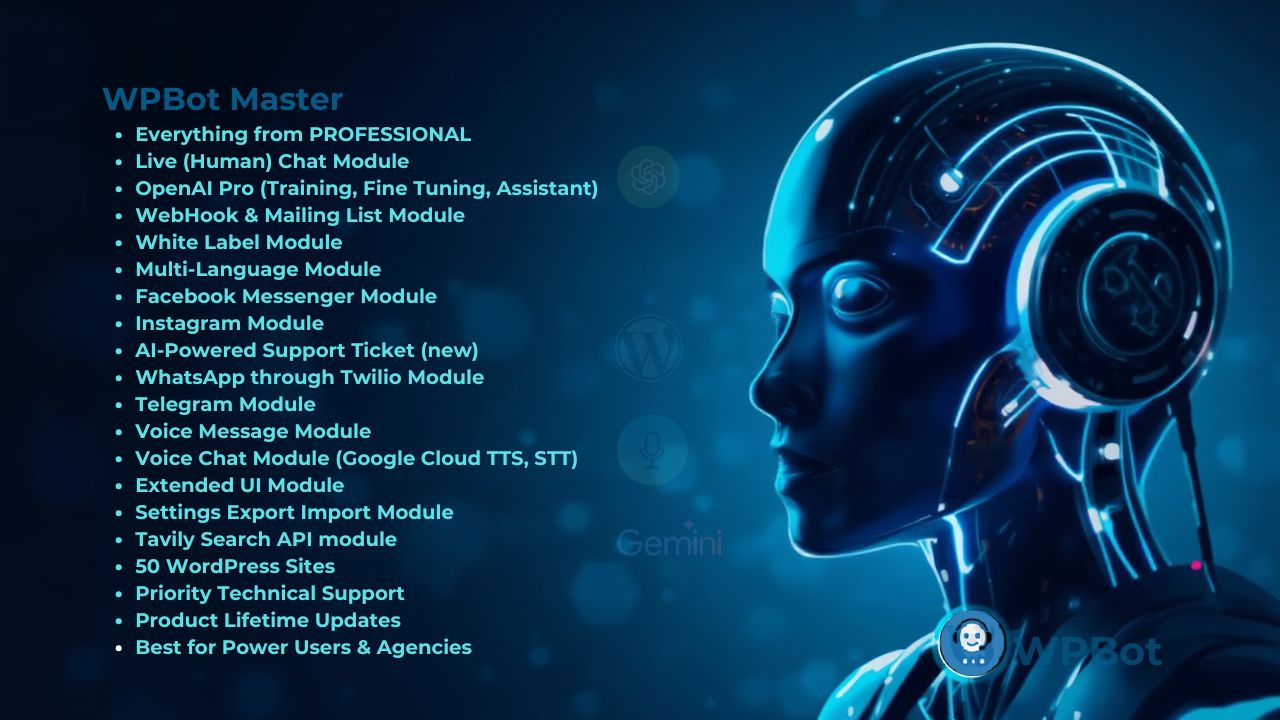 WPBot Master is a centralized control system designed for agencies, developers, and service providers who want to deploy and manage multiple WordPress AI chatbots from one place.
Instead of buying a separate chatbot license for every site, WPBot Master allows you to:
· Create chatbots for multiple WordPress websites
· Control them from a single dashboard
· Use one master license instead of dozens
· Scale without licensing headaches
Think of it as the command center for your chatbot business.
What Makes WPBot Master Different?
Most WordPress chatbot plugins work like this:
One site = one license = one chatbot
WPBot Master flips that model.
With WPBot Master, you get:
✅ Central management
✅ White-label capability
✅ Multi-site chatbot deployment
✅ Client-ready infrastructure
✅ Predictable costs
This is not just a plugin.
It’s an agency framework.
What Does “50 Chatbots Under One License” Really Mean?
Let’s be clear—this is the real value.
Traditional model
· 10 client websites
· 10 chatbot licenses
· High recurring cost
· License renewal stress
WPBot Master model
· 1 master license
· 50 client sites
· Central control
· Fixed cost
· Scalable profit
You’re no longer paying per site.
You’re paying once—and scaling freely.
Who Is WPBot Master Built For?
This solution is ideal if you are:
· A WordPress agency
· A freelancer managing client sites
· A SaaS-style service provider
· A digital marketer offering AI services
· A hosting or IT service company
If you work with more than one website, WPBot Master makes financial and operational sense.
How WPBot Master Works (Simple Explanation)
No technical jargon. Just the basics.
Step 1: Install WPBot Master
You install WPBot Master on your main control site.
This becomes your central dashboard.
Step 2: Connect Client Websites
Each client website runs WPBot Pro, connected securely to your Master dashboard.
You don’t manage chatbots separately anymore.
Step 3: Control Everything From One Place
From the Master panel, you can:
· Create chatbots
· Customize chatbot behavior
· Update knowledgebases
· Monitor usage
· Manage AI settings
· Apply changes globally or per site
One login. Full control.
Key Features That Make WPBot Master Powerful
Let’s break down the features that actually matter.
1. Centralized Chatbot Management
No more logging into 20 dashboards.
From WPBot Master, you can:
· Manage chatbot settings for all sites
· Update responses instantly
· Sync AI behavior across sites
· Push updates in seconds
This saves hours every week.
2. 50 Client Websites
You’re not capped at 5, 10, or 25 sites.
You can onboard:
· Small business clients
· Ecommerce stores
· Blogs
· Corporate websites
All under the same master license.
3. White-Label Branding
Your clients don’t see “WPBot.”
They see your brand.
You can:
· Rename the chatbot
· Apply your logo
· Remove plugin branding
· Present it as your own AI solution
This is critical for agency credibility.
4. AI Model Flexibility
WPBot Master supports:
· OpenAI (GPT-4, GPT-3.5)
· Custom APIs
· Knowledgebase-driven chat
· Rule-based + AI hybrid chatbots
You decide how smart each chatbot should be.
5. Central Analytics & Monitoring
From one screen, you can track:
· Chat usage
· User questions
· AI performance
· Engagement trends
· Conversion impact
This helps you prove ROI to clients.
Real Business Use Cases
Let’s make this practical.
Use Case 1: Digital Agency
You offer “AI Chatbot Setup” as a service.
· Client pays monthly
· You deploy WPBot via Master
· You maintain everything centrally
· No per-site license cost increase
Higher margins. Less work.
Use Case 2: Freelancer Scaling Up
You manage 15–20 WordPress sites.
Instead of buying 20 licenses:
· Buy one Master license
· Offer chatbot add-on service
· Upsell AI automation
Your revenue grows without added software cost.
Use Case 3: SaaS-Like Chatbot Service
You sell “AI Chatbot as a Service.”
· Monthly subscription
· Ongoing chatbot updates
· Support included
WPBot Master becomes your backend platform.
Use Case 4: Ecommerce Automation
You manage multiple WooCommerce stores.
· Product search chatbot
· Order status bot
· Support automation
All controlled from one dashboard.
WPBot Master vs Traditional Chatbot Licensing
Here’s a quick comparison.
|
Feature |
WPBot Master |
Standard Chatbot Plugins |
|
License model |
One master license |
Per-site license |
|
Central dashboard |
✅ Yes |
❌ No |
|
White-label |
✅ Yes |
❌ Limited |
|
Multi-site control |
✅ Yes |
❌ No |
|
Agency-ready |
✅ Built-in |
❌ Not designed |
|
Scalability |
50 |
Costly |
|
Profit margin |
High |
Low |
Why This Matters for Profit Margins
This is the hidden advantage.
Lower Costs
You stop paying per site.
Higher Revenue
You sell chatbot services monthly.
Predictable Expenses
One license. No surprises.
Scalable Model
Add more clients without new software costs.
This is how agencies stay profitable.
How WPBot Master Helps You Sell Services (Not Just Plugins)
Clients don’t want plugins.
They want solutions.
With WPBot Master, you can offer:
· AI customer support
· Lead generation bots
· Ecommerce assistants
· Booking assistants
You’re selling outcomes, not software.
Common Mistakes Without WPBot Master
Many agencies struggle because they:
· Buy licenses per client
· Manage chatbots manually
· Can’t scale efficiently
· Lose profit to renewals
· Spend too much time on maintenance
WPBot Master fixes all of this.
Is WPBot Master Right for You?
Ask yourself:
· Do I manage more than 3 WordPress sites?
· Do I want recurring service income?
· Do I want lower software costs?
· Do I want centralized control?
· Do I want to build an AI service business?
If you answered yes to even two of these—WPBot Master is worth it.
SEO & Performance Considerations
WPBot Master is:
· Lightweight
· API-driven
· Cloud-processed
· Optimized for performance
Chatbot processing doesn’t slow your site because AI runs externally.
That’s important for SEO.
Final Verdict: The Real Power of WPBot Master
WPBot Master is not just about chatbots.
It’s about:
· Control
· Scale
· Profit
· Efficiency
· Ownership
The real advantage is simple:
One license. Unlimited growth.
If you want to turn AI chatbots into a serious WordPress business, WPBot Master gives you the infrastructure to do it.
Frequently Asked Questions (FAQ)
What is WPBot Master used for?
It’s used to manage multiple WordPress AI chatbots from one centralized dashboard.
Can I use WPBot Master for client websites?
Yes. It’s built specifically for agencies and service providers.
Does WPBot Master support unlimited sites?
No, depending on your license plan, you can manage 50 connected sites.
Is white-labeling included?
Yes. You can remove WPBot branding and use your own brand.
Does it work with WooCommerce?
Yes. You can manage ecommerce chatbots centrally.
Is coding required?
No. Everything is handled through a UI dashboard.
Does WPBot Master reduce costs?
Yes. It replaces multiple site licenses with one master license.