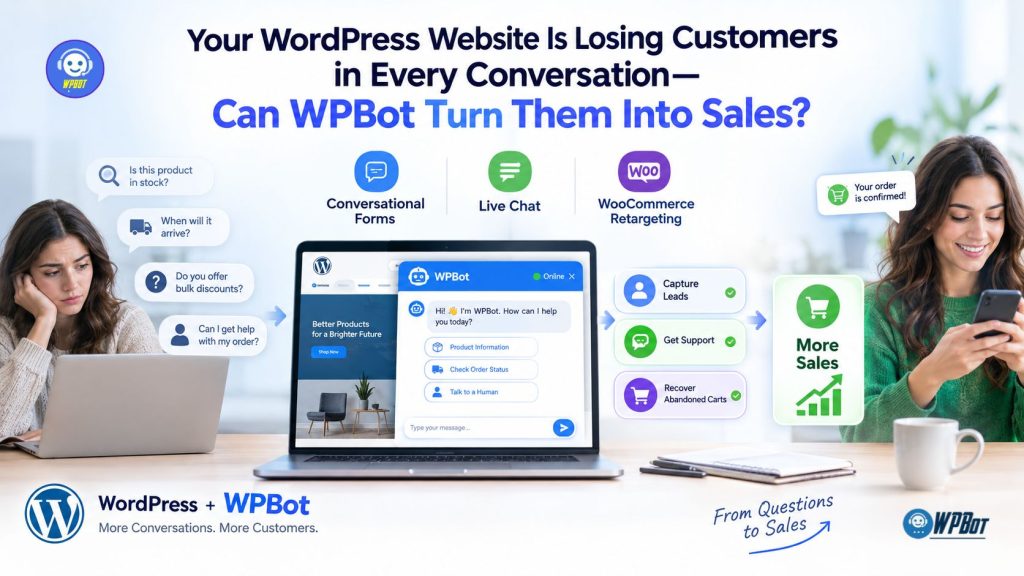
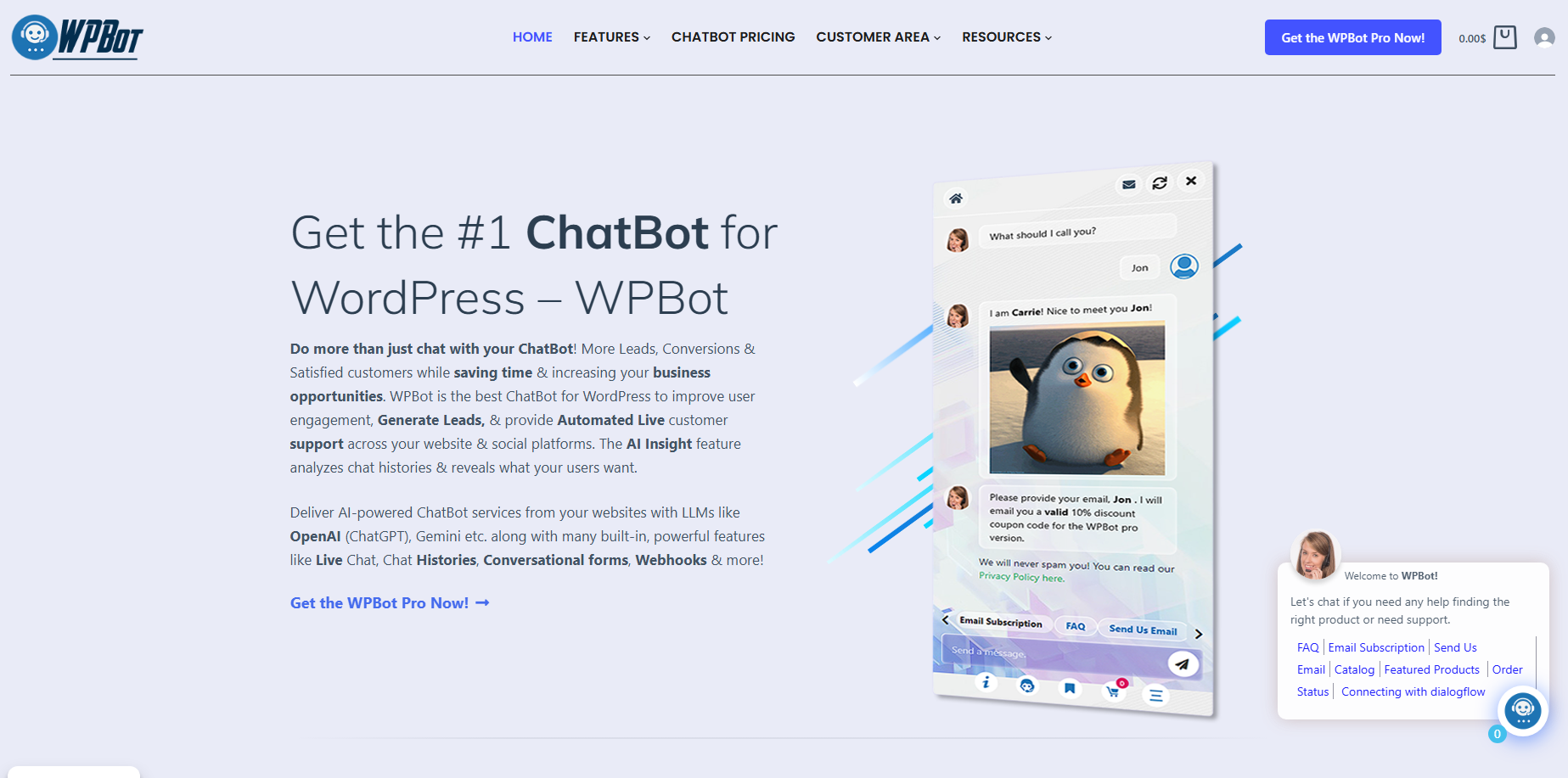
WPBot helps WordPress website owners engage visitors through AI-powered chatbot conversations, capture leads with Conversational Forms, and connect visitors with human support through Live Chat. For WooCommerce stores, WPBot can also support retargeting workflows that help re-engage interested shoppers, turning customer questions into opportunities for lead generation, support, and sales.
Why Are WordPress Websites Losing Customers Before the First Conversation Even Begins?
A WordPress website can attract visitors through Google search, social media, paid advertising, and referrals, yet still struggle to turn traffic into customers. WPBot addresses one important part of that problem: the gap between a visitor having a question and receiving a useful answer.
A visitor might want to know whether a product fits a particular need, whether a service covers a particular location, or whether an order can arrive before a deadline. When a WordPress website makes those answers difficult to find, the visitor may leave without contacting the business.
WPBot gives WordPress website owners a way to make customer conversations part of the website experience. Instead of forcing every visitor to navigate menus, search FAQ pages, or complete a lengthy contact form, WPBot can help visitors begin a conversation directly on the website.
The business opportunity is straightforward: answer relevant questions, identify buying intent, offer the right next step, and make follow-up easier. WPBot supports that process through Conversational Forms, Live Chat, and WooCommerce Retargeting.
Why Does Website Traffic Fail to Become Revenue?
Traffic measures visits, not customer intent. A visitor who spends three minutes comparing products may be closer to buying than a visitor who opens five pages without finding a relevant answer.
WPBot can help businesses engage visitors at moments when questions and buying decisions intersect. The goal is not to add another chat bubble to a WordPress website; the goal is to make useful conversations part of the customer journey.
Consider a WooCommerce store selling office chairs. A potential customer asks whether a particular chair supports a 120 kg user, whether delivery is available in the customer’s area, and whether assembly is included.
If the store cannot answer those questions clearly, the customer may visit another store. WPBot can provide a conversational entry point, while the quality of the answers depends on the available product information, chatbot configuration, integrations, and support workflow.
Which Website Problems Can WPBot Help Address?
- WPBot helps address unanswered questions: Website visitors can start a chatbot conversation instead of searching through multiple pages.
- WPBot supports lead capture: Conversational Forms can collect relevant contact details and inquiry information.
- WPBot supports human assistance: Live Chat can provide a route to human support when automation is not enough.
- WPBot can support WooCommerce customer journeys: Product inquiries and configured retargeting workflows can help businesses reconnect with interested shoppers.
- WPBot can help organize customer interactions: Chat histories and captured inquiry details can provide useful context for follow-up, subject to configuration and privacy controls.
The distinction matters: WPBot creates opportunities for better engagement, but revenue still depends on product quality, pricing, website performance, traffic intent, and the business’s ability to fulfill customer needs.
How Can WPBot Turn Conversational Forms Into a Lead Generation System?
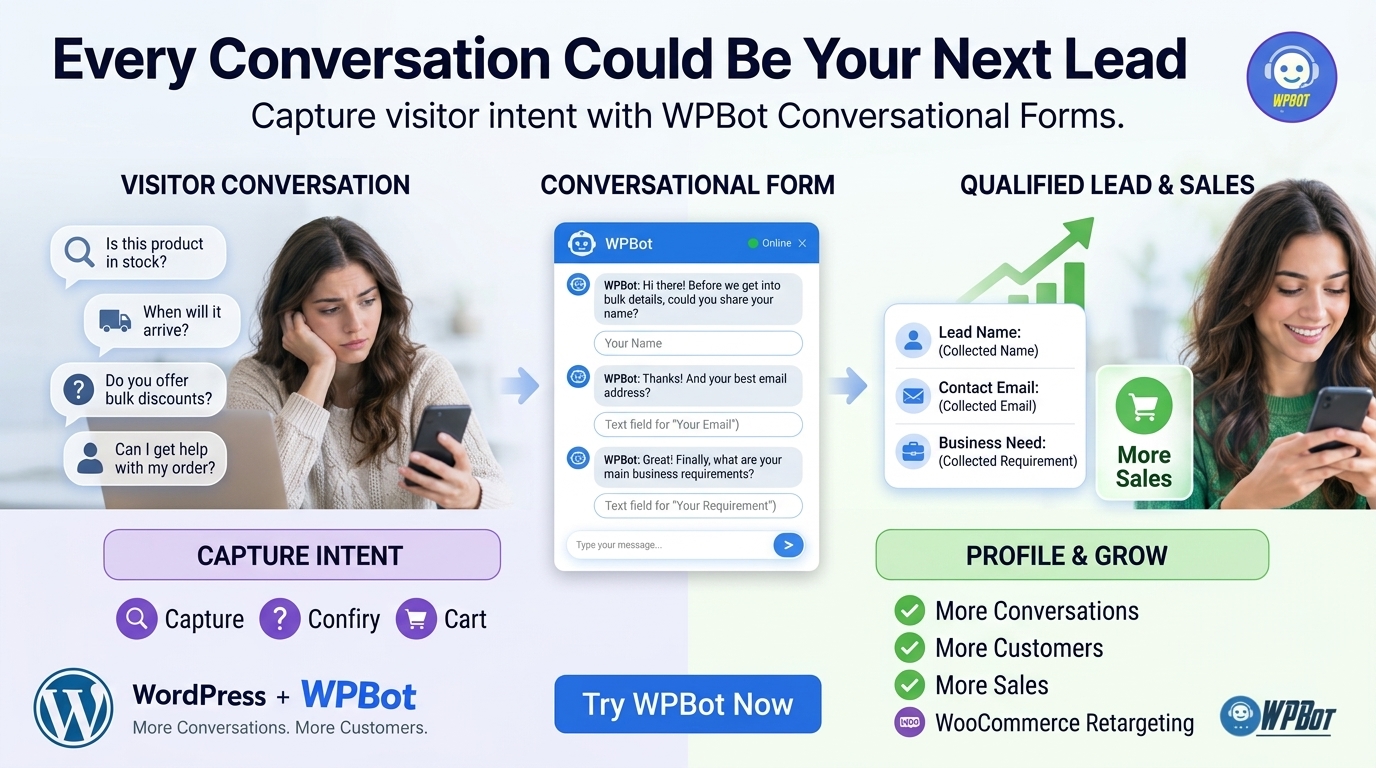
A traditional contact form asks visitors to fill in several fields before a business knows why the visitors want to make contact. WPBot can make lead capture more conversational by guiding visitors toward relevant questions and collecting the information needed for follow-up.
The difference is the timing of the request. WPBot can engage a visitor when a visitor is already asking about a product, requesting a service, or exploring a business offering.
Why Do Traditional Contact Forms Lose Potential Customers?
Traditional contact forms often introduce friction at the exact moment a visitor wants help. A long form asking for a name, company, phone number, budget, address, and detailed message can feel like unnecessary work.
WPBot offers a conversational approach in which questions and responses can guide visitors through a configured interaction. The precise fields, branching logic, validation rules, and integrations depend on the Conversational Forms setup available for the installed WPBot version.
Consider a visitor interested in a WordPress maintenance service. WPBot could guide the inquiry through a short sequence:
- WPBot identifies the visitor’s goal: The visitor selects website maintenance, performance optimization, or security assistance.
- WPBot collects useful project details: The visitor provides a WordPress website URL or describes the problem, where appropriate.
- WPBot captures contact information: The visitor supplies an email address or another approved contact method.
- WPBot prepares a clearer inquiry: The business receives information that helps the support or sales team understand the request.
- WPBot supports the next step: The configured workflow directs the visitor toward human assistance, a follow-up process, or another relevant action.
WPBot should collect only the information necessary for the requested service. Avoid asking for sensitive information, account passwords, payment card details, or unrelated personal data through a lead-generation conversation.
How Can WPBot Qualify Leads Without Making Visitors Feel Interrogated?
Lead qualification works best when every question has a clear purpose. WPBot can support a short, goal-oriented conversation that asks for relevant details instead of presenting a long questionnaire at the beginning.
For example, a digital agency using WPBot might ask whether a visitor needs a new website, an existing website redesign, or ongoing maintenance. A second question could establish the approximate project timeline, followed by an optional contact request.
WPBot can help the agency distinguish between different inquiry types, provided the relevant questions and routing are configured. The agency can then prioritize inquiries according to project fit, urgency, budget range, or service availability.
A practical WPBot rule: Ask the next question only when the answer helps determine the next useful action.
Which Conversational Form Metrics Should WPBot Users Track?
WPBot users should measure completed outcomes rather than count chatbot openings alone. A high number of conversations means little if visitors abandon the conversation before submitting an inquiry.
|
WPBot metric |
Calculation |
What the metric reveals |
|
Conversation start rate |
Conversations started ÷ eligible visitors × 100 |
Whether visitors engage with WPBot |
|
Form completion rate |
Completed forms ÷ form starts × 100 |
Whether WPBot’s lead-capture flow creates excessive friction |
|
Qualified lead rate |
Qualified leads ÷ submitted leads × 100 |
Whether WPBot captures useful business inquiries |
|
Lead-to-sale rate |
Attributed sales ÷ qualified leads × 100 |
Whether WPBot-assisted leads become customers |
|
Cost per qualified lead |
Attributable acquisition costs ÷ qualified leads |
Whether WPBot-assisted lead generation is economically efficient |
WPBot analytics and connected systems may not provide every metric automatically. Website analytics, CRM records, form events, and order data may be needed to calculate the complete funnel.
How Can WPBot Help Businesses Estimate Lead Generation ROI?
A simple model can help a business decide whether improving WPBot’s conversational form is worthwhile.
Suppose a WordPress website receives 10,000 eligible visitors each month. Assume 2% start a WPBot conversation, 30% of those conversations produce a submitted lead, and 20% of submitted leads become customers.
|
Funnel stage |
Monthly result |
|
Eligible website visitors |
10,000 |
|
WPBot conversation starts at 2% |
200 |
|
Submitted leads at 30% |
60 |
|
Customers at 20% |
12 |
|
Contribution per customer |
$100 |
|
Estimated monthly contribution |
$1,200 |
These figures are illustrative assumptions, not verified WPBot performance benchmarks. The $1,200 represents contribution before the costs of acquiring traffic, operating the business, and running the chatbot.
If a business improves the WPBot form completion rate from 30% to 40% while keeping the other assumptions unchanged, submitted leads rise from 60 to 80. Expected customers increase from 12 to 16, producing $1,600 in monthly contribution under the same assumptions.
The lesson is not that WPBot guarantees a particular conversion rate. The lesson is that improving one measured stage of the customer journey can have a meaningful effect on the overall result.
Why Does WPBot Need Live Chat When AI Can Already Answer Questions?
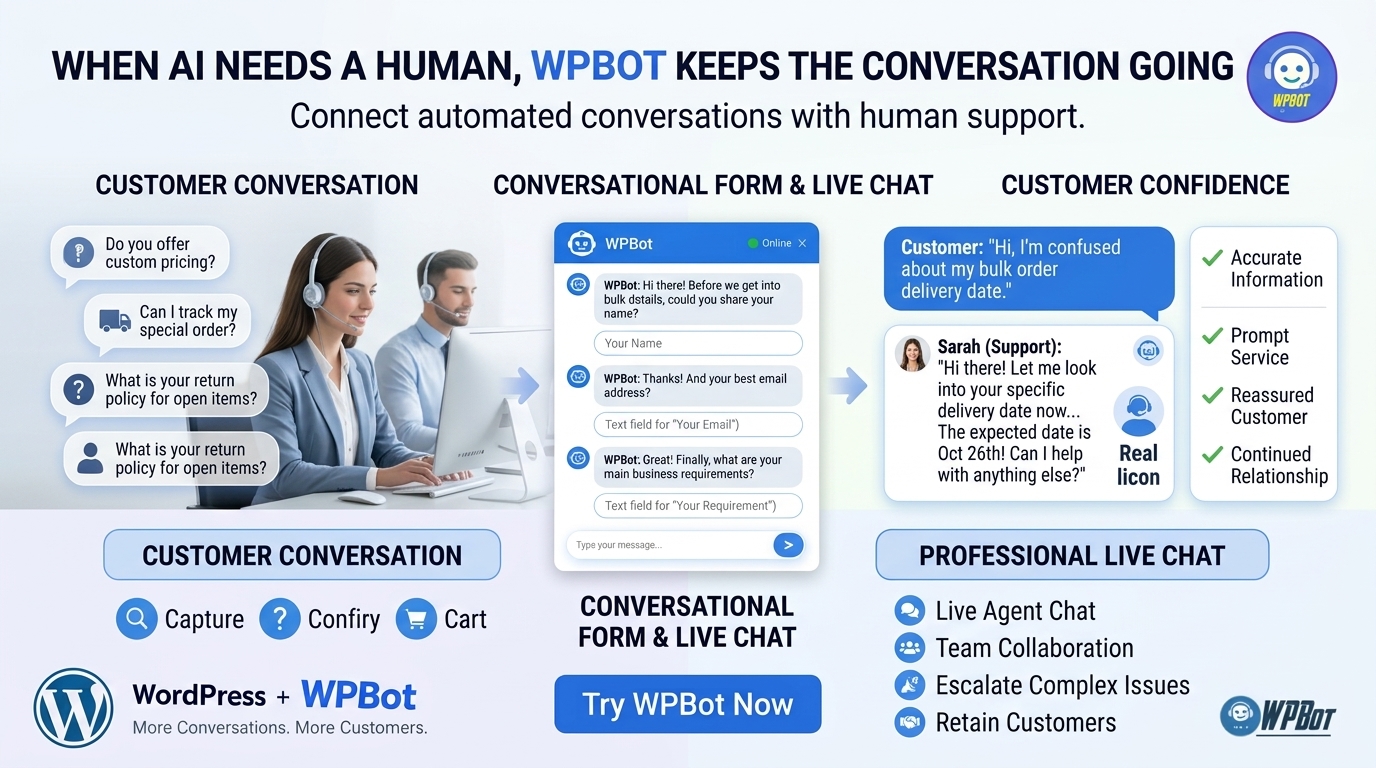
AI chatbot conversations can handle many routine inquiries, but automation cannot reliably resolve every customer problem. Some visitors need human judgment, account-specific investigation, commercial negotiation, or reassurance before making a purchase.
WPBot’s Live Chat capabilities can support a path from automated engagement to human assistance. The exact handoff process depends on the installed WPBot version, the selected live-chat integration, and the availability of support agents.
Which Customer Questions Should WPBot Answer Automatically?
WPBot is most useful for routine questions when the answer is available, current, and appropriate for automated delivery. Examples include questions about business hours, service descriptions, shipping policies, product information, and common support instructions.
For a WooCommerce store, WPBot can help visitors explore product-related information and find answers without waiting for a support agent. Accurate results depend on the information source, product data, chatbot configuration, and the capabilities of the selected AI integration.
WPBot should not invent product specifications, promise delivery dates without reliable data, or claim that an order has shipped without access to an authoritative order system. A safe fallback is to explain the limitation and direct the visitor to a verified support channel.
When Should WPBot Transfer a Conversation to a Human?
WPBot should provide a clear route to human assistance when a conversation requires account-specific investigation, sensitive information, exceptions to business policies, or a decision beyond the chatbot’s configured capabilities.
Useful WPBot Live Chat handoff scenarios include:
- WPBot recognizes unresolved support needs: A visitor has tried the available answers but still cannot resolve a problem.
- WPBot supports complex sales discussions: A visitor needs a customized quotation or a detailed explanation of a service package.
- WPBot routes billing questions appropriately: A customer needs help with a refund, invoice, or disputed payment.
- WPBot offers a human contact path: A visitor prefers a person rather than an automated conversation.
- WPBot sets realistic expectations: When no agent is available, the configured workflow should explain the available alternatives rather than imply that a human has joined.
Human handoff must be configured and tested rather than assumed to occur automatically in every WPBot installation.
How Can WPBot Live Chat Improve the Customer Support Workflow?
WPBot can make a support conversation more useful when the support team has access to relevant context, such as the original question, the chatbot’s responses, and the visitor’s stated problem.
A practical WPBot support workflow follows five steps:
- WPBot receives the initial question: The visitor explains the problem or selects a support category.
- WPBot attempts an appropriate response: The chatbot uses the configured information sources and available capabilities.
- WPBot offers escalation when needed: The visitor receives a clear option to seek human assistance.
- WPBot supports the handoff: The configured Live Chat process gives the support team the information available from the conversation.
- WPBot supports follow-up measurement: The business records resolution time, unresolved questions, and customer outcomes through available reporting or connected systems.
The quality of the workflow depends on implementation. WPBot users should verify whether conversation histories are available to agents, whether transcripts transfer to the selected integration, and whether the business needs additional CRM or ticketing connections.
Which Live Chat Metrics Matter Most for WPBot?
WPBot users should assess whether chatbot conversations help visitors reach useful answers faster. Useful measures include the percentage of conversations resolved without escalation, the percentage escalated successfully, the median first-response time, and customer satisfaction after support.
WPBot users should also measure unanswered questions. Repeated unanswered questions can identify missing documentation, outdated product descriptions, and opportunities to improve the chatbot’s knowledge sources.
A reduction in support volume is not automatically proof of better service. WPBot may appear to reduce support requests simply because visitors abandon the conversation, so resolution quality and customer satisfaction should be considered alongside ticket counts.
Can WPBot WooCommerce Retargeting Recover Shoppers Who Leave Before Checkout?
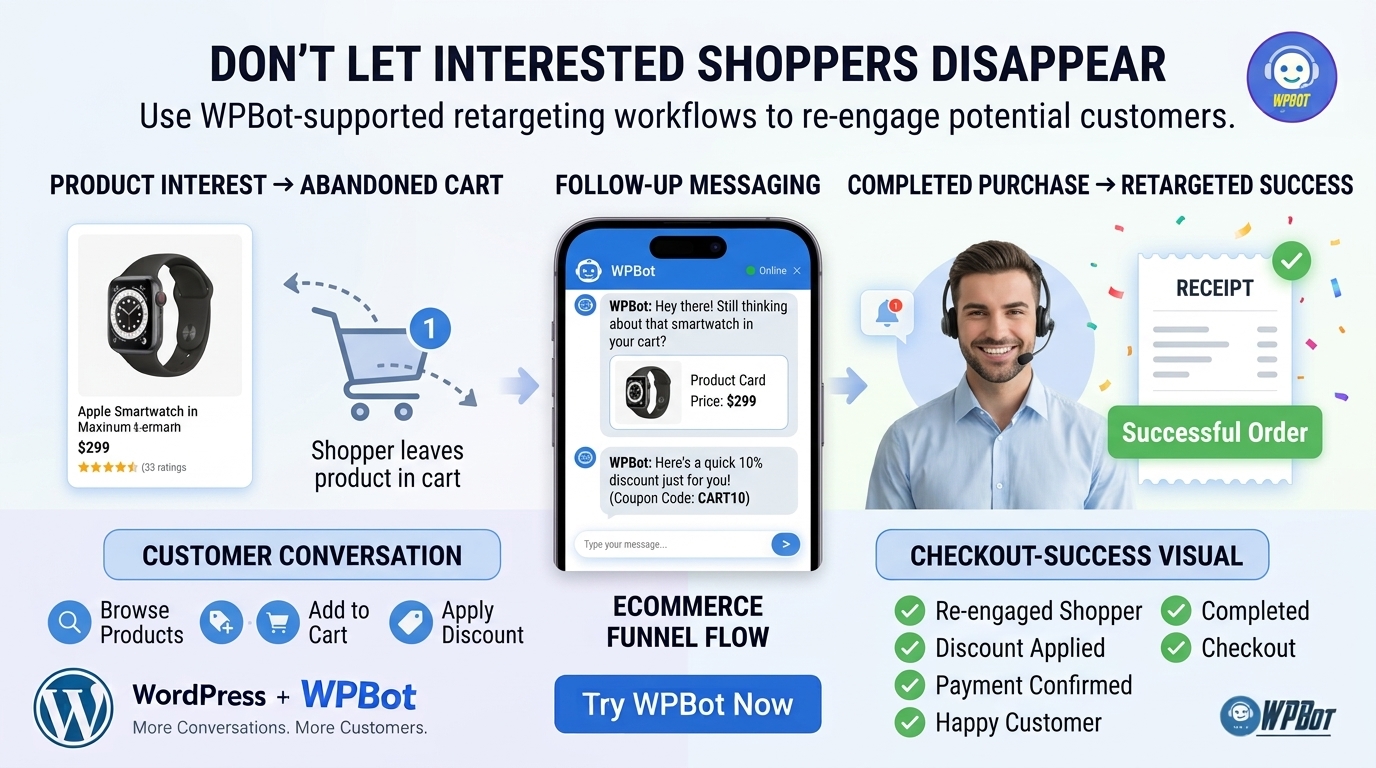
WooCommerce shoppers often leave a store without buying because they need more information, want to compare prices, or become distracted during checkout. WPBot can support customer engagement and configured retargeting workflows that help businesses reconnect with interested shoppers, depending on the installed features and integrations.
The important distinction is that retargeting requires a defined mechanism for reaching a shopper again. A chatbot conversation alone does not guarantee that a store can identify an anonymous visitor, obtain permission to contact the visitor, or deliver a later message.
Why Do WooCommerce Shoppers Abandon Their Carts?
Cart abandonment can happen for several reasons, including unexpected shipping costs, limited payment options, uncertainty about product compatibility, complicated checkout steps, and a lack of confidence in the seller.
WPBot can help address some of those barriers by answering questions before checkout and guiding visitors toward relevant product information. A configured follow-up or retargeting workflow can address eligible shoppers who leave without completing an order.
WPBot cannot solve every abandonment problem through conversation alone. A slow checkout, an unreliable payment gateway, or an unexpectedly expensive delivery fee requires a store-level fix rather than a chatbot response.
How Can WPBot Connect Buying Intent With a Useful Follow-Up?
A practical WPBot WooCommerce workflow begins when a visitor asks a product question or expresses interest in a purchase. The business can use the available conversation data and configured integrations to determine which next step is appropriate.
Consider a shopper comparing two products in a WooCommerce store. WPBot could answer a question about product specifications, provide relevant product information, and direct the shopper toward the correct product page or checkout.
If the shopper leaves, a separate configured retargeting workflow may be able to reconnect with the shopper through an eligible channel. The channel, identity matching, consent requirements, and available event data depend on the implementation.
A responsible WPBot retargeting process should follow these principles:
- WPBot identifies useful engagement signals: The business defines which events indicate genuine purchase interest, such as product questions or a checkout-related inquiry.
- WPBot uses available and authorized data: The business relies on permitted identifiers and configured integrations rather than assuming every visitor can be tracked.
- WPBot supports relevant follow-up: The business chooses a suitable channel and message based on the shopper’s interaction and applicable permissions.
- WPBot respects purchase completion: Connected order data should prevent unnecessary abandoned-cart reminders after a successful purchase whenever the integration supports reliable suppression.
- WPBot measures recovered orders: The business records attributable purchases and compares recovered contribution with the cost of the retargeting workflow.
Which Retargeting Channels Can a WPBot Store Use?
WPBot’s available channels depend on the specific product version, license, and connected services. A business should verify current documentation before assuming that a particular email, messaging, advertising, or social-media retargeting channel is included.
|
Retargeting approach |
Potential purpose |
What WPBot users should verify |
|
Email follow-up |
Remind an eligible shopper about an unfinished purchase |
Consent, email capture, sending integration, and suppression logic |
|
Messaging follow-up |
Continue a conversation through a supported messaging channel |
Channel integration, permission requirements, and delivery status |
|
Advertising retargeting |
Show relevant advertisements to eligible audiences |
Tracking configuration, audience eligibility, consent, and advertising costs |
|
On-site return engagement |
Help a returning visitor resume product discovery |
Available visitor context and supported WooCommerce integrations |
The table describes possible implementation approaches, not a claim that every channel is native to WPBot. WPBot users should distinguish built-in features from third-party integrations and custom development.
How Can WPBot Retargeting ROI Be Calculated?
A store can evaluate a retargeting campaign using a transparent calculation rather than assuming every recovered order is incremental revenue.
Suppose a WooCommerce store identifies 500 eligible abandoned-cart sessions in a month. Assume a configured follow-up reaches 300 eligible shoppers, produces a 5% purchase rate, and generates an average order value of $80.
|
Measurement |
Illustrative result |
|
Eligible abandoned-cart sessions |
500 |
|
Shoppers reached |
300 |
|
Purchase rate among reached shoppers |
5% |
|
Attributed orders |
15 |
|
Average order value |
$80 |
|
Attributed revenue |
$1,200 |
The $1,200 is attributed revenue, not profit and not necessarily incremental revenue. Some shoppers would have returned and purchased without the retargeting message.
If the 15 orders produce a 35% contribution margin before campaign costs, the contribution associated with those orders is $420. If the campaign costs $100, the attributed contribution after campaign costs is $320, before accounting for any additional operating costs or purchases that would have occurred anyway.
WPBot users should compare campaign performance with a reasonable control group or another defensible baseline when estimating incremental lift. Accurate attribution helps businesses avoid overstating the financial impact of retargeting.
Is WPBot a Better Fit Than a Monthly SaaS Chatbot for a WordPress Business?
The right chatbot depends on the website architecture, support requirements, expected traffic, integration needs, and total operating cost. WPBot is a WordPress-native chatbot option for businesses that prefer to manage chatbot functionality within a WordPress environment rather than depend entirely on an external SaaS chat interface.
A fair comparison must separate software licensing from AI usage, hosting, integration, and support costs. WPBot’s exact price and included features can change, so the current license page should be checked before making a purchasing decision.
Which Costs Should Developers Compare Before Choosing WPBot?
|
Cost category |
WPBot on WordPress |
Typical SaaS chatbot |
|
Base software fee |
Depends on the current WPBot license |
Depends on the subscription plan |
|
WordPress integration |
Designed for WordPress websites |
May require a widget, script, or connector |
|
AI usage |
May incur provider charges when using an external AI API |
May be bundled, usage-based, or subject to plan limits |
|
Hosting and infrastructure |
Uses the WordPress hosting environment for applicable plugin workloads |
Core service infrastructure is generally operated by the SaaS provider |
|
Customization |
Depends on WPBot settings, extension points, and supported integrations |
Depends on plan limits, API access, and vendor capabilities |
|
Data management |
Depends on WPBot configuration, WordPress storage, and external services |
Depends on the SaaS provider’s retention and processing policies |
|
Maintenance |
WordPress compatibility, updates, backups, and configuration require attention |
Vendor manages the core SaaS service; website integration still requires maintenance |
The comparison does not establish that WPBot is always cheaper. A business should calculate the full cost of ownership using the current license price, hosting costs, external API usage, integration fees, maintenance time, and support requirements.
How Should a Developer Estimate WPBot’s Total Cost of Ownership?
A useful monthly cost model is:
WPBot total monthly cost = allocated license cost + hosting overhead + AI API charges + integration costs + maintenance labor.
For example, a developer might allocate $10 per month toward a license, estimate $15 for incremental hosting overhead, budget $40 for AI usage, and allocate $25 for maintenance. The resulting estimated operating cost would be $90 per month.
Those numbers are hypothetical and do not represent WPBot’s current price or typical API usage. A developer should replace each assumption with measured expenses before comparing WPBot against a SaaS alternative.
How Can Developers Deploy WPBot Without Creating a Fragile Chatbot Experience?
A chatbot can fail even when the underlying AI model is capable. WPBot needs accurate information sources, carefully configured responses, secure integrations, and a useful fallback path to deliver a reliable customer experience.
Which WPBot Configuration Steps Should Developers Test First?
- WPBot installation: Confirm compatibility with the supported WordPress and PHP versions, the active theme, caching layers, and other relevant plugins.
- WPBot knowledge sources: Test answers against real product descriptions, service pages, FAQs, and support documentation.
- WPBot conversation flows: Test successful form completion, incomplete submissions, validation failures, and repeated questions.
- WPBot Live Chat: Verify agent availability, escalation behavior, transcript handling, and offline messaging.
- WPBot WooCommerce integration: Test product discovery, relevant product links, order-related boundaries, and any configured cart-recovery workflow.
- WPBot API configuration: Validate credentials, provider availability, timeout behavior, usage limits, and error handling.
- WPBot performance: Measure response times and server load under realistic traffic instead of relying only on a low-traffic development site.
A staging environment is the safest place to validate WPBot changes before deploying changes to a production store. Developers should also retain a tested rollback procedure and monitor errors after updates.
How Can WPBot Avoid Giving Incorrect Answers?
WPBot should use reliable, relevant sources and clearly distinguish available information from unsupported assumptions. Product prices, stock availability, shipping promises, refund policies, and account-specific information should come from authoritative sources when those answers depend on current data.
Developers should create test cases for questions with known answers, missing information, conflicting sources, and attempts to request restricted data. WPBot responses should be reviewed after changes to the knowledge base, AI provider, prompts, integrations, or product catalog.
A useful fallback response explains that WPBot cannot verify the requested detail and offers an appropriate next step. A confident but incorrect answer can damage customer trust more than an honest escalation.
FAQ
WPBot is an AI-powered chatbot for WordPress websites that helps engage visitors through conversational chats, capture leads using Conversational Forms, provide human support via Live Chat, and support WooCommerce retargeting workflows to re-engage shoppers and drive sales.
WordPress websites often lose customers because visitors have questions that are difficult to find answers for, causing them to leave. WPBot addresses this by enabling visitors to start chatbot conversations directly on the website, providing timely answers and guiding them through the customer journey.
WPBot Conversational Forms create a more engaging, guided experience that asks relevant questions in sequence, reducing friction and collecting only necessary information. This conversational approach helps capture higher quality leads by engaging visitors when they already have an interest or question.
While AI chatbots can handle routine questions, some customer issues require human judgment, account-specific investigation, or sensitive information handling. WPBot's Live Chat provides a seamless handoff to human agents when automation is insufficient, ensuring better support and customer satisfaction.
WPBot WooCommerce Retargeting uses configured workflows to reconnect with shoppers who leave before checkout by identifying buying intent through conversations and delivering follow-up messages through authorized channels like email, messaging, advertising, or on-site engagement to encourage purchase completion.
Developers should compare costs such as base software fees, WordPress integration, AI usage charges, hosting infrastructure, customization, data management, and maintenance labor. WPBot is WordPress-native and managed within the WordPress environment, while SaaS chatbots are hosted externally with different pricing models and integration requirements.
Developers should test WPBot installation compatibility, knowledge sources accuracy, conversation flows, live chat functionality, WooCommerce integration, API configurations, and performance under realistic traffic. Using a staging environment, maintaining a rollback plan, and monitoring errors after updates help ensure reliability.
WPBot deployments should comply with data privacy laws like GDPR by documenting data flows, minimizing personal data collection, enforcing retention and access controls, providing privacy notices, reviewing AI provider agreements, and verifying deletion workflows. Security measures include verifying patches, input validation, permission management, secret handling, and webhook reliability.
What Should WordPress Website Owners Do Next With WPBot?
WPBot is most valuable when conversational engagement connects to a clear customer outcome. Conversational Forms can capture relevant inquiries, Live Chat can provide human assistance, and configured WooCommerce Retargeting workflows can help eligible shoppers resume their buying journey.
Start with one measurable problem rather than enabling every feature at once. A WordPress business could begin by improving lead capture, measure form completion and lead quality, and then expand into live support or retargeting after validating the initial workflow.
The practical WPBot growth loop is simple: Questions → Conversations → Qualified Leads → Human Engagement → Sales. Better conversations create opportunities, while reliable integrations, accurate answers, privacy controls, and careful measurement determine whether those opportunities become lasting business results.