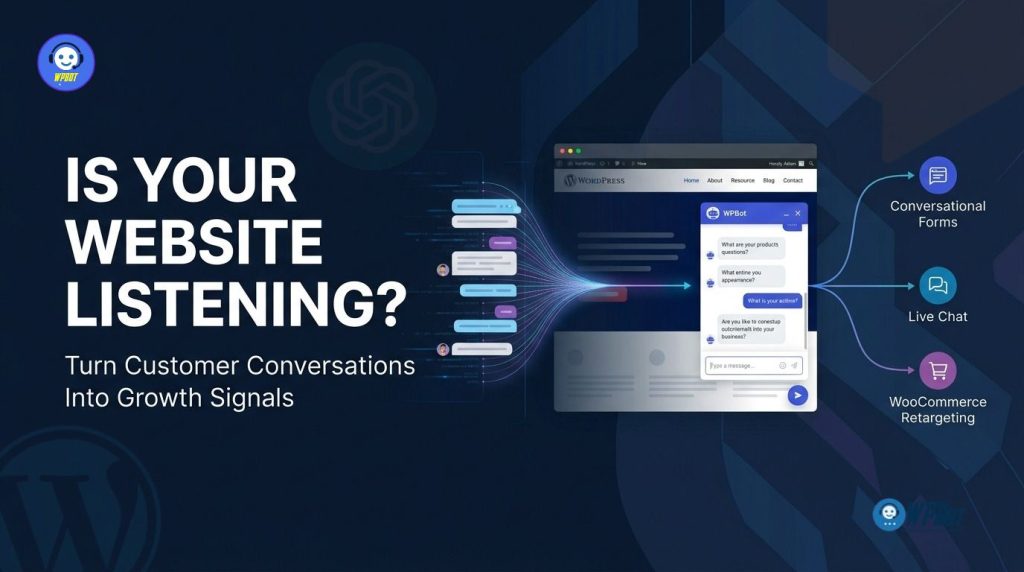
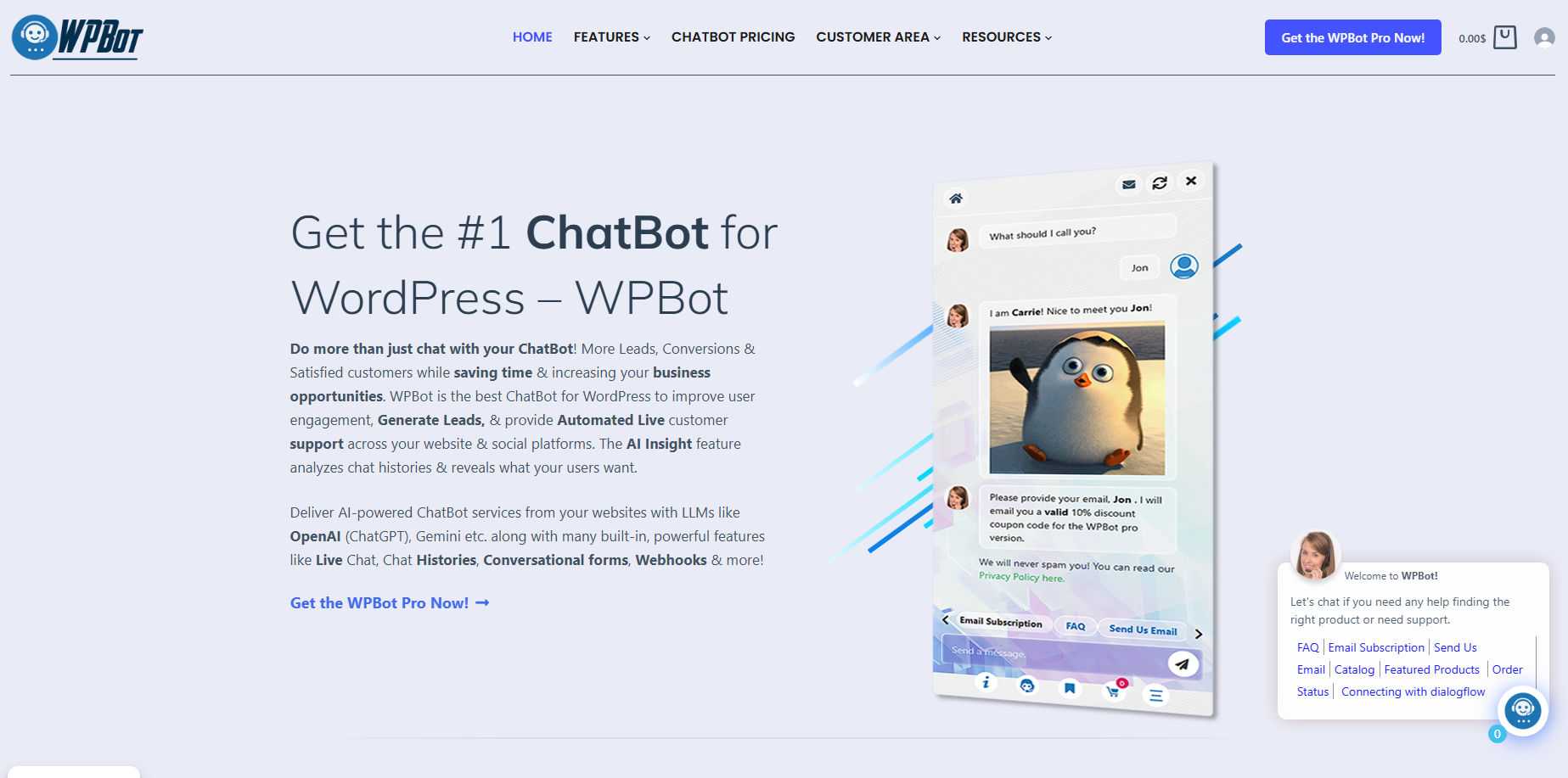
WPBot turns WordPress customer conversations into actionable business data by combining AI conversations, Conversational Forms, Live Chat, chat-session analytics, and WooCommerce workflows inside the WordPress environment. WPBot can help a website answer questions, capture structured customer intent, connect high-value visitors with humans, and re-engage WooCommerce shoppers based on where customers are in the buying journey.
Are You Collecting Customer Questions Without Learning From Them?
Every customer question contains information that can improve a WordPress website.
WPBot can capture the questions visitors ask about products, pricing, services, delivery, compatibility, support, availability, and purchasing decisions.
A traditional website usually treats those questions as isolated support requests. WPBot can turn those questions into a continuous source of customer-intent information.
WPBot can help identify repeated questions that deserve better product descriptions, stronger FAQs, new landing pages, additional documentation, or clearer checkout information.
WPBot can therefore become more than a chatbot interface. WPBot can become a listening layer between website visitors and the business behind the WordPress website.
Why Does Customer Conversation Matter More Than Website Traffic?
Website traffic tells a business how many people arrived.
WPBot conversations can reveal what those visitors actually wanted.
A WordPress website can receive 20,000 monthly visitors while still losing potential customers because visitors cannot find pricing information, understand product differences, confirm compatibility, or get answers quickly.
WPBot can expose those friction points through customer conversations.
For example, WPBot might repeatedly receive questions about shipping time. A business can interpret repeated WPBot shipping questions as a signal that shipping information deserves greater visibility.
WPBot might repeatedly receive questions about product compatibility. A business can use repeated WPBot compatibility questions to improve product pages, comparison tables, documentation, and pre-sales messaging.
WPBot might repeatedly receive questions about discounts. A business can use WPBot conversation patterns to understand where price objections appear during the customer journey.
The important point is simple: WPBot does not only answer questions. WPBot conversations can reveal which questions keep appearing.
What Happens When WPBot Treats Every Conversation as Customer Intent?
WPBot can connect customer questions with customer actions.
A visitor can start with a general question. WPBot can answer the question and then move the visitor toward a Conversational Form, Live Chat session, product interaction, or WooCommerce workflow.
That creates a practical sequence:
Question → Intent → Qualification → Assistance → Purchase → Follow-up
WPBot Conversational Forms can capture structured information after a visitor shows interest.
WPBot Live Chat can connect a visitor with a human when automated assistance is not enough.
WPBot WooCommerce Retargeting can support follow-up when a shopper does not complete a purchase.
WPBot chat histories and session analytics can provide additional context about what visitors asked before taking action.
Can WPBot Turn Customer Questions Into Better Business Decisions?
WPBot can turn recurring conversations into a practical feedback loop.
|
Customer signal |
WPBot interpretation |
Possible business response |
|
WPBot receives repeated pricing questions |
Price information may be difficult to find |
Improve pricing visibility |
|
WPBot receives repeated compatibility questions |
Product requirements may be unclear |
Add compatibility information |
|
WPBot receives repeated shipping questions |
Delivery information may be hidden |
Improve shipping content |
|
WPBot receives repeated product-comparison questions |
Product selection may be difficult |
Add comparison content |
|
WPBot receives repeated support questions |
Documentation may be incomplete |
Expand knowledge content |
|
WPBot receives repeated purchase questions |
Visitor may have buying intent |
Trigger lead capture or Live Chat |
WPBot does not automatically make a business decision from every conversation. WPBot gives businesses a structured source of customer questions that can be analyzed alongside conversion, sales, support, and product data.
Why Are WPBot Conversational Forms More Useful Than Another Static Contact Form?
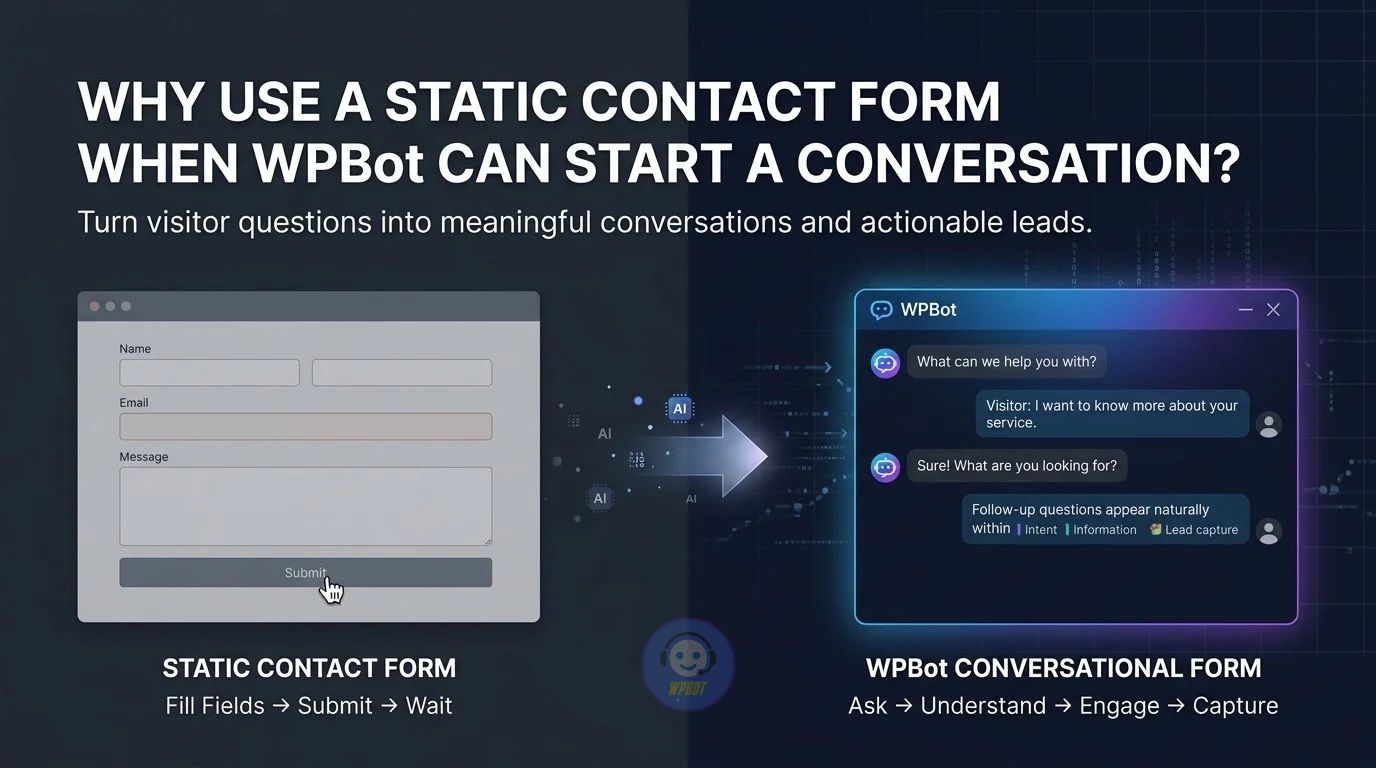
Traditional contact forms ask visitors to stop browsing and complete a form.
WPBot Conversational Forms can collect information through a guided interaction.
WPBot Conversational Forms can ask one question, process the response, and continue the conversation based on the visitor’s answer.
That difference matters when a business needs more than name and email.
WPBot Conversational Forms can support lead qualification, feedback collection, job applications, surveys, calculators, contact workflows, and conditional conversations.
WPBot Conversational Forms can also use conditional logic so the next question can depend on the previous answer.
How Can WPBot Conversational Forms Capture Buying Intent?
WPBot Conversational Forms can ask questions that reveal where a visitor is in the buying process.
For example, a service website can use WPBot Conversational Forms to ask:
- What service do you need?
- What is your approximate project size?
- When do you need the service?
- What is your budget range?
- What is your preferred contact method?
WPBot Conversational Forms can turn those answers into a structured lead rather than leaving the sales team with a generic contact request.
WPBot Conversational Forms can therefore capture both contact information and useful qualification data.
Why Does Conditional Logic Make WPBot Conversational Forms More Powerful?
WPBot Conversational Forms can change the conversation based on previous answers.
A visitor selecting “WooCommerce development” does not necessarily need the same questions as a visitor selecting “WordPress maintenance.”
WPBot Conversational Forms can use conditional paths to make the conversation more relevant.
That reduces unnecessary questions while increasing the amount of useful information collected from qualified visitors.
WPBot Conversational Forms can also create menu-driven conversations where the visitor selects a path before entering detailed information.
Can WPBot Conversational Forms Replace Every Traditional Form?
WPBot Conversational Forms should not automatically replace every traditional form.
A simple newsletter signup may require only an email field. A legal or highly structured application may require a conventional form interface.
WPBot Conversational Forms become especially useful when the business needs qualification, branching questions, conversational guidance, or context around the submitted information.
WPBot can therefore use conversational and traditional interaction patterns according to the task.
What Does WPBot Live Chat Add When AI Answers Are Not Enough?
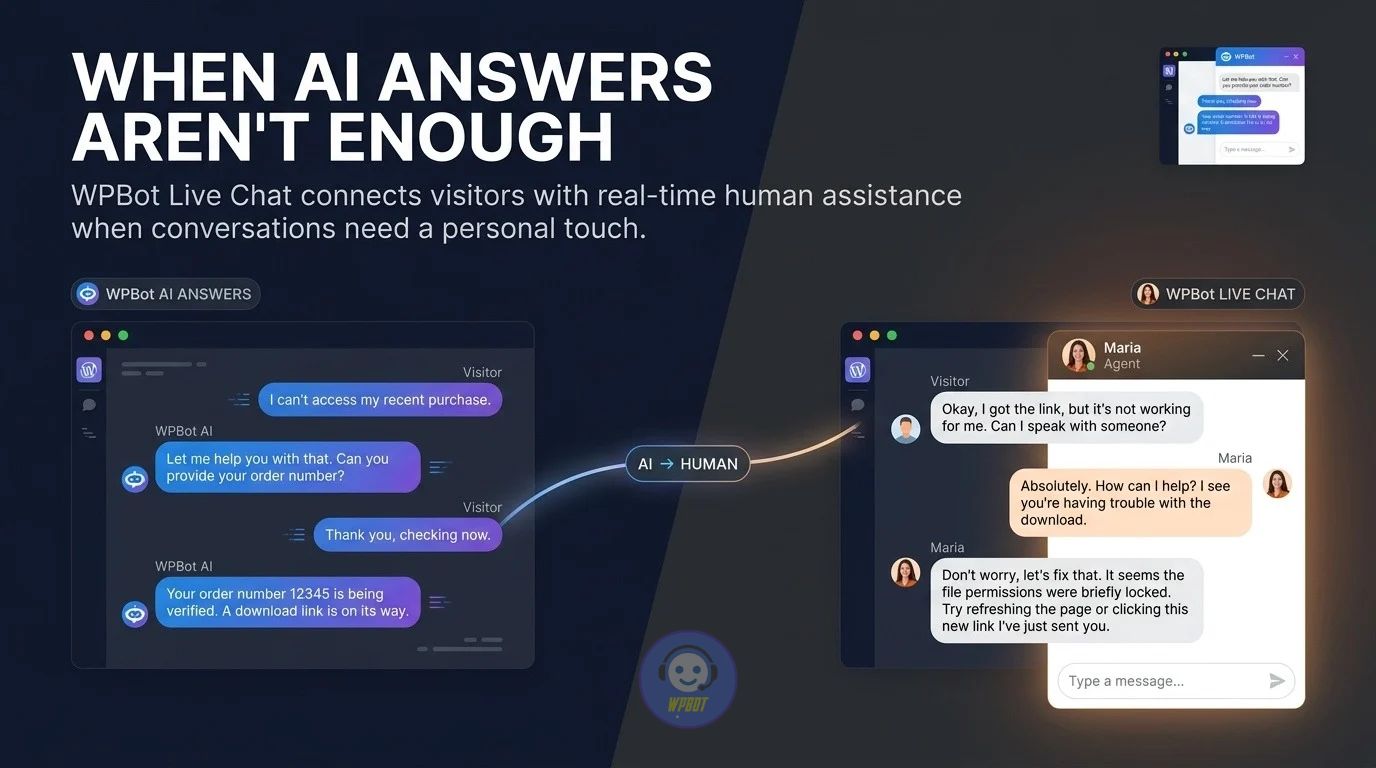
WPBot Live Chat creates a human escalation path for conversations that require personal assistance.
WPBot can answer routine questions while WPBot Live Chat can help connect higher-value or more complicated conversations with a human representative.
That distinction matters because not every customer question should be automated.
WPBot Live Chat can be useful for sales questions, technical questions, unusual requests, complex purchasing decisions, and customers who explicitly want human assistance.
Why Does WPBot Live Chat Matter for High-Intent Visitors?
A visitor asking “Does this product support X?” may simply need information.
A visitor asking “Can I order this today and get it delivered tomorrow?” may be much closer to purchasing.
WPBot Live Chat can give businesses a way to respond when the conversation becomes commercially important.
WPBot Live Chat can therefore function as an escalation mechanism rather than merely another chat window.
How Can WPBot Combine AI Automation With Human Support?
WPBot can handle repetitive questions while WPBot Live Chat can support human intervention.
The workflow can look like this:
WPBot answers → WPBot detects a complex question → WPBot offers Live Chat → Human representative continues the conversation
WPBot can reduce unnecessary human workload without forcing every customer through an automated experience.
WPBot can also provide a more practical customer journey because customers can move from automated answers to human assistance without abandoning the website.
Can WPBot Live Chat Improve Sales Without Acting Like an Aggressive Sales Bot?
WPBot Live Chat can support sales by removing uncertainty rather than repeatedly pushing an offer.
A visitor may hesitate because of installation requirements, compatibility, shipping, pricing, licensing, returns, or technical limitations.
WPBot Live Chat can address those questions while the visitor is still actively considering the purchase.
WPBot therefore has an opportunity to help the customer make an informed decision at the moment when information matters most.
Why Should WPBot Conversations Be Connected to WooCommerce?
WooCommerce provides transactional information.
WPBot provides conversational information.
Combining those two sources creates a more complete view of the customer journey.
A WooCommerce store can know that a customer viewed a product or abandoned a cart. WPBot can add context about the questions the customer asked before abandoning the purchase.
That context can be valuable.
What Can WPBot Learn From WooCommerce Customer Conversations?
WPBot can help expose questions that appear before purchasing decisions.
A shopper may ask whether a product works with a particular device. Another shopper may ask about shipping. Another shopper may ask whether a particular size is available.
WPBot can turn those questions into signals around buying intent and purchase friction.
WooCommerce data can show the transaction status. WPBot conversation data can provide additional context around the customer’s decision.
How Does WPBot WooCommerce Retargeting Address Lost Purchase Opportunities?
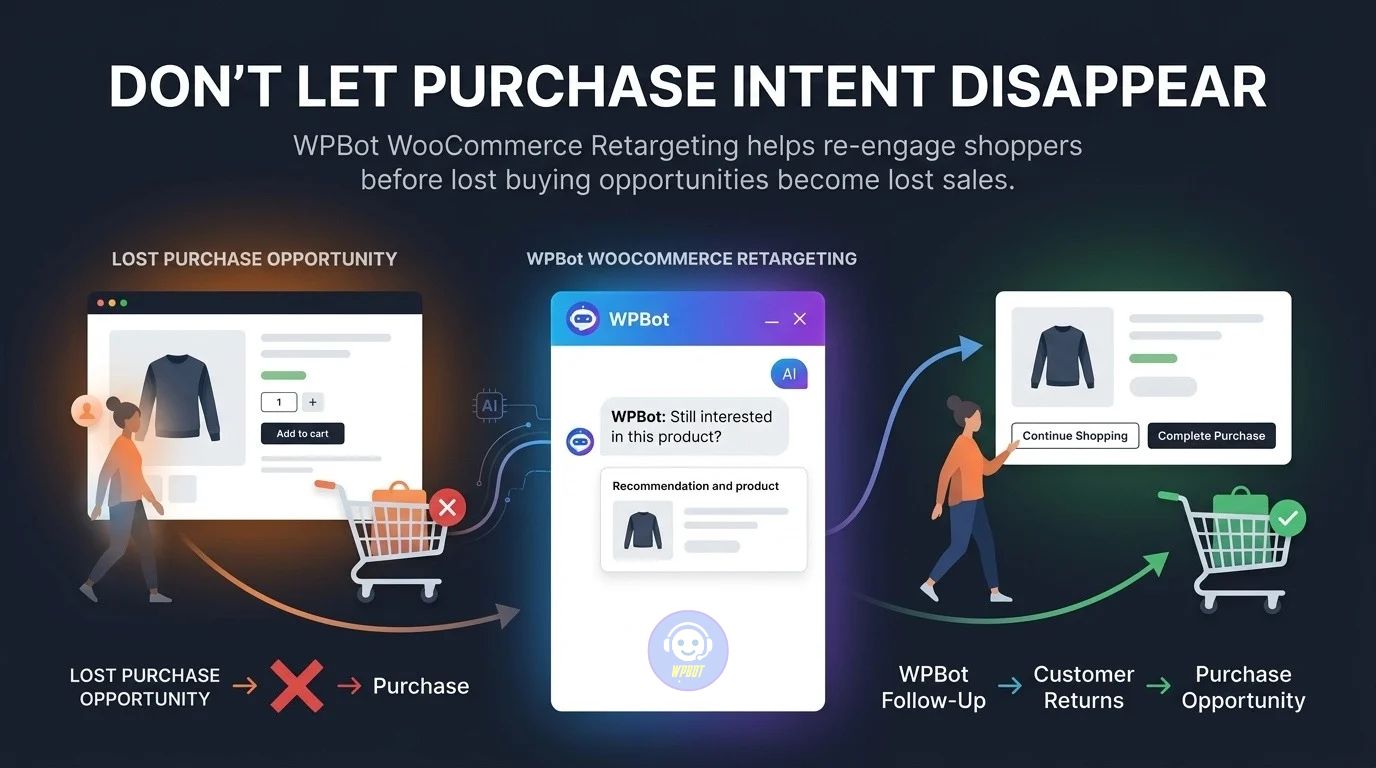
Not every interested visitor completes a purchase during the first session.
WPBot WooCommerce Retargeting can support follow-up workflows designed around customer engagement and purchase opportunities.
WPBot can use conversational interactions, WooCommerce activity, and retargeting workflows to bring relevant offers or follow-up interactions back into the customer journey.
The objective is not simply to send more messages. The objective is to reconnect with customers who showed meaningful interest.
Can WPBot Help Recover Abandoned WooCommerce Purchase Opportunities?
WPBot WooCommerce workflows can support customers who leave before completing a purchase.
Consider a hypothetical WooCommerce store with:
- 1,000 monthly checkout opportunities
- 70% abandonment
- $80 average order value
- 5% recovery from a targeted retargeting workflow
The potential recovered revenue would be:
1,000 × 70% × 5% × $80 = $2,800
The $2,800 figure is a mathematical scenario, not a guaranteed WPBot result.
WPBot performance depends on traffic quality, product-market fit, offer quality, customer intent, retargeting configuration, timing, and the quality of the underlying WooCommerce experience.
Why Is WPBot WooCommerce Retargeting Different From Random Promotional Email?
Generic promotional email treats many customers similarly.
WPBot WooCommerce Retargeting can be connected to the customer’s interaction context.
A shopper who asked about product compatibility should not necessarily receive the same message as a shopper who asked about shipping.
WPBot can make customer conversations part of the broader retargeting strategy.
The stronger workflow is:
Customer question → Customer intent → Product interest → Purchase friction → Follow-up
WPBot can support multiple stages of that sequence.
How Do WPBot Conversational Forms, Live Chat, and WooCommerce Retargeting Work Together?
The three WPBot pillars become more useful when treated as connected stages rather than separate features.
|
Customer stage |
WPBot capability |
Business purpose |
|
Discovery |
WPBot AI conversation |
Answer initial questions |
|
Qualification |
WPBot Conversational Forms |
Capture structured intent |
|
Decision |
WPBot Live Chat |
Escalate important conversations |
|
Purchase |
WPBot WooCommerce integration |
Support product decisions |
|
Abandonment |
WPBot WooCommerce Retargeting |
Re-engage purchase opportunities |
|
Analysis |
WPBot chat history and insights |
Learn from customer behavior |
WPBot can therefore create a customer-information loop.
WPBot captures questions. WPBot uses conversations to qualify visitors. WPBot Live Chat can handle complex decisions. WPBot WooCommerce workflows can support follow-up. WPBot session information can then reveal what customers repeatedly wanted.
Can WPBot Turn Chat History Into Content Ideas?
WPBot chat history can reveal questions that website content does not currently answer clearly.
Repeated questions can become:
- WPBot-driven FAQ ideas
- Product-page improvements
- Blog topics
- Comparison pages
- Troubleshooting guides
- Knowledge-base articles
- Buying guides
- Video topics
- New product requirements
WPBot can therefore help create a feedback loop between customer conversations and content strategy.
If 100 visitors ask the same question, the question may deserve a permanent answer somewhere on the website.
How Can WPBot AI Insights Help Businesses Understand Conversations?
WPBot Pro provides chat-session tracking and analytics through the Bot Sessions area.
WPBot Pro AI Insights can also summarize chatbot interactions and highlight important questions when supported AI integrations are connected.
That creates a practical path from raw conversation history to summarized customer-intent information.
A business does not have to manually read every conversation before identifying recurring themes.
Can WPBot Reveal Product Gaps Before Sales Data Shows the Problem?
WPBot conversations can reveal demand signals before a business sees a clear sales pattern.
Imagine customers repeatedly asking whether a store sells a particular product variation.
The store may not currently sell the requested variation.
WPBot conversation data can therefore expose a potential product gap.
WPBot cannot prove that every requested product will sell. WPBot can provide customer-question evidence that a business can evaluate against inventory, margins, competition, and actual purchasing behavior.
How Should Developers Measure WPBot Performance?
Developers and business owners should measure WPBot with operational and commercial metrics rather than chat volume alone.
Useful WPBot measurements include:
- WPBot conversations per 1,000 visitors
- WPBot Conversational Form completion rate
- WPBot lead qualification rate
- WPBot Live Chat escalation rate
- WPBot assisted conversion rate
- WPBot abandoned-purchase recovery rate
- WPBot average response time
- WPBot API cost per conversation
- WPBot support questions resolved automatically
- WPBot recurring-question frequency
WPBot performance becomes easier to evaluate when every metric has a business purpose.
What Does a Practical WPBot ROI Calculation Look Like?
A practical WPBot ROI model can combine support savings, incremental profit, and recovered revenue.
WPBot ROI = (Support Savings + Incremental Gross Profit + Recovered Gross Profit − WPBot Operating Cost) ÷ WPBot Operating Cost × 100
Consider a hypothetical example:
|
WPBot ROI component |
Example |
|
Support savings |
$1,000 |
|
Additional gross profit |
$1,500 |
|
Recovered gross profit |
$750 |
|
WPBot operating cost |
$300 |
|
Net value |
$2,950 |
The example produces:
($1,000 + $1,500 + $750 − $300) ÷ $300 × 100 = 983.3%
The calculation is an example only. WPBot ROI should use real website data rather than treating hypothetical conversion rates as guaranteed outcomes.
How Can WPBot Control AI API Costs?
WPBot can work with multiple AI providers and routing options, including OpenAI, Gemini, OpenRouter, and supported models such as DeepSeek through supported integrations.
AI API cost depends on the selected provider, model, input volume, output volume, context size, and workflow design.
WPBot administrators can reduce unnecessary API spending by using deterministic responses for predictable questions and reserving more expensive AI calls for questions that actually require generative reasoning.
A useful architecture is:
Simple question → WPBot predefined response
Known website content → WPBot search or RAG
Complex question → WPBot external AI model
That architecture can reduce unnecessary token consumption.
Why Does WPBot RAG Matter for Customer Conversations?
WPBot RAG can ground AI responses in website-specific information.
WPBot can use website pages, posts, custom post types, PDFs, CSV files, XML files, sitemap information, and other supported sources as knowledge material.
WPBot RAG can therefore help answer questions using the business’s own content rather than relying only on general model knowledge.
RAG does not automatically guarantee correct answers. WPBot answer quality still depends on source quality, retrieval configuration, prompts, model behavior, and content maintenance.
Can WPBot Run on Shared WordPress Hosting?
WPBot can run on shared WordPress hosting when the hosting environment supports the required WordPress, PHP, database, HTTPS, REST API, and outbound API requirements.
WPBot documentation recommends at least 128 MB memory, with 256 MB or more recommended, and PHP 8.0+ recommended.
WPBot performance can vary significantly between hosting environments.
A website with moderate traffic may work comfortably on shared hosting, while a high-volume website with extensive AI requests, large chat histories, RAG operations, and multiple external integrations may require more server resources.
Does WPBot Create Significant Server Resource Overhead?
WPBot resource usage depends on how WPBot is configured.
WPBot database storage can grow with chat sessions and related information. WPBot AI integrations also create outbound HTTP requests to external services.
WPBot can therefore create more workload than a static WordPress contact form.
The important distinction is that AI inference generally occurs through the external AI provider rather than consuming the same CPU resources required to run a large language model locally on the WordPress server.
Developers should monitor PHP workers, database queries, object caching, HTTP request duration, API latency, and database growth when deploying WPBot on high-traffic websites.
What Should Developers Monitor After Installing WPBot?
A production WPBot deployment should monitor:
- WPBot PHP execution time.
- WPBot database size and chat-session growth.
- WPBot outbound API response time.
- WPBot API token consumption.
- WPBot AJAX or REST request volume.
- WPBot webhook response time.
- WPBot Live Chat workload.
- WPBot WooCommerce conversion events.
- WPBot error logs.
- WPBot WordPress and plugin update status.
WPBot monitoring should be part of normal WordPress operations rather than something added only after a performance problem appears.
Can WPBot Protect Customer Data While Using External AI APIs?
WPBot stores chat-session information in the WordPress database according to WPBot documentation.
WPBot documentation states that WPBot does not send stored chat-session data to WPBot’s own servers, while user queries can be sent directly to connected third-party services such as OpenAI or Dialogflow when those integrations are enabled.
That distinction matters.
WPBot administrators should understand exactly which data remains inside WordPress and which data is transmitted to external AI providers.
WPBot deployments handling personal data should also define appropriate retention, consent, privacy-policy, access-control, and data-processing practices.
How Should WPBot Be Configured for GDPR-Sensitive Websites?
WPBot can support privacy-conscious workflows, but WPBot does not make a website automatically GDPR compliant.
WPBot administrators should determine what personal data WPBot collects, why WPBot collects the data, where WPBot stores the data, how long WPBot retains the data, and which external services receive the data.
WPBot forms that collect names, email addresses, phone numbers, or other personal information should be reviewed as part of the website’s broader privacy architecture.
WPBot administrators should also review the privacy terms and data-processing requirements of every external AI provider connected to WPBot.
What About WPBot’s Previous Security Vulnerabilities?
WPBot has had security vulnerabilities across older releases, including issues involving SQL injection, cross-site scripting, missing authorization, sensitive information exposure, and other security weaknesses.
For example, Wordfence documents a high-severity unauthenticated SQL injection vulnerability affecting WPBot versions through 7.7.9, with version 7.8.0 listed as the patched release.
Wordfence also documents later authorization and information-exposure issues affecting specific older WPBot versions.
A responsible WPBot deployment therefore should never treat “the plugin is installed” as the end of the security process.
WPBot administrators should keep WPBot updated, monitor security advisories, maintain WordPress backups, use staging environments for major changes, restrict unnecessary administrator privileges, and test critical workflows after updates.
How Should Developers Handle WPBot Updates After a Security Patch?
WPBot updates should follow a controlled deployment process.
A practical workflow is:
Backup → Staging update → Functional testing → Security verification → Production update → Post-update monitoring
WPBot developers should test AI conversations, Conversational Forms, Live Chat, WooCommerce workflows, webhooks, API connections, and custom integrations after major updates.
WPBot developers should also avoid assuming that an old custom modification remains compatible with a newer WPBot release.
Security updates should take priority over preserving an outdated customization.
Can WPBot Webhooks Create Latency?
WPBot webhook latency depends on the destination server, network path, payload size, external API performance, and the way the receiving application processes the request.
A webhook that waits for a slow external application can make the overall customer interaction feel slow if the WPBot workflow is synchronous.
WPBot developers should therefore design webhook destinations to respond quickly.
For longer operations, WPBot integrations can benefit from asynchronous processing where the architecture supports queue-based or background execution.
How Should Developers Design Fast WPBot Webhook Integrations?
A fast WPBot webhook architecture should separate immediate acknowledgement from expensive processing whenever possible.
For example:
WPBot → Webhook endpoint → Immediate acknowledgement → Queue → External processing → CRM/database update
WPBot does not need to wait for a long CRM operation if the architecture can acknowledge the webhook quickly and process the remaining work asynchronously.
WPBot developers should also log request IDs, timestamps, response codes, processing duration, and failure states.
Why Is WPBot More Useful When the Three Pillars Work Together?
WPBot Conversational Forms capture structured intent.
WPBot Live Chat handles conversations that require human attention.
WPBot WooCommerce Retargeting supports follow-up around purchasing opportunities.
WPBot chat history and AI Insights can reveal what happened across those interactions.
The resulting workflow is not simply:
Visitor → Chatbot
The stronger workflow is:
Visitor → Question → WPBot → Intent → Conversational Form → Live Chat → WooCommerce Purchase → Retargeting → Insight
WPBot can therefore connect customer communication with business operations.
Can WPBot Become a Customer-Intent Engine for WordPress?
WPBot can function as a customer-intent layer when WPBot is configured to capture, analyze, and act on meaningful visitor conversations.
WPBot can show businesses what customers ask.
WPBot Conversational Forms can capture structured information about what customers need.
WPBot Live Chat can expose high-value conversations that need human attention.
WPBot WooCommerce Retargeting can support follow-up when purchase journeys remain unfinished.
WPBot analytics can then help identify repeated patterns.
That creates a feedback loop:
Listen → Understand → Capture → Assist → Sell → Re-engage → Learn
WPBot becomes more valuable when the business uses that loop to improve the website rather than treating WPBot as a decorative chat bubble.
FAQ: About WPBot
WPBot is an AI-powered chatbot for WordPress that turns customer conversations into actionable business data by combining AI conversations, Conversational Forms, Live Chat, chat-session analytics, and WooCommerce workflows. It helps answer questions, capture customer intent, connect visitors with humans, and re-engage shoppers based on their buying journey.
WPBot captures visitor questions about products, pricing, delivery, support, and more, turning isolated queries into continuous customer-intent information. It identifies repeated questions to suggest improvements such as better product descriptions, FAQs, landing pages, documentation, or clearer checkout information.
WPBot Conversational Forms collect information through guided interactions, asking one question at a time and continuing the conversation based on responses. Unlike traditional static forms, they support lead qualification, feedback collection, surveys, conditional logic, and create more relevant and detailed customer information.
WPBot Live Chat provides a human escalation path for complex or high-value conversations that AI alone cannot resolve. It connects visitors needing personal assistance to human representatives for sales questions, technical issues, complex purchasing decisions, and other requests requiring human intervention.
Integrating WPBot with WooCommerce combines transactional data with conversational insights, providing a more complete view of the customer journey. It helps understand customer questions before purchasing decisions, supports follow-up workflows for abandoned carts, and improves retargeting based on actual customer intent.
WPBot can reduce AI API costs by using predefined responses for simple questions, search or retrieval-augmented generation (RAG) for known content, and reserving costly AI calls for complex queries. Administrators can also configure spending limits, monitor token usage, and analyze which conversations incur the highest costs.
WPBot stores chat-session data in the WordPress database and sends user queries directly to third-party AI services. Administrators should monitor WPBot version updates, address historical security vulnerabilities, manage personal data carefully according to privacy laws like GDPR, and implement secure deployment and update practices.
WPBot's AI conversations listen and answer questions, Conversational Forms capture structured intent, Live Chat handles complex human interactions, and WooCommerce Retargeting supports follow-up on purchase opportunities. Combined with chat history and AI insights, WPBot helps businesses learn from repeated patterns to improve products, content, and sales processes.
What Should a Developer Check Before Putting WPBot Into Production?
A production WPBot deployment should pass five technical checks.
1. WPBot AI configuration: Confirm the selected AI provider, model, API key, token limits, prompt configuration, and cost controls.
2. WPBot data configuration: Confirm chat retention, form fields, privacy notices, database access, and third-party data transmission.
3. WPBot performance configuration: Test PHP memory, database growth, API latency, caching behavior, AJAX/REST requests, and webhook response times.
4. WPBot security configuration: Confirm the current WPBot version, WordPress version, PHP version, administrator permissions, backups, and security monitoring.
5. WPBot conversion configuration: Test Conversational Forms, Live Chat escalation, WooCommerce interactions, retargeting workflows, and conversion tracking.
WPBot should be treated like production infrastructure rather than a simple front-end widget.
Is WPBot Listening to What Customers Want Next?
WPBot can listen to customer questions at the exact point where customer intent appears.
WPBot Conversational Forms can convert conversations into structured customer information.
WPBot Live Chat can protect high-intent conversations that require human assistance.
WPBot WooCommerce Retargeting can support follow-up when purchase opportunities remain unfinished.
WPBot chat history and AI Insights can help businesses identify recurring questions, objections, product requests, and content gaps.
The biggest opportunity is not simply making WPBot answer faster.
The bigger opportunity is making every WPBot conversation useful after the conversation ends.
A customer question can become a lead.
A lead can become a sales conversation.
A sales conversation can become a purchase.
An abandoned purchase can become a retargeting opportunity.
A repeated question can become a new FAQ.
A product objection can become a better product page.
A recurring request can become a product-development signal.
WPBot can therefore help transform a WordPress website from a passive collection of pages into a system that listens, responds, captures intent, supports decisions, and learns from customer conversations.