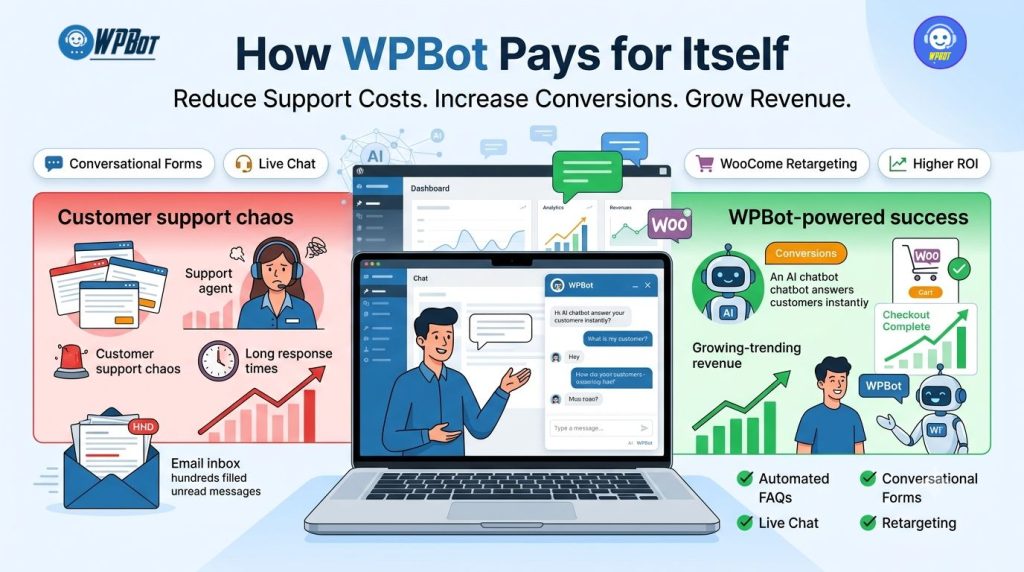
WPBot helps WordPress businesses reduce customer support costs by automating repetitive conversations, capturing qualified leads through Conversational Forms, and engaging visitors before they leave the website. WPBot also increases conversions by combining AI-powered conversations, Live Chat, and WooCommerce Retargeting into one unified customer experience.
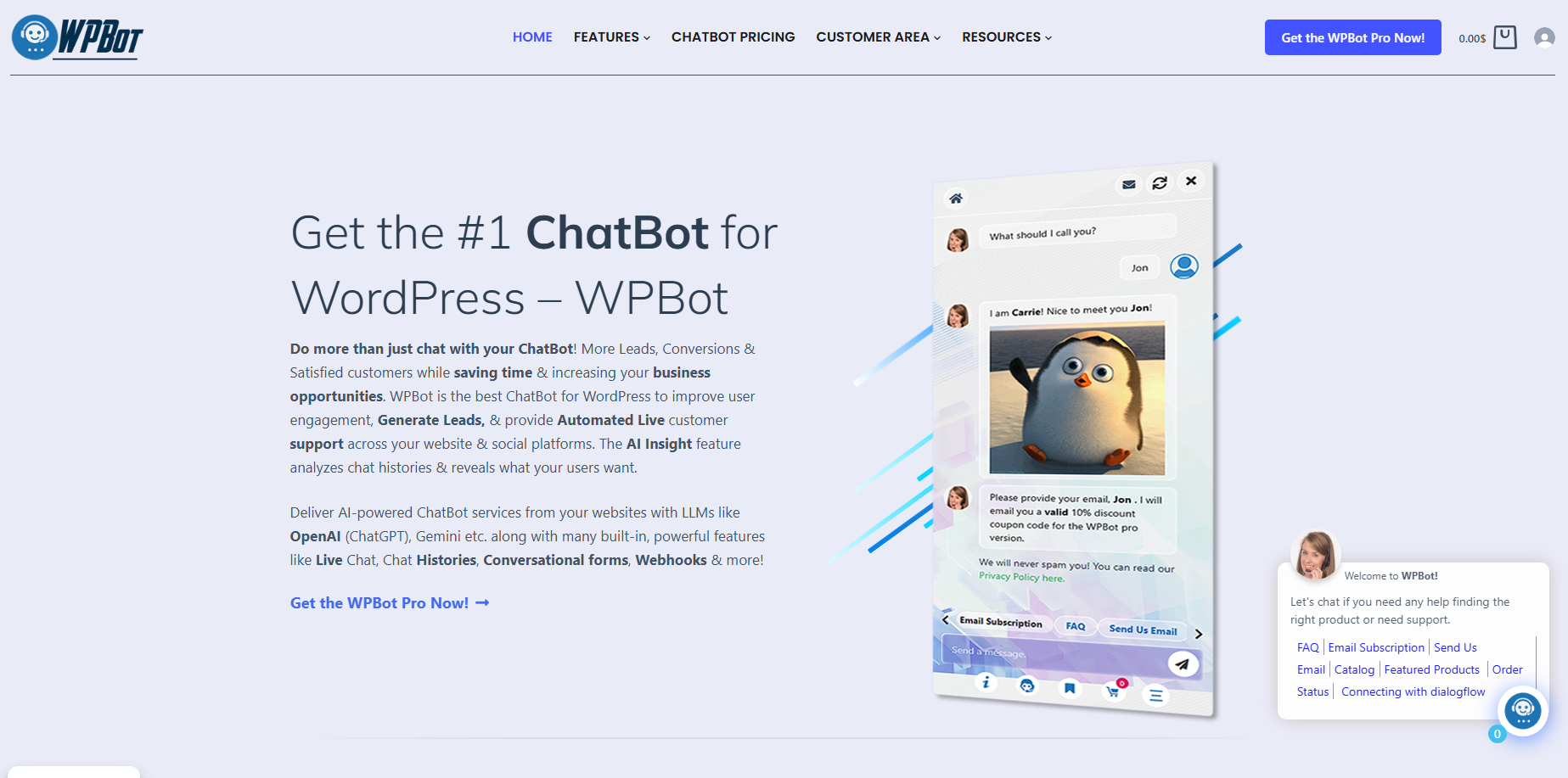
Why Does Every Unanswered Visitor Cost More Than Most Businesses Realize?
Every missed question has a price. Every abandoned cart has a reason. Every support ticket consumes valuable employee time.
WPBot helps businesses answer customer questions instantly, collect leads automatically, and guide visitors toward a purchase before frustration causes them to leave.
Unlike many SaaS chatbot services that charge recurring monthly fees, WPBot runs directly inside WordPress. WPBot becomes a long-term business asset instead of another monthly software subscription.
Why Are Support Costs Quietly Growing Every Month?
Many website owners only measure advertising expenses.
Very few businesses calculate how much customer support costs every single month.
A typical support workflow looks like this:
• Customer asks a common question
• Staff reads the message
• Staff types the same answer again
• Customer asks another question
• Staff repeats another answer
WPBot automates these repetitive conversations.
Instead of answering identical questions hundreds of times, WPBot delivers instant, consistent responses twenty-four hours a day.
How Much Can Manual Customer Support Really Cost?
Consider a realistic example.
| Metric | Value |
|---|---|
| Monthly Visitors | 20,000 |
| Customer Questions | 1,200 |
| Average Handling Time | 6 minutes |
| Total Support Time | 120 hours |
| Staff Hourly Cost | $20 |
| Monthly Support Cost | $2,400 |
| Annual Support Cost | $28,800 |
Now imagine WPBot automatically resolving even 65% of those questions.
| Before WPBot | After WPBot |
|---|---|
| 1,200 Support Tickets | 420 Support Tickets |
| 120 Staff Hours | 42 Staff Hours |
| $2,400 / Month | $840 / Month |
| Annual Support Cost: $28,800 | Annual Support Cost: $10,080 |
Annual Savings
$28,800 − $10,080 = $18,720
For many businesses, WPBot pays for itself within weeks simply by reducing repetitive support work.
## Why Do Customers Leave Before Contacting Your Business?
Visitors rarely complain before leaving.
Most visitors simply close the browser tab.
Common reasons include:
• Product information is difficult to find.
• Shipping information is unclear.
• Pricing raises questions.
• Visitors cannot compare products.
• Nobody responds immediately.
• Contact forms feel slow.
WPBot reduces these friction points by opening a conversation exactly when visitors need help.
Instead of forcing customers to search through multiple pages, WPBot delivers answers inside the same conversation.
How Does WPBot Turn Conversations Into Business Value?
Every conversation has one of three outcomes.
1. Customer receives an answer.
2. Customer becomes a lead.
3. Customer becomes a buyer.
WPBot supports all three outcomes through three major business pillars:
• WPBot Conversational Forms
• WPBot Live Chat
• WPBot WooCommerce Retargeting
Each pillar reduces business costs while increasing customer engagement.
Why Are Traditional Contact Forms Losing Potential Customers?
Traditional contact forms create friction.
Visitors must locate the contact page, complete multiple fields, submit the form, and then wait hours—or even days—for a response.
Many visitors leave before completing that journey.
WPBot replaces passive forms with real conversations.
How Does WPBot Conversational Forms Capture More Qualified Leads?
WPBot Conversational Forms transform data collection into an interactive conversation.
Instead of displaying ten intimidating input fields, WPBot asks one question at a time.
That small change dramatically improves user experience.
A conversational experience feels natural because visitors answer simple questions instead of facing a large form.
Why Does One Question at a Time Increase Form Completion?
Large forms create psychological resistance.
WPBot reduces cognitive load by asking one question before moving to the next.
Visitors focus on a single decision instead of processing an entire form.
That simple interaction often leads to significantly higher completion rates.
What Information Can WPBot Conversational Forms Collect?
WPBot can collect almost any business information.
Examples include:
• Name
• Email
• Phone number
• Company
• Budget
• Preferred service
• Product interest
• Project deadline
• Country
• Website URL
• Appointment requests
• Support requests
WPBot validates responses while keeping the conversation natural.
Why Does WPBot Generate Better Sales Leads?
Many traditional forms collect information.
WPBot collects context.
Instead of receiving only an email address, WPBot can also understand:
• Customer intent
• Purchase urgency
• Budget range
• Product category
• Business size
• Support priority
That additional context helps sales teams prioritize high-value prospects.
How Does WPBot Reduce Lead Abandonment?
Long forms encourage abandonment.
WPBot creates momentum.
Every completed answer increases the likelihood that visitors will finish the conversation.
Behavioral psychology calls this the “commitment effect.”
WPBot applies that principle naturally.
Example: Traditional Form vs WPBot Conversational Form
| Traditional Contact Form | WPBot Conversational Form |
|---|---|
| Static fields | Interactive conversation |
| Feels lengthy | Feels quick |
| High abandonment | Higher engagement |
| Generic experience | Personalized journey |
| One-way communication | Two-way communication |
| No intelligent follow-up | Dynamic follow-up questions |
How Does WPBot Qualify Leads
Automatically?
Not every visitor deserves immediate sales attention.
WPBot automatically filters prospects by asking qualifying questions.
Examples include:
• What product interests you?
• What is your monthly budget?
• When do you need the solution?
• How many employees does your company have?
WPBot organizes responses before human involvement becomes necessary.
Sales teams spend more time closing deals instead of qualifying prospects.
Can WPBot Route Different Leads to Different Teams?
Absolutely.
WPBot can direct conversations according to customer intent.
Examples include:
| Visitor Intent | WPBot Action |
|---|---|
| Product Question | Route to Product Team |
| Billing Question | Route to Finance Team |
| Technical Issue | Route to Support Team |
| Partnership Request | Route to Business Development Team |
| Job Inquiry | Route to HR Department |
WPBot saves internal teams from manually forwarding emails between departments.
Why Does WPBot Feel More Personal Than Standard Forms?
Conversations create trust.
Forms collect data.
WPBot introduces personality without sacrificing efficiency.
Visitors feel heard because WPBot responds immediately after every answer.
That interaction creates a smoother customer experience.
How Does WPBot Work Outside Business Hours?
Customers browse websites at every hour.
Employees do not.
WPBot continues qualifying visitors overnight, during weekends, and throughout holidays.
Every conversation becomes another opportunity to capture valuable leads while the business sleeps.
Why Does WPBot Improve Marketing Campaign ROI?
Paid advertising becomes expensive when visitors fail to convert.
Imagine spending:
• $2,000 on Google Ads
• $1,500 on Facebook Ads
• $1,000 on SEO
Every abandoned visitor reduces campaign profitability.
WPBot helps recover value from existing traffic by engaging visitors before they leave.
Improving conversions often delivers a better return than simply buying more traffic.
What Happens When WPBot Combines AI With Conversational Forms?
WPBot becomes much more than a digital questionnaire.
WPBot understands visitor intent.
WPBot answers questions.
WPBot collects lead information.
WPBot qualifies prospects.
WPBot continues the conversation naturally.
Instead of interrupting the customer journey, WPBot becomes part of the customer journey.
Real ROI Example: How WPBot Can Pay for Itself
Consider a digital agency receiving 300 inquiries each month.
| Metric | Before WPBot | After WPBot |
|---|---|---|
| Monthly Leads | 300 | 390 |
| Qualified Leads | 90 | 165 |
| Lead Qualification Hours | 40 Hours | 12 Hours |
| Close Rate | 18% | 24% |
| Monthly Clients | 16 | 40 |
| Average Project Value | $800 | $800 |
Monthly Revenue
Before WPBot
16 × $800 = $12,800
After WPBot
40 × $800 = $32,000
Additional Monthly Revenue
$19,200
While every business experiences different results, the principle remains consistent: better lead qualification, faster response times, and higher engagement create more opportunities to convert visitors into customers.
Why Is WPBot More Cost-Effective Than Many SaaS Chatbots?
Many chatbot services charge recurring monthly fees based on conversations, contacts, or team members.
WPBot follows a different approach by running directly within your WordPress website, helping businesses avoid escalating subscription costs while keeping customer interactions under their control.
| Comparison | WPBot | Typical SaaS Chatbot |
|---|---|---|
| WordPress Native | ✅ Yes | Usually via external service |
| Conversational Forms | ✅ Included | Often premium-only |
| AI Integration | ✅ Supported | Usually usage-based |
| WooCommerce Integration | ✅ Built-in Support | Often limited or requires extra-cost add-ons |
| Data Stays in WordPress | ✅ Yes | Usually stored on external servers |
| Recurring SaaS Subscription | No mandatory subscription for the core plugin | Common monthly or annual pricing model |
Why Is Conversational Lead Capture Only the Beginning?
Lead Capture Only the Beginning?
Capturing a lead is valuable, but converting that lead into a customer often requires real-time human interaction. WPBot extends beyond automated conversations with Live Chat capabilities that allow businesses to step in at exactly the right moment, creating a seamless transition from AI assistance to personal support.
Why Do Customers Still Want to Talk to a Real Person Before Buying?
Automation solves many questions.
Human conversations close many sales.
WPBot bridges both experiences without forcing visitors to start over. WPBot begins the conversation with AI or automated responses, then smoothly transfers the visitor to a human agent whenever personal assistance becomes the better option.
How Does WPBot Live Chat Reduce Support Costs Without Reducing Service Quality?
Many businesses assume adding Live Chat means hiring more support staff.
WPBot changes that equation.
WPBot answers repetitive questions automatically and only escalates conversations that genuinely require human expertise. Support agents spend less time answering “Where is my order?” and more time solving high-value customer problems.
Which Customer Questions Should WPBot Handle Automatically?
WPBot can instantly respond to hundreds of repetitive requests.
Examples include:
• Order status
• Shipping information
• Refund policy
• Business hours
• Pricing questions
• Product availability
• Payment methods
• Return policy
• Knowledge Base articles
• FAQ answers
Every automated conversation saves valuable employee time.
Which Conversations Should WPBot Transfer to Live Chat?
Some conversations deserve immediate human attention.
WPBot can intelligently escalate conversations such as:
• Large purchase inquiries
• Enterprise quotations
• Technical troubleshooting
• VIP customers
• Custom development requests
• Complex WooCommerce issues
• Partnership discussions
WPBot allows support agents to focus where human expertise creates the greatest value.
Why Does Faster Response Time Increase Conversions?
Modern customers expect immediate answers.
Waiting six hours for an email often means losing the sale.
WPBot responds within seconds.
Even when WPBot transfers the conversation to Live Chat, visitors already receive helpful information before a support representative joins the discussion.
Customer Experience Comparison
| Customer Journey | Without WPBot | With WPBot |
|---|---|---|
| Initial Response | Several hours | Seconds |
| FAQ Resolution | Manual | Automated |
| Product Search | Visitor searches alone | WPBot assists with product discovery |
| Live Chat Transfer | Manual handoff | Intelligent routing to the right agent |
| Customer Satisfaction | Inconsistent experience | Consistent, fast support |
How Does WPBot Reduce Agent Workload Every Day?
Support teams usually spend most of their day answering the same questions repeatedly.
Examples include:
• “Where is my package?”
• “Do you ship internationally?”
• “Can I return this product?”
• “How long is delivery?”
• “Is this product compatible?”
WPBot handles repetitive conversations automatically.
Support agents become problem solvers instead of copy-and-paste operators.
How Much Time Can WPBot Save Every Month?
Consider a WooCommerce store receiving 1,500 support conversations every month.
| Metric | Manual Support | WPBot + Live Chat |
|---|---|---|
| Monthly Conversations | 1,500 | 1,500 |
| Automated Conversations | 0 | 975 |
| Human Conversations | 1,500 | 525 |
| Average Time per Chat | 7 minutes | 7 minutes |
| Agent Hours | 175 hours | 61 hours |
WPBot saves approximately 114 staff hours every month in this example.
Those saved hours can be redirected toward:
• Sales
• Customer success
• Product improvements
• Marketing
• Business growth
Why Does WPBot Improve Customer Satisfaction?
Customers appreciate speed.
Customers also appreciate consistency.
WPBot never becomes tired, distracted, or overwhelmed during busy shopping periods.
Every visitor receives the same accurate information regardless of whether the conversation happens on Monday morning or Saturday night.
Why Is WooCommerce Cart Abandonment Still One of the Biggest Revenue Problems?
Most WooCommerce stores lose more potential customers than they convert.
Visitors browse products.
Visitors add products to the cart.
Visitors disappear.
Every abandoned cart represents marketing money that already brought someone to the website.
WPBot helps businesses recover part of that lost investment.
How Does WPBot WooCommerce Retargeting Bring Customers Back?
WPBot WooCommerce Retargeting reconnects with visitors before purchase intent disappears.
Instead of allowing abandoned carts to remain forgotten, WPBot encourages customers to complete the buying journey.
WPBot can remind shoppers about:
• Products left in the cart
• Recently viewed products
• Special offers
• Limited-time discounts
• Related products
• Seasonal promotions
WPBot keeps customer engagement active instead of allowing interest to fade.
Why Does Personalized Retargeting Convert Better?
Generic advertising speaks to everyone.
WPBot conversations speak to individual shoppers.
WPBot already understands:
• Products viewed
• Shopping interests
• Previous conversations
• Purchase intent
• Customer questions
That context allows WPBot to deliver much more relevant recommendations.
Example Customer Journey Using WPBot
Step 1
Customer visits a WooCommerce product page.
Step 2
WPBot answers sizing questions.
Step 3
Customer adds the product to the cart.
Step 4
Customer leaves without purchasing.
Step 5
WPBot reminds the customer about the abandoned cart.
Step 6
Customer returns.
Step 7
WPBot answers one final shipping question.
Step 8
Customer completes the purchase.
Every interaction removes friction instead of adding it.
How Does WPBot Increase Average Order Value?
Increasing conversions is valuable.
Increasing average order value creates even greater long-term growth.
WPBot recommends complementary products during natural conversations.
Examples include:
| Customer Views | WPBot Suggests |
|---|---|
| Laptop | Laptop Bag |
| Smartphone | Screen Protector |
| Running Shoes | Sports Socks |
| Coffee Machine | Coffee Beans |
| Camera | Memory Card |
Relevant recommendations feel helpful instead of intrusive.
Real Revenue Example Using WPBot WooCommerce Retargeting
Imagine an online store with these monthly metrics.
| Metric | Value |
|---|---|
| Monthly Visitors | 40,000 |
| Conversion Rate | 2.5% |
| Orders | 1,000 |
| Average Order Value | $75 |
Monthly Revenue
1,000 × $75 = $75,000
Now assume WPBot improves the conversion rate from 2.5% to 3.0% through conversational assistance and retargeting.
| Metric | Before | After WPBot |
|---|---|---|
| Conversion Rate | 2.5% | 3.0% |
| Orders | 1,000 | 1,200 |
| Average Order Value | $75 | $75 |
Monthly Revenue
1,200 × $75 = $90,000
Additional Monthly Revenue
$90,000 − $75,000 = $15,000
A relatively small improvement in conversion rate can produce a meaningful increase in revenue without increasing advertising spend.
Why Does WPBot Create Better ROI Than Buying More Traffic?
Buying additional traffic costs money every month.
Improving conversion rates increases the value of traffic already arriving on the website.
Consider this comparison.
| Growth Strategy | Monthly Cost | Long-Term Value |
|---|---|---|
| More Google Ads | Higher | Temporary |
| More Facebook Ads | Higher | Temporary |
| More Influencer Campaigns | Higher | Temporary |
| Better Website Conversion Using WPBot | One implementation with ongoing value | Long-lasting |
Many businesses focus first on attracting visitors.
WPBot helps businesses maximize the value of visitors they already have.
How Does WPBot Support Different Types of Businesses?
WPBot adapts to many industries because customer conversations follow similar patterns.
| Industry | WPBot Business Value |
|---|---|
| WooCommerce | Product recommendations, AI shopping assistance, and abandoned cart engagement |
| Agencies | Lead qualification, project inquiries, and client onboarding |
| Healthcare | Appointment requests, patient FAQs, and service information |
| Education | Student admissions, course guidance, and enrollment support |
| SaaS | Product onboarding, customer support, and feature guidance |
| Real Estate | Property inquiries, buyer qualification, and lead capture |
| Law Firms | Client intake conversations, consultation requests, and FAQs |
| Travel | Booking questions, destination guidance, and travel assistance |
WPBot provides industry-specific conversational workflows while maintaining a consistent user experience.
Why Does WPBot Continue Delivering Value After Installation?
Many software tools require constant manual management.
WPBot continues working every day.
WPBot keeps answering questions.
WPBot keeps collecting leads.
WPBot keeps supporting customers.
WPBot keeps helping visitors reach purchasing decisions.
That continuous automation creates compounding business value over time.
Best Practices for Maximizing WPBot ROI
Follow these practical recommendations to achieve stronger results.
1. Build a comprehensive FAQ for WPBot to answer accurately.
2. Configure WPBot Conversational Forms for every important landing page.
3. Enable WPBot Live Chat during business hours.
4. Review unanswered questions regularly to improve WPBot knowledge.
5. Use WPBot WooCommerce Retargeting to reconnect with abandoned shoppers.
6. Track lead quality, not just lead quantity.
7. Measure conversion improvements every month.
8. Update promotional conversations for seasonal campaigns.
9. Test different conversation openings to improve engagement.
10. Continue expanding WPBot knowledge as your business grows.
WPBot vs Traditional Customer Support
| Business Need | Traditional Workflow | WPBot Workflow |
|---|---|---|
| Lead Capture | Static contact form | Conversational Forms |
| Customer Support | Email tickets | AI + Live Chat |
| Product Discovery | Manual browsing | Guided conversation |
| FAQ Resolution | Human response | Instant automated answers |
| Cart Recovery | Limited | WooCommerce Retargeting |
| Scalability | Hire more support staff | Expand automation |
FAQ
WPBot helps businesses reduce customer support costs by automating repetitive conversations, capturing qualified leads through Conversational Forms, and engaging visitors before they leave the website.
WPBot runs directly inside WordPress, becoming a long-term business asset instead of another monthly software subscription, unlike many SaaS chatbot services that charge recurring monthly fees.
WPBot automates repetitive customer support tasks by delivering instant, consistent responses twenty-four hours a day, reducing the need for staff to repeatedly answer identical questions.
WPBot can automatically resolve even 65% of customer questions, leading to significant savings in customer support costs, as shown in the comparative table provided.
Customers often leave before contacting a business due to reasons such as difficulty in finding product information, unclear shipping details, unanswered pricing questions, inability to compare products, delayed responses, and slow contact forms.
WPBot supports conversations where customers receive answers, become leads, or convert into buyers through WPBot Conversational Forms, Live Chat, and WooCommerce Retargeting.
WPBot Conversational Forms transform data collection into an interactive conversation by asking one question at a time, improving user experience and lead quality.
WPBot is more cost-effective than many SaaS chatbots as it runs directly within WordPress without mandatory subscription costs for the core plugin, providing AI integration, WooCommerce support, and conversational forms.
Conclusion
Every unanswered question represents a missed opportunity. Every abandoned cart represents marketing investment that has already been made. WPBot helps businesses protect that investment by combining Conversational Forms, Live Chat, and WooCommerce Retargeting into a single customer engagement workflow.
Rather than forcing visitors to search for answers, wait for email replies, or leave without purchasing, WPBot keeps conversations moving toward meaningful outcomes. By reducing repetitive support tasks, improving lead qualification, and helping shoppers complete purchases, WPBot enables WordPress businesses to make better use of existing traffic, support resources, and sales opportunities.