
Publish a new post to your Facebook Page directly.
First need to open facebook developers account by below link:
https://developers.facebook.com/apps/
open facebook developers account and follow below steps:
Step 1:
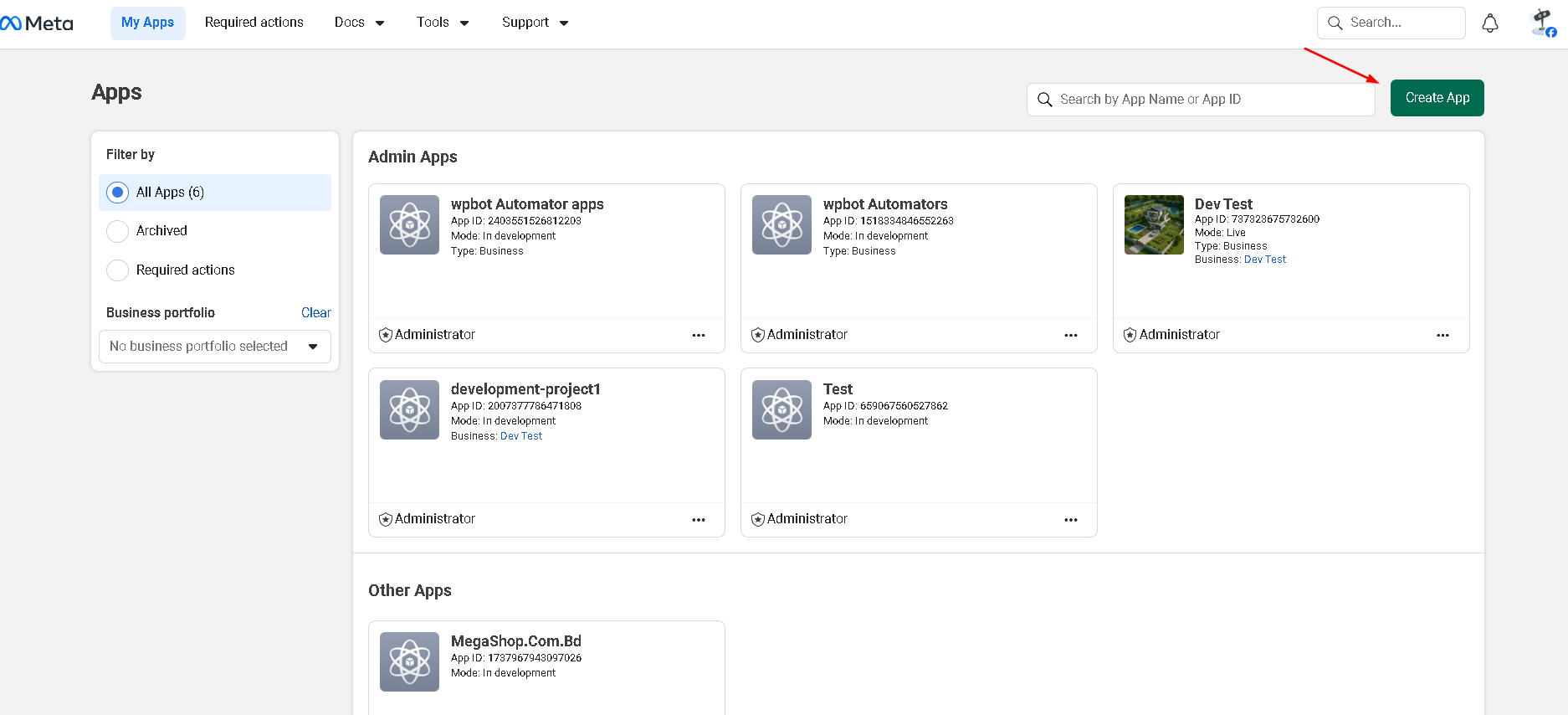
click Create App button to create new Apps.
Step 2:
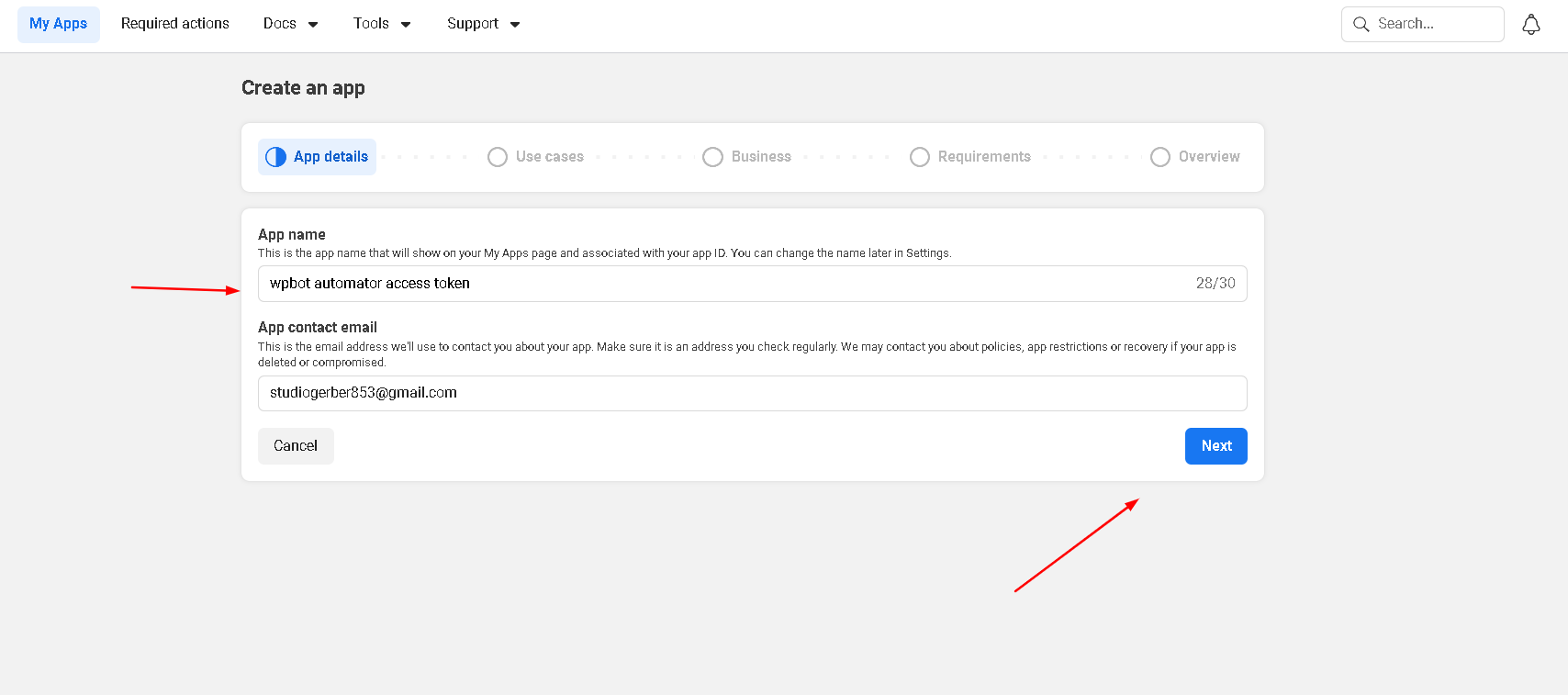
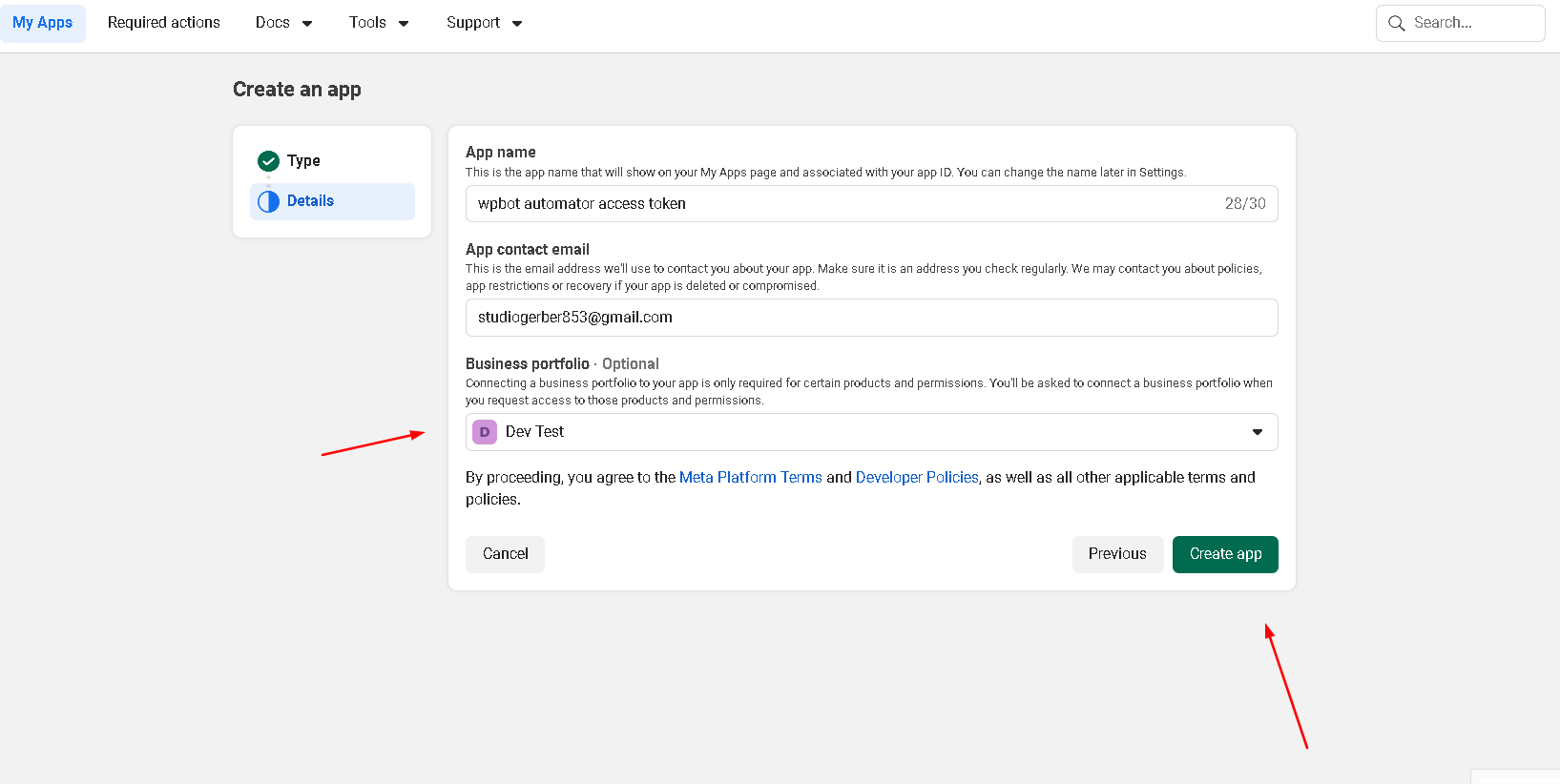
write your app name and click next.
Step 3:
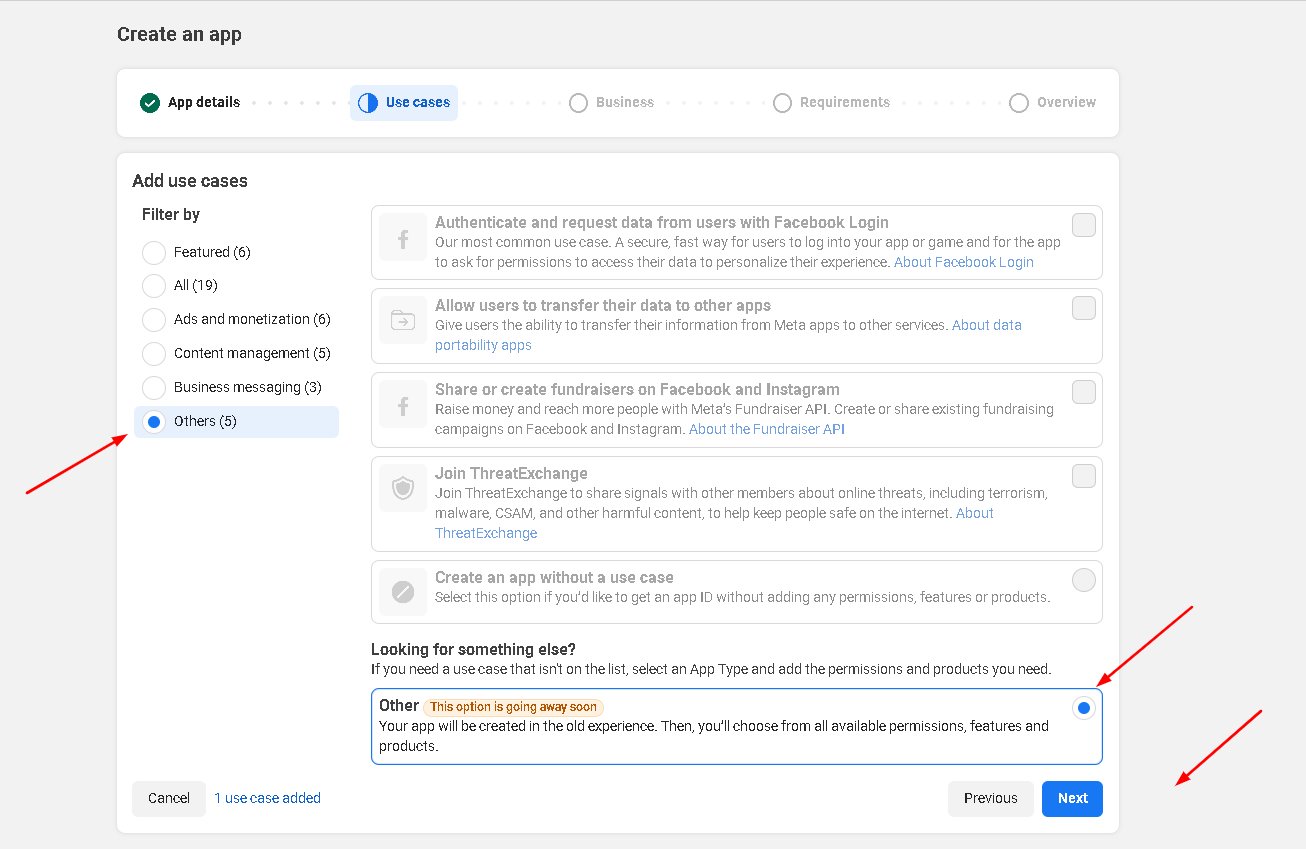
Choose others field and click next.
Step 4:
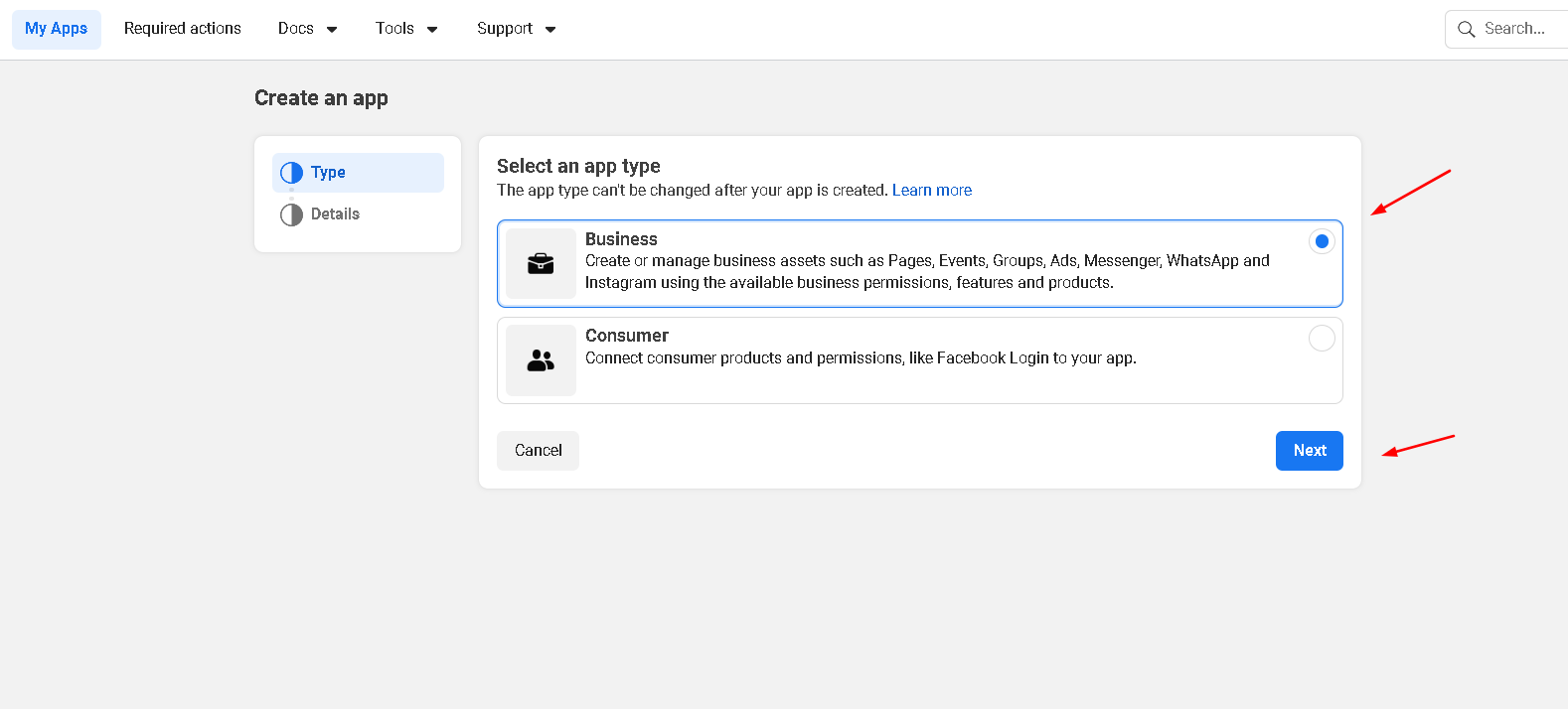
Choose Business field and click next.
Step 5:
Business Portfolio is a optional field, you can set empty this field.
Step 6:
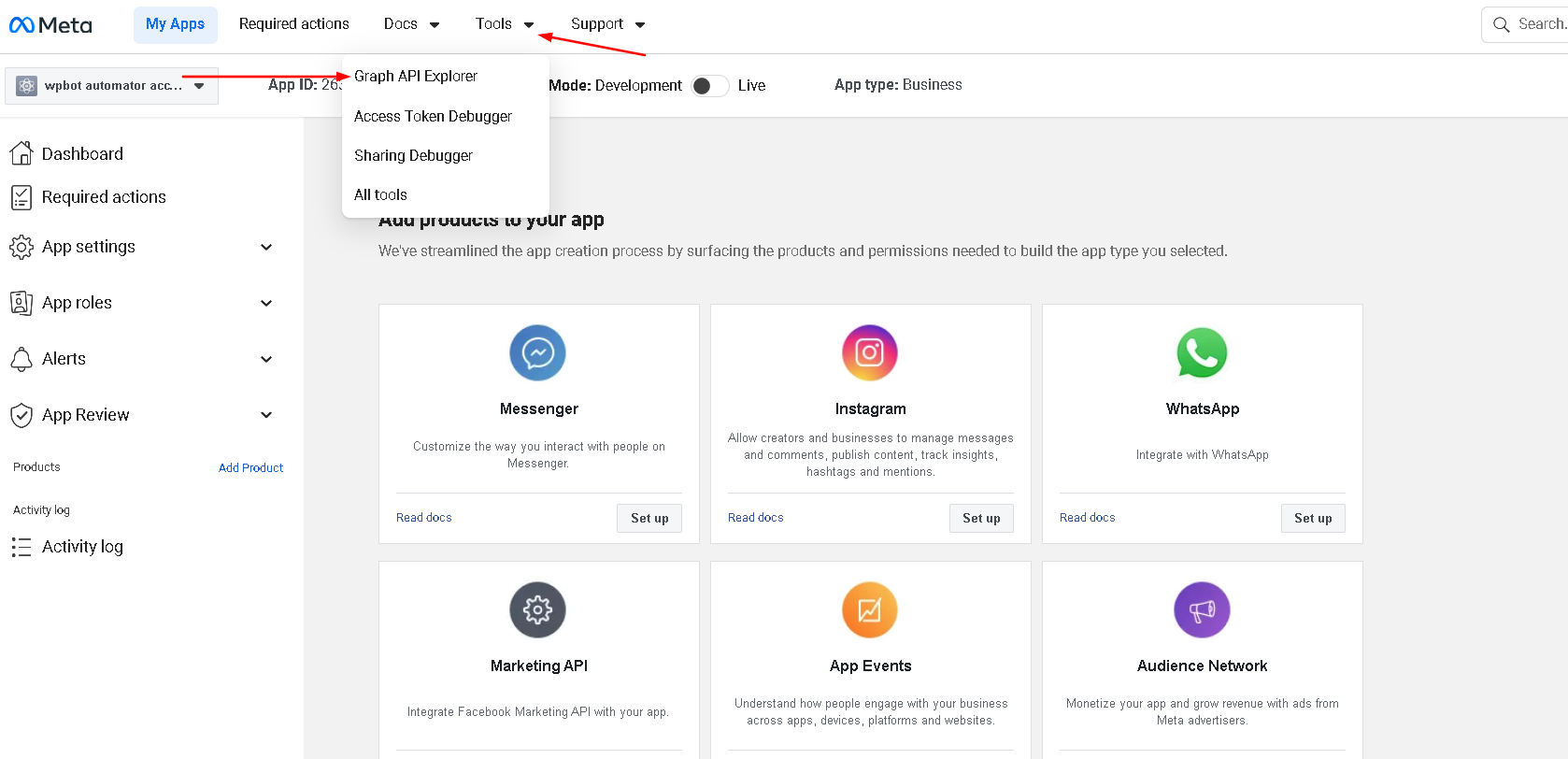
Click on Tools menu and click again Graph API Explorer menu.
Step 7:
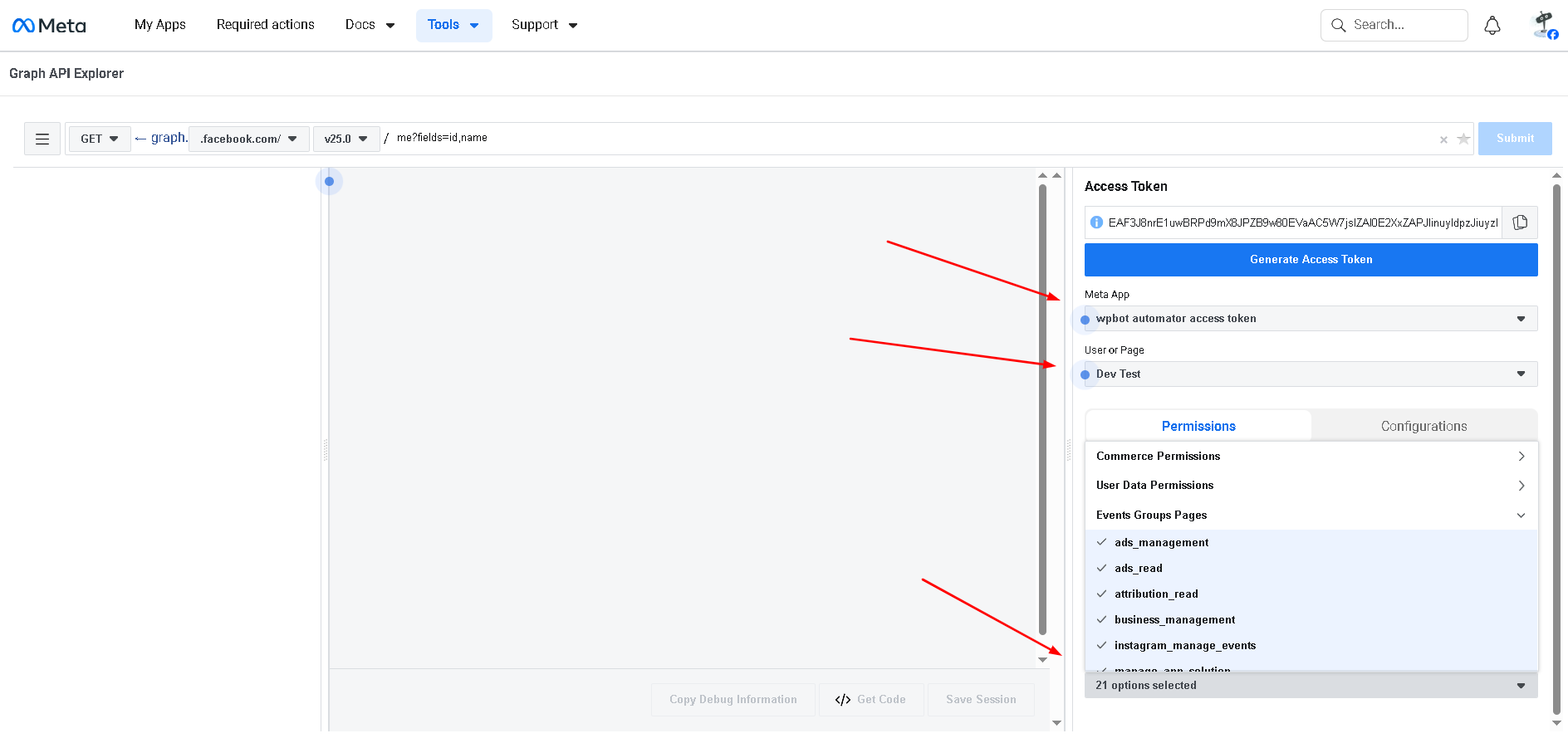
Choose Meta App and Page from selection option and choose permissions for Events Groups Pages.
Step 7.1:
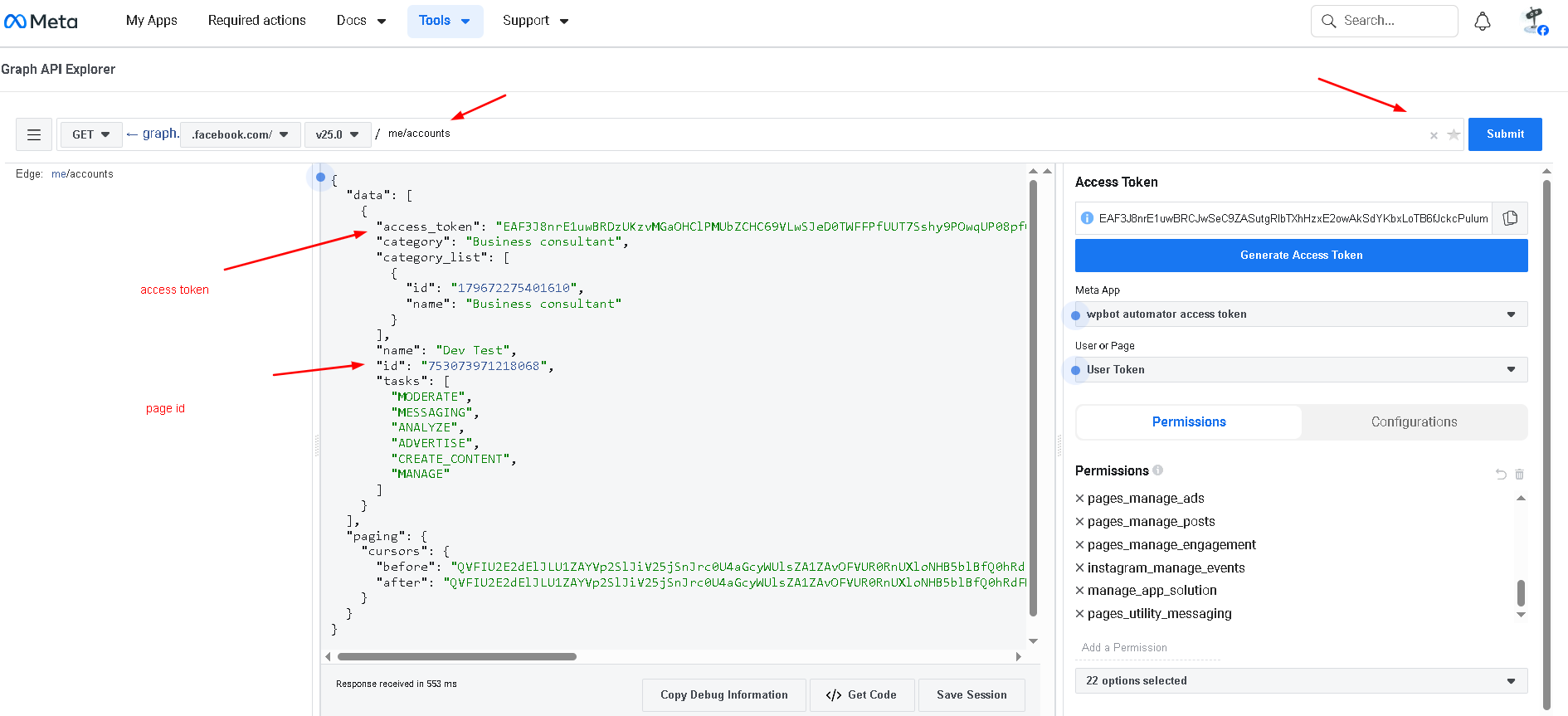
After creating permissions then choose user token from select option and add Graph url me/accounts and submit. Then show access token and page id.
Step 8:
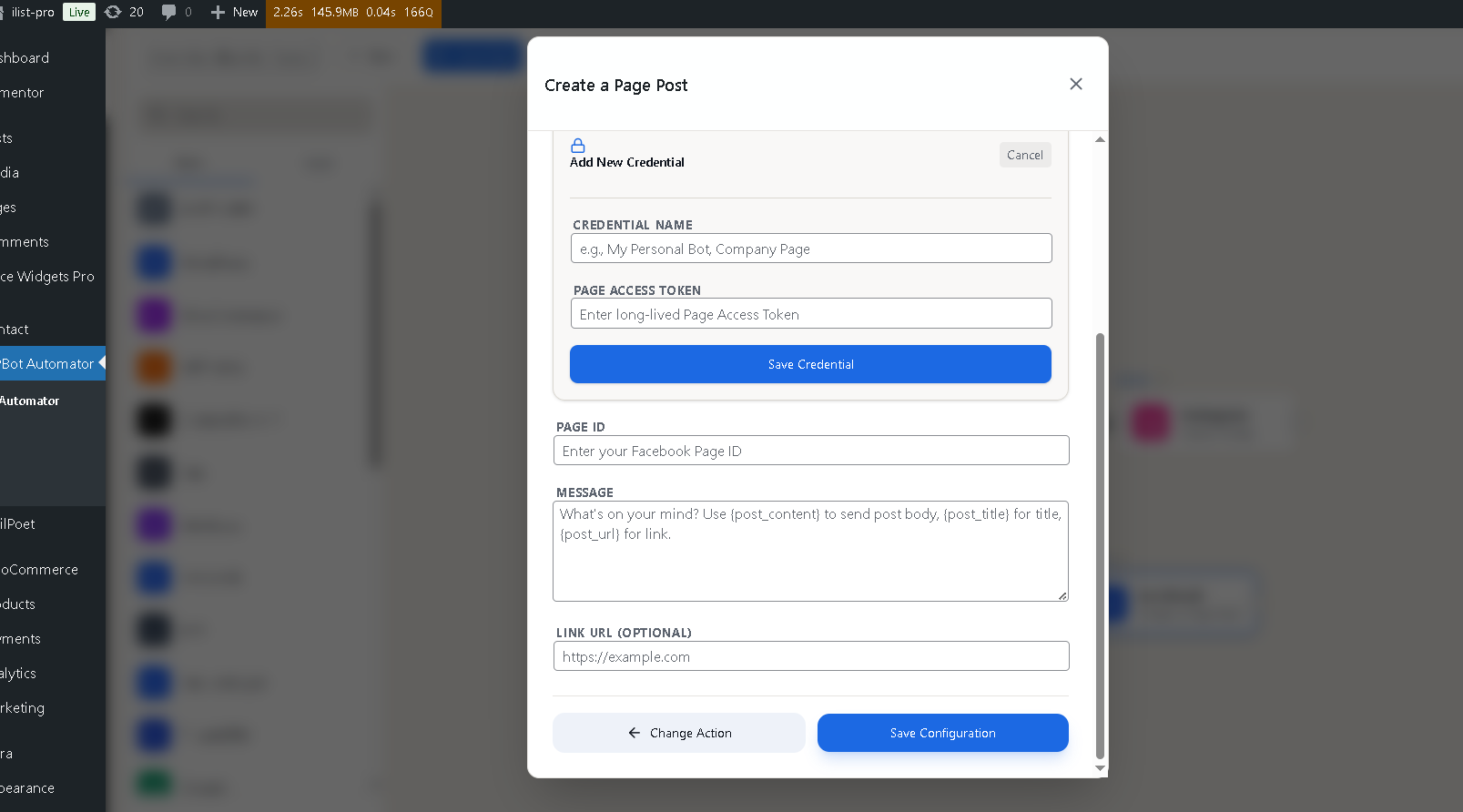
Click to set your access token and page id from facebook action.
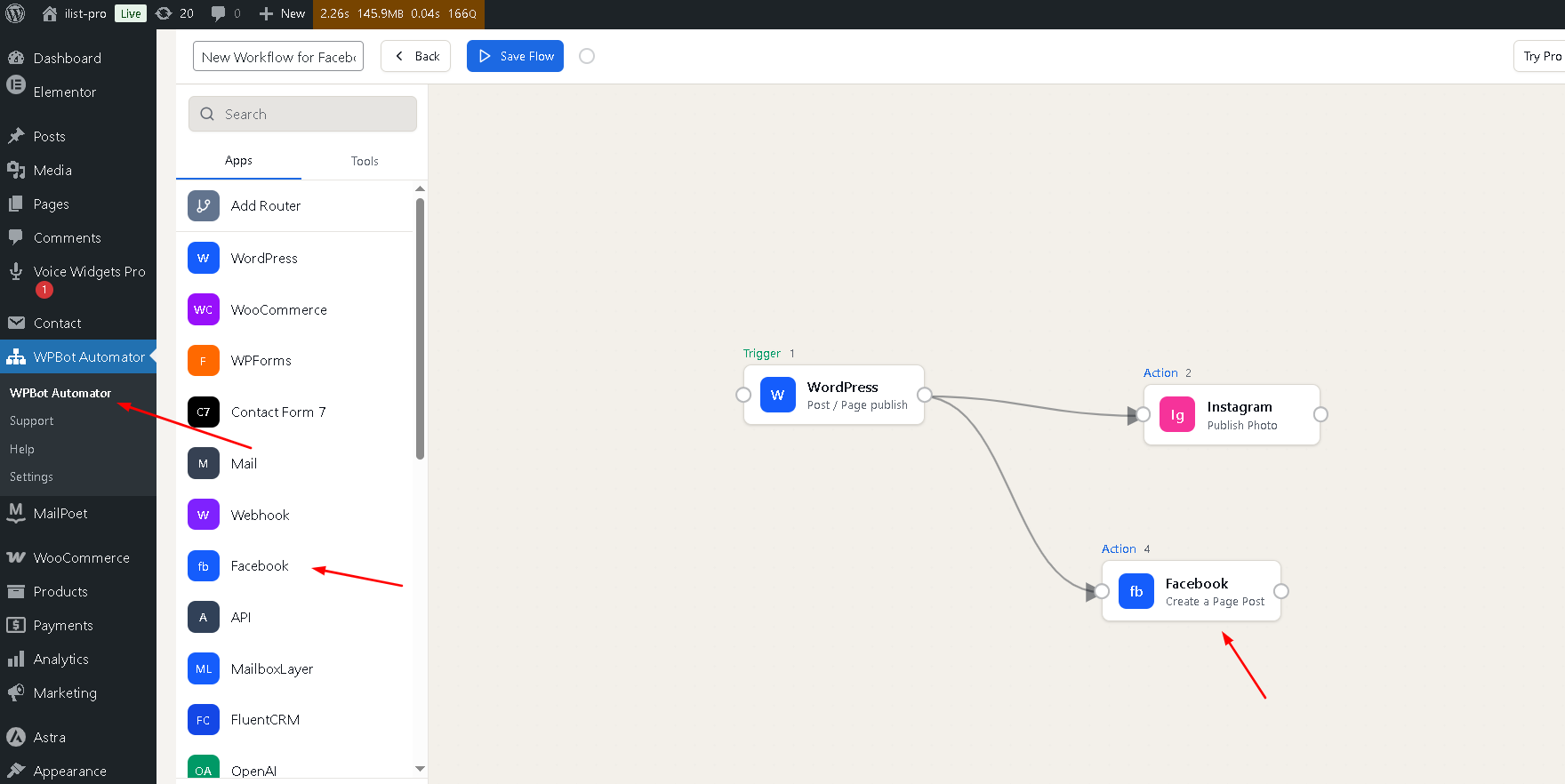
Step 9:
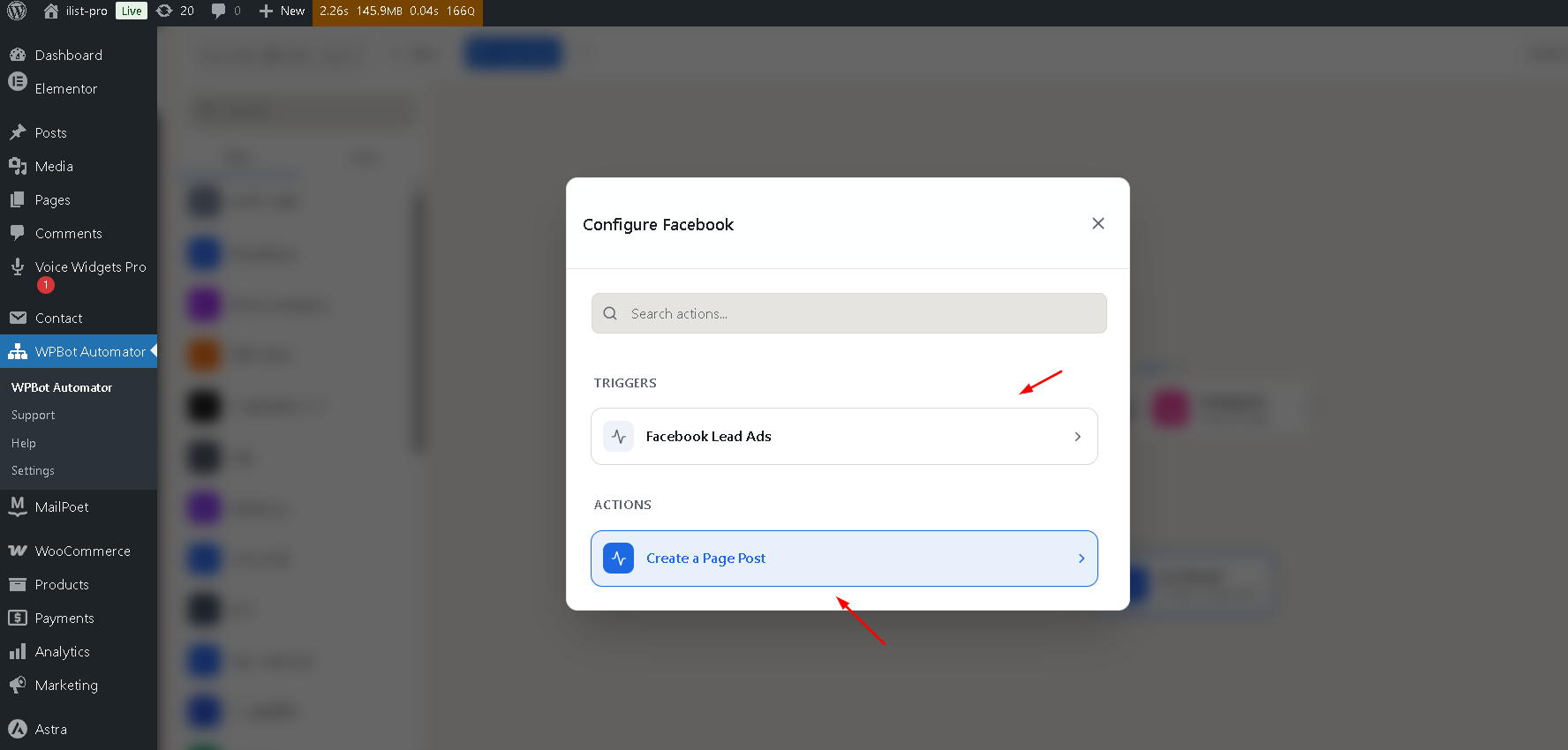
Step 10:
You can set manual message or variable like {post_content}, {post_title}, {post_url} and save credential and configuration.
Thanks.








