RAG & Knowledge Base Vector Database
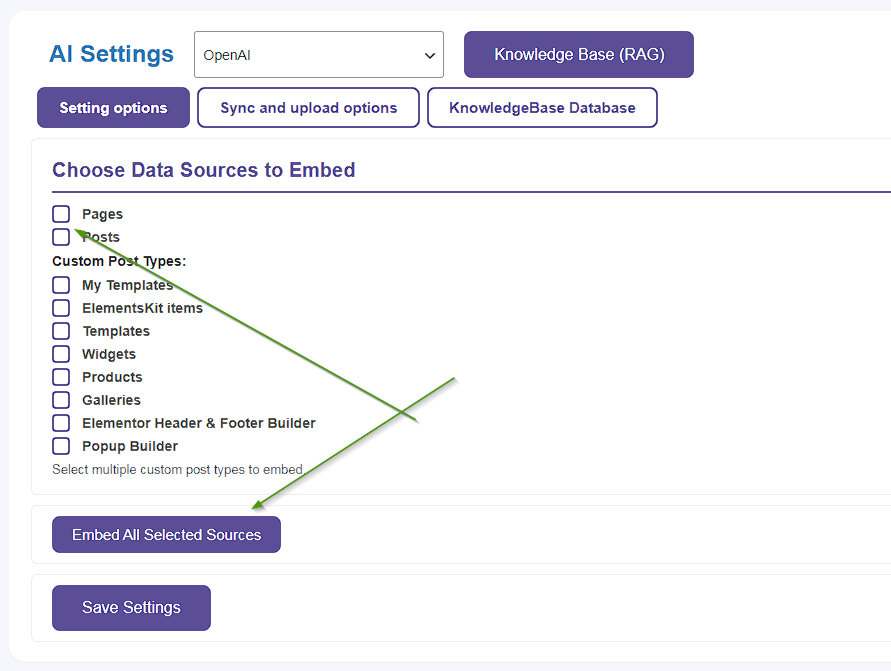
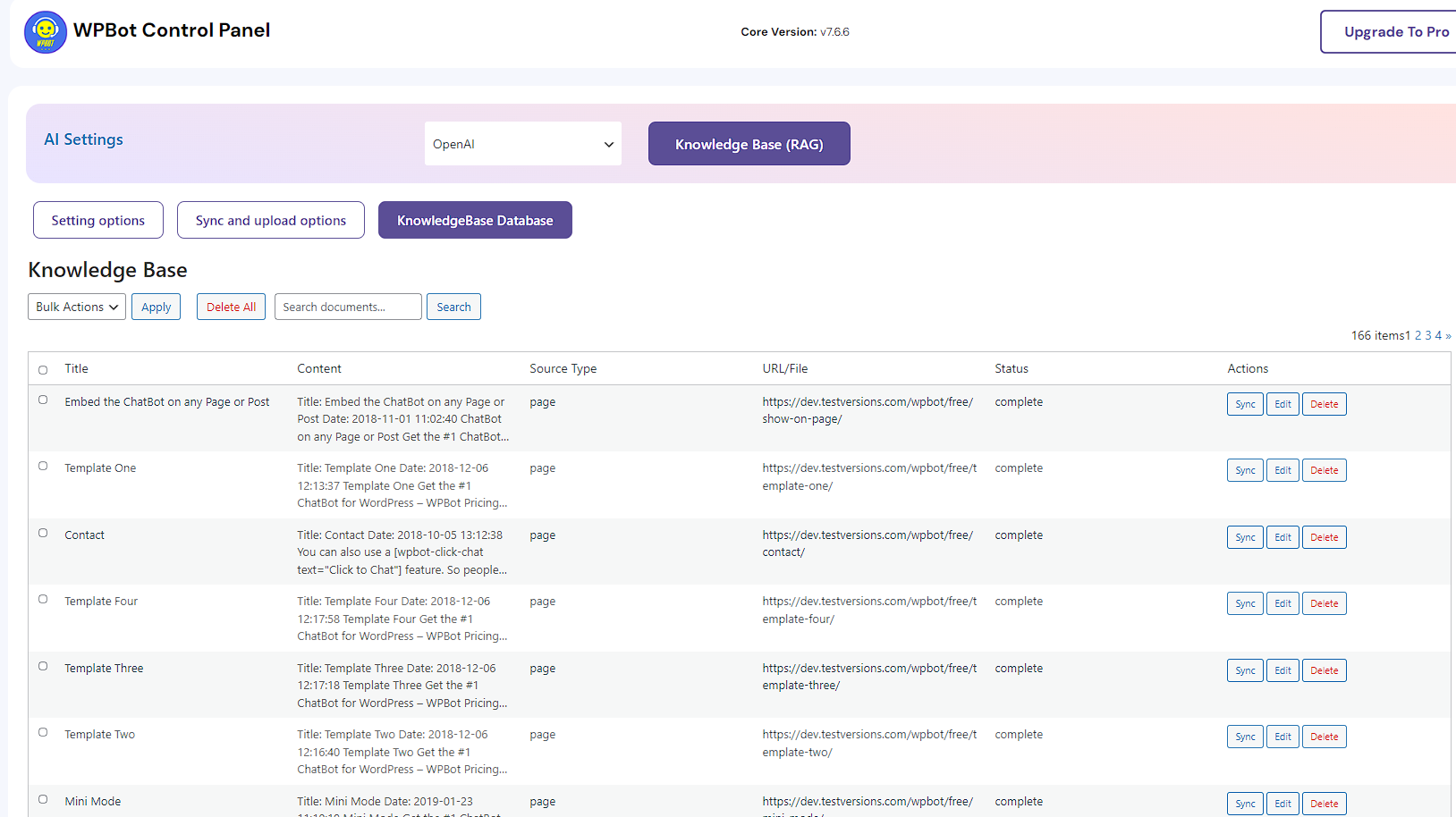
WPBot supports RAG (Retrieval-Augmented Generation) & Knowledge Base Vector Database. You can select your Pages, Posts, and Custom Post Types to embed their contents into a Vector database and use that data with an AI model to generate accurate answers. The KnowledgeBase vector database can also be managed from the WordPress backend.
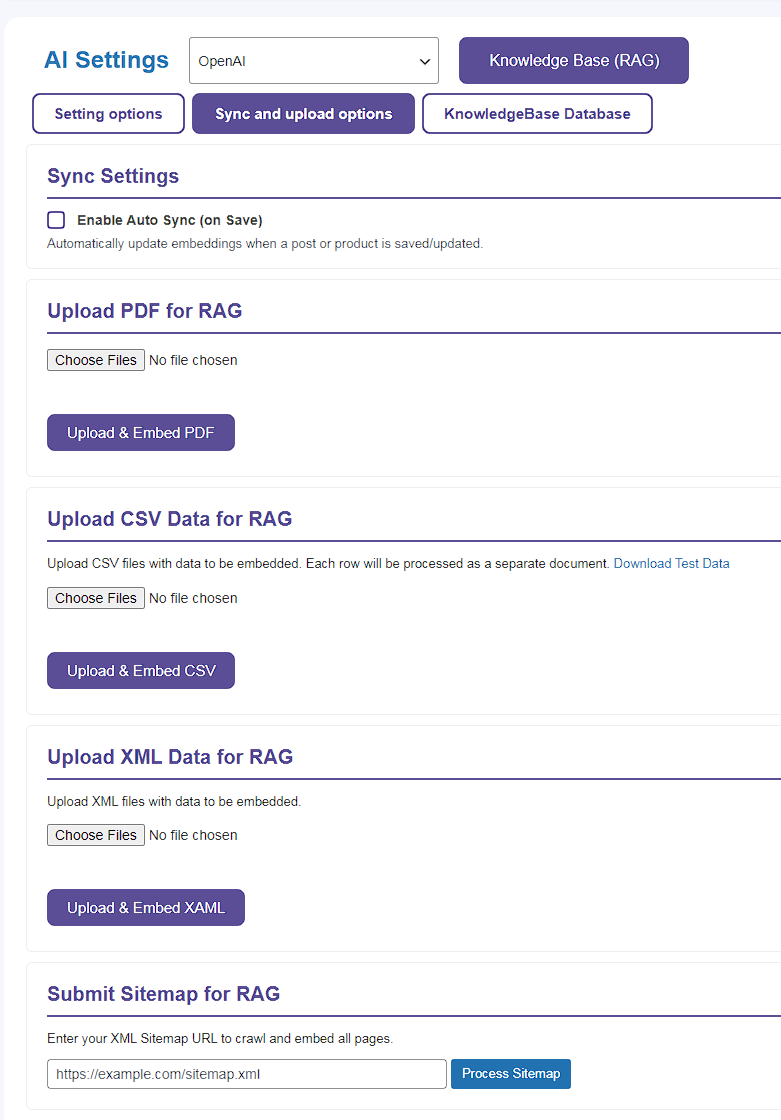
The Professional and Master licenses provide additional Advanced features to upload PDF documents, CSV, and XML files for embedding. You can also add a Sitemap XML link to parse the data into your vector database. The Professional and Master licenses also allow Auto-Synchronization of the RAG vector database. Whenever you update a page, post, or product, the updated contents will be auto synchronized with the RAG Vector Database.
Retrieval-Augmented Generation (RAG) offers key benefits like reduced hallucinations, improved accuracy, and up-to-date responses by grounding LLMs in external data, making AI more trustworthy and reliable for specific domains, with added advantages of cost-efficiency (no constant retraining), transparency (citations), and better control over data.
You can set up RAG with any of the AI integrations available with WPBot like OpenAI, Gemini, GROK (x AI), Claude, Grok, Cohere, DeepSeek, Mistral, Llama etc. through OpenRouter, etc. Please note that you must connect to an AI service first before you can embed and create a vector database.
Here is an example set up with OpenAI:
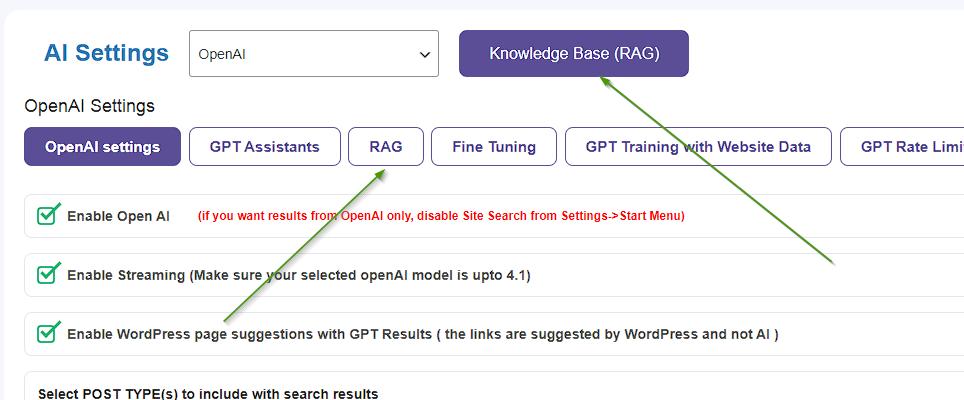
- Set up your OpenAI API key and a detailed System Command or prompt under the OpenAI General Settings tab.
- Go to the RAG Knowledge Base and Embed your Pages, Posts, and Custom Post types that have content. Upload additional PDFs, CSV, XML, or Sitemap link and embed them too if you want.
- Check the embedded contents under the RAG Knowledge Base tab
- Enable RAG from the AI settings.