
WPBot ChatBot Free and WPBot Pro Starter license users can Get Customized Results from the ChatBot in multiple ways.
- When the ChatBot is first activated, only the Site search option will work. The site search feature will show a list of web page links that match the user’s queries.
- You can create Simple Text Responses to answer user questions. Go to Simple Text Responses and create possible questions and answers that your users can ask. The ChatBot will utilize the MySQL Full-text search function to find the correct answers and display the response directly to users.
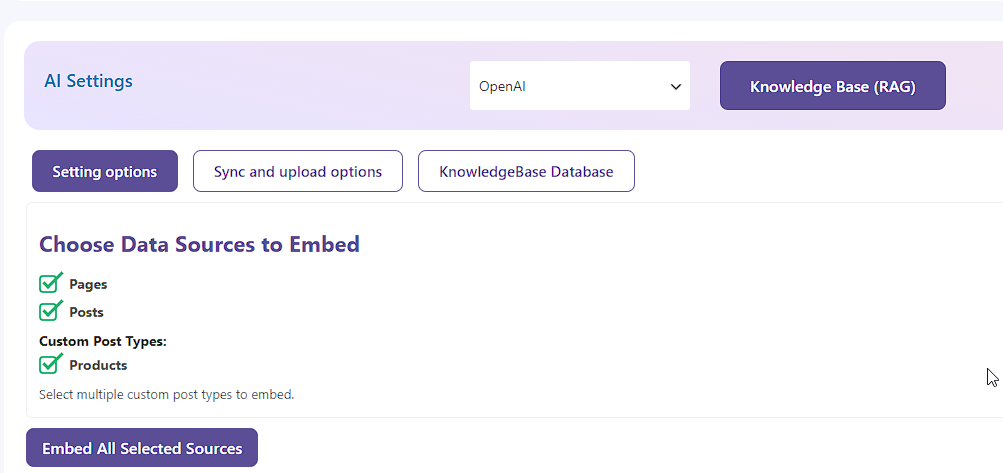 Utilize an RAG vector database with your website content, paired with an AI service like OpenAI. WPBot supports RAG (Retrieval-Augmented Generation) & Knowledge Base Vector Database. You can select your Pages, Posts, and Custom Post Types to embed their contents into a Vector database and use that data with an AI model to generate accurate answers. The KnowledgeBase vector database can also be managed from the WordPress backend. You can add your Pages and Posts to the RAG vector database and use AI to use that data to answer questions about products and services. Follow this article for more details.
- Connect to an AI service like OpenAI and use the System Command to Instruct ChatGPT how to behave. You can write a detailed prompt here that includes details about your services, products, and how to contact you or anything relevant to get Customized Results . Upto 3000 words is fine.
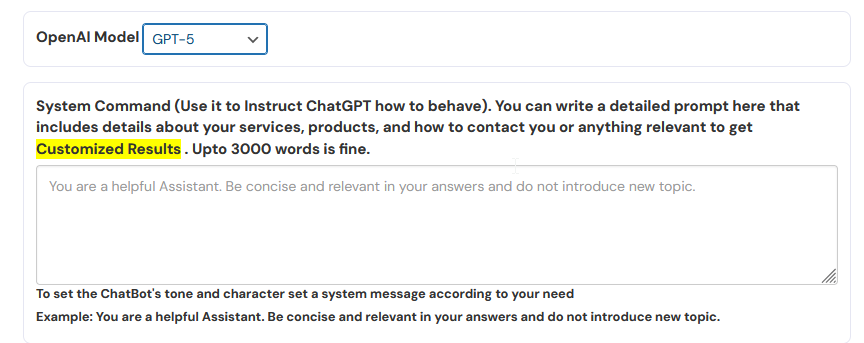
A sample prompt could be like the following:
You are a live support agent for our company. Below is a description of our products and services. Use this information to answer any user questions. Stay relevant to the information provided and politely refuse to answer questions that are off topic. Following is a detailed description of our products and services:
Our services are….ENTER a detailed description of your services here…you can copy the text from your important web pages here (remember to replace this text with your actual product and service descriptions).








