
Table of Contents
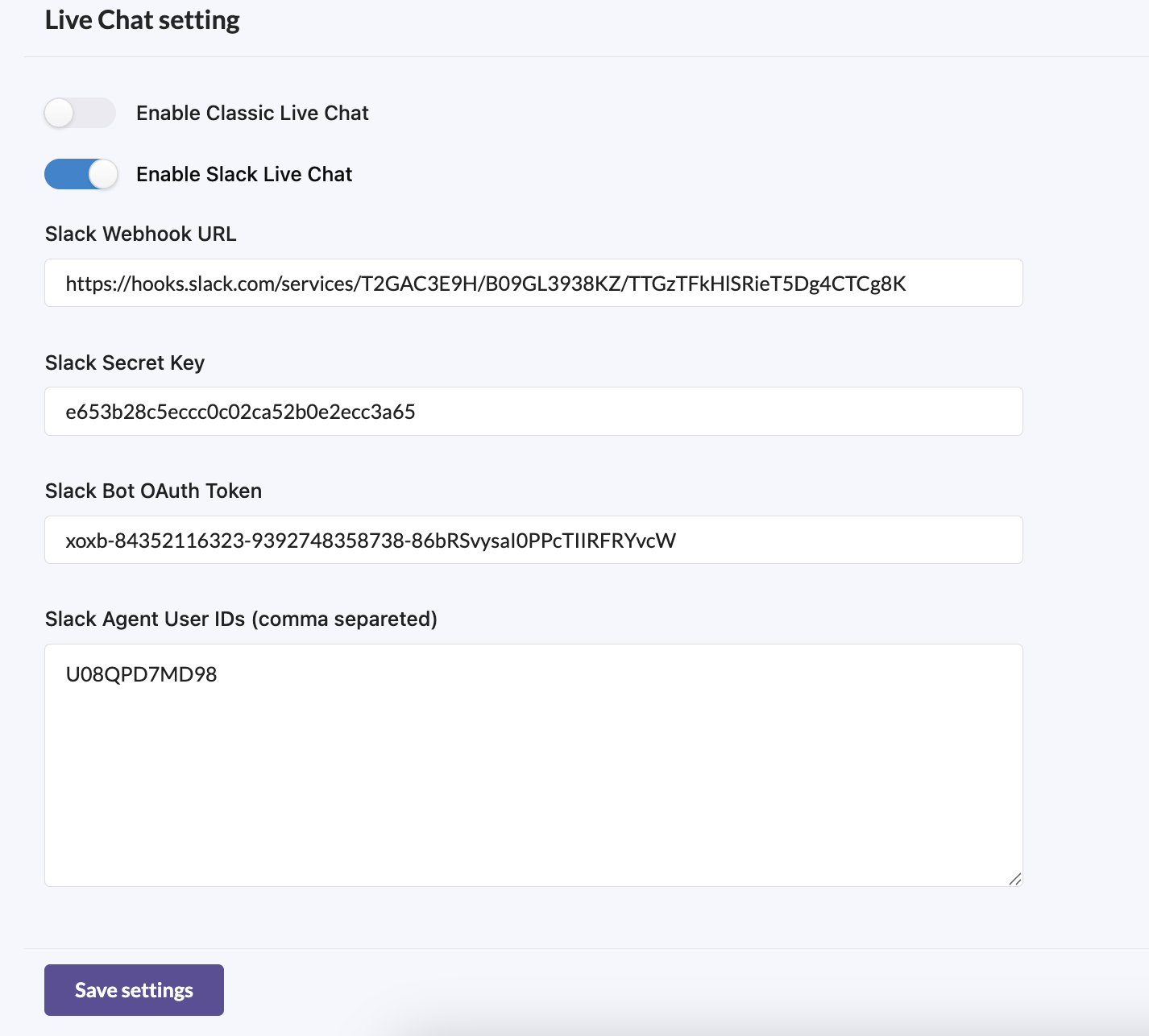
Under the Live Chat Modes, here, options avilable for enable slack and classic chat. When you enabled the slack option, you will get Slack configuration settings.
## How Import the manifest to Slack app (easy setup guide)
- Go to https://api.slack.com/apps and sign in.
- Click Create New App → choose From an app manifest.
- Select your workspace, then copy/paste or upload the edited manifest.
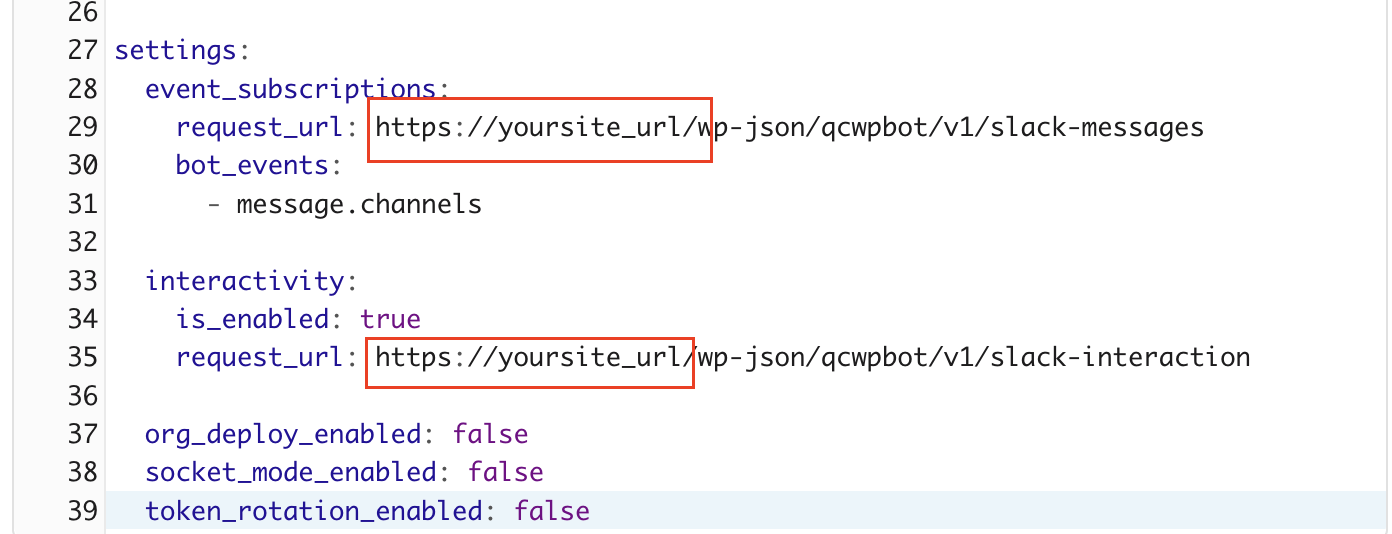
Just replace yoursite_url with the your real site url, and add your own app name
Example code :
Copy the YAML code and paste:
display_information:
  name: Website to Slack

features:
  bot_user:
    display_name: Website to Slack
    always_online: false

oauth_config:
  scopes:
    user:
      - chat:write
    bot:
      - chat:write
      - chat:write.public
      - commands
      - channels:manage
      - channels:read
      - groups:write
      - groups:read
      - im:write
      - incoming-webhook
      - app_mentions:read
      - users:read
      - channels:history

settings:
  event_subscriptions:
    request_url: https://yoursite_url/wp-json/qcwpbot/v1/slack-messages
    bot_events:
      - message.channels

  interactivity:
    is_enabled: true
    request_url: https://yoursite_url/wp-json/qcwpbot/v1/slack-interaction

  org_deploy_enabled: false
  socket_mode_enabled: false
  token_rotation_enabled: false
1. Required credentials
You must collect and keep these three credentials :
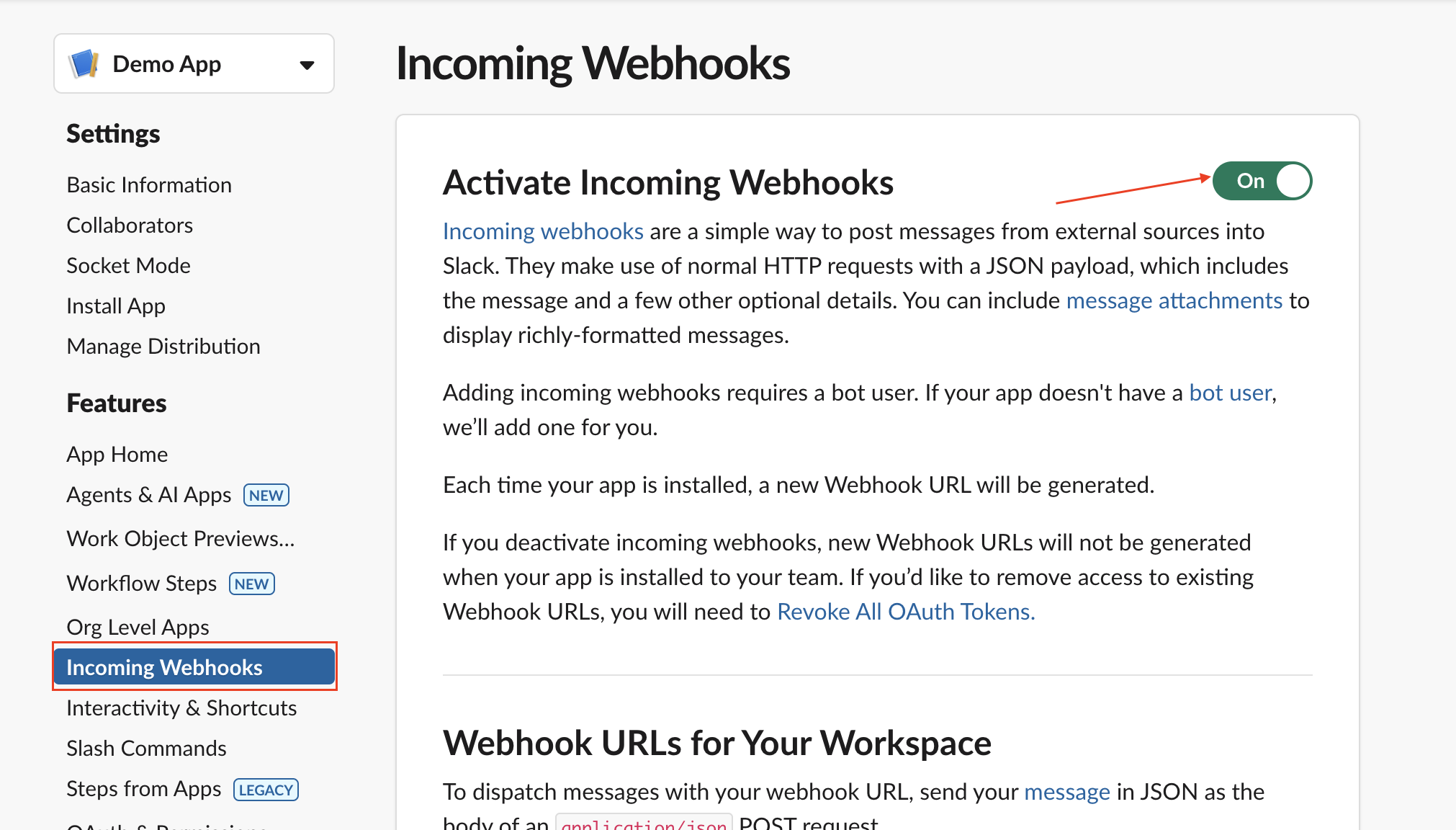
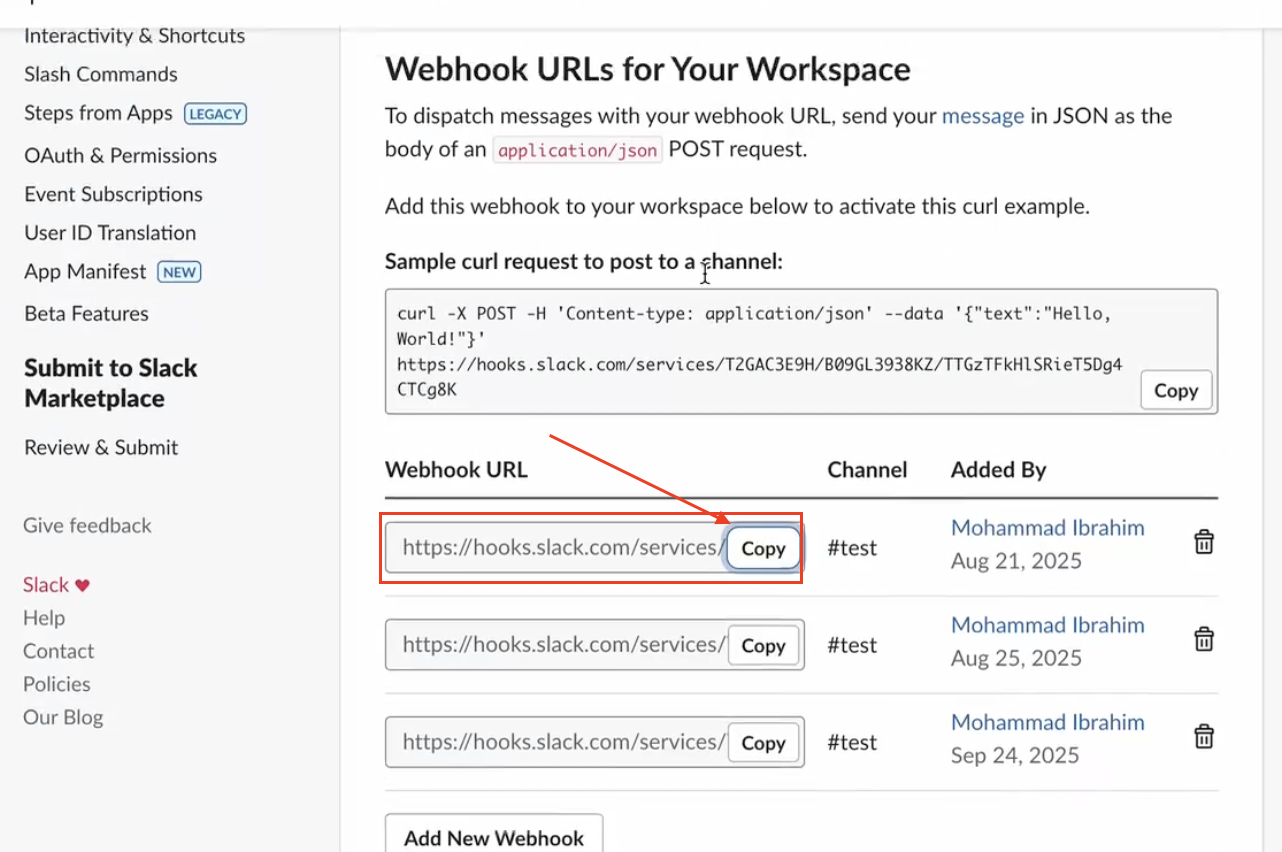
Slack Webhook URL
- From Incoming Webhooks menu, when you add a webhook to a channel.
- Example form: https://hooks.slack.com/services/TXXXX/BXXXX/XXXXXXXX
First, you need to enable this webhook on
Then, add a new Webhook and copy the Webhook URL
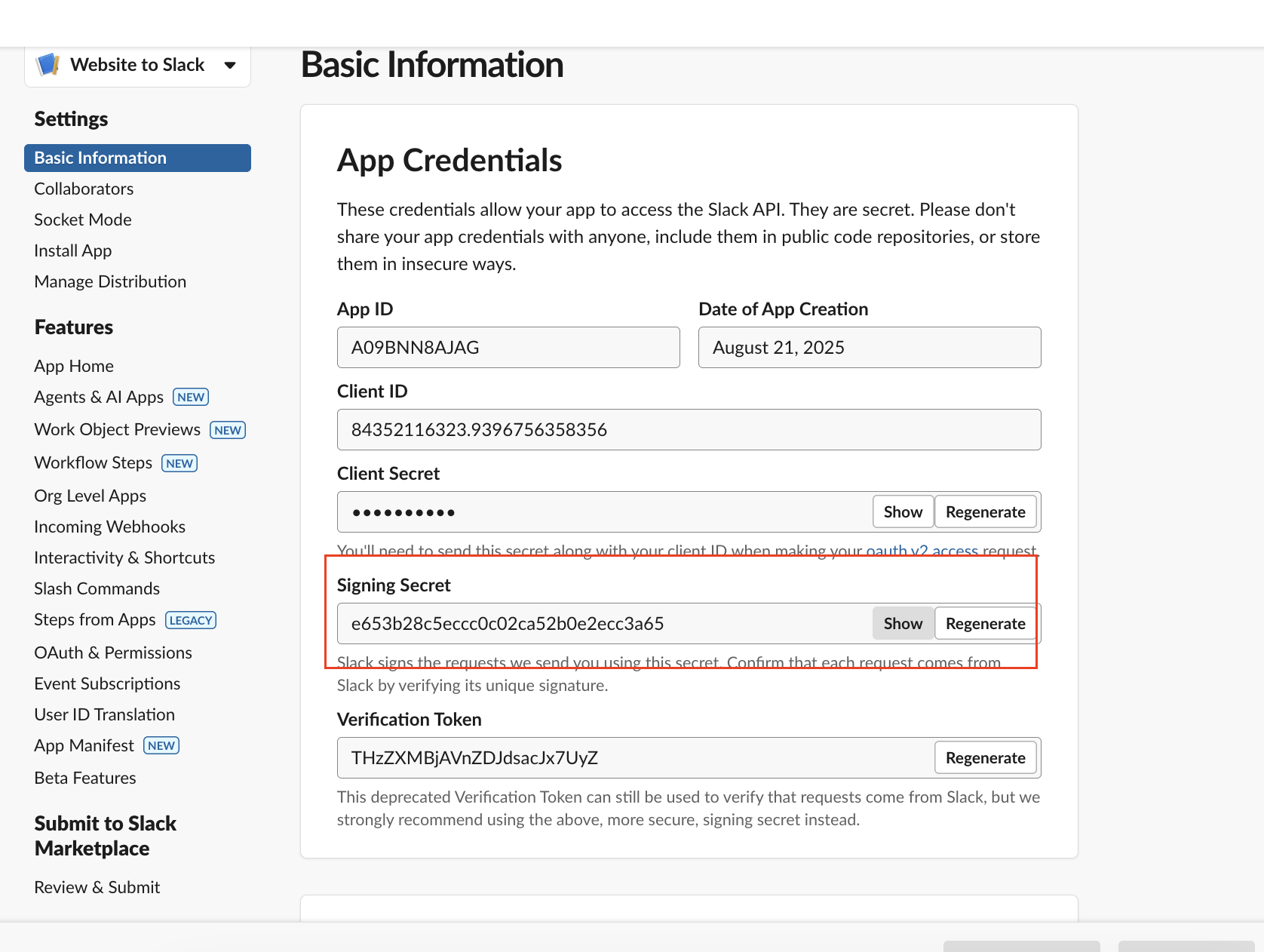
Slack Signing Secret :
- From Basic Information → App Credentials.
- Used to validate incoming requests from Slack (verify X-Slack-Signature).
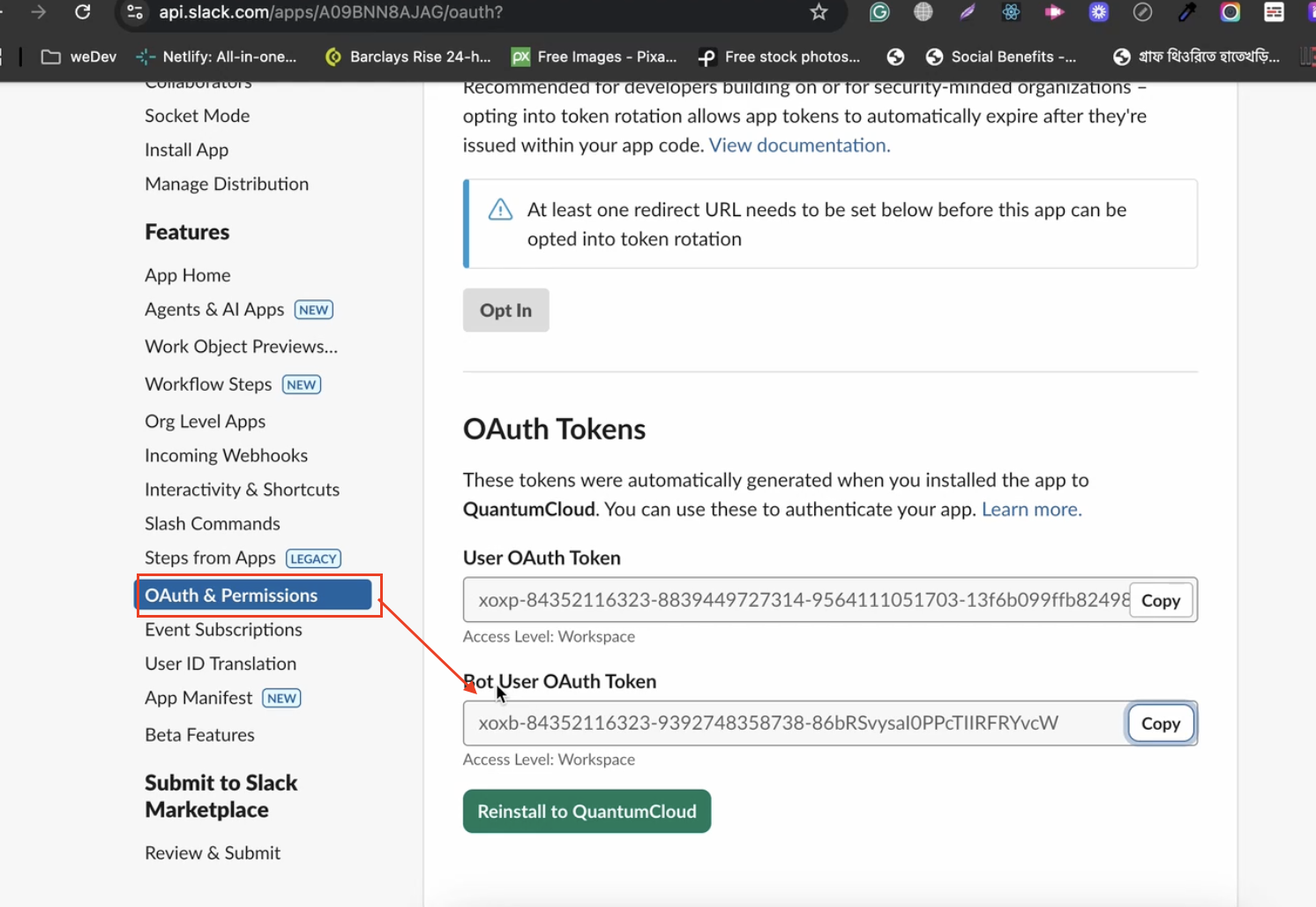
Slack Bot OAuth Token
- From OAuth & Permissions after installing the app to your workspace.
- Starts with xoxb-. Grants the app permission to call Web API methods.
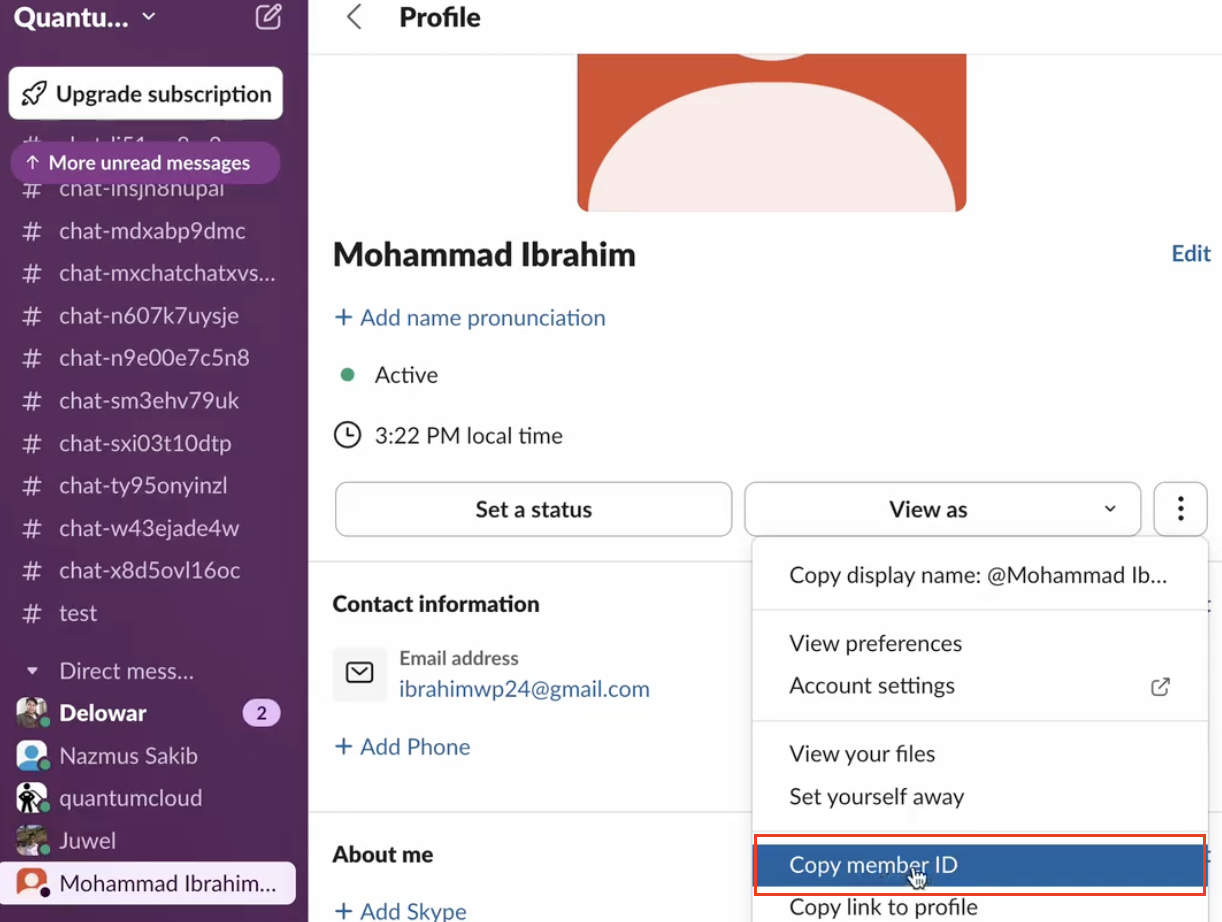
Slack Agent User IDs
2. Prepare the website_to_slack manifest file
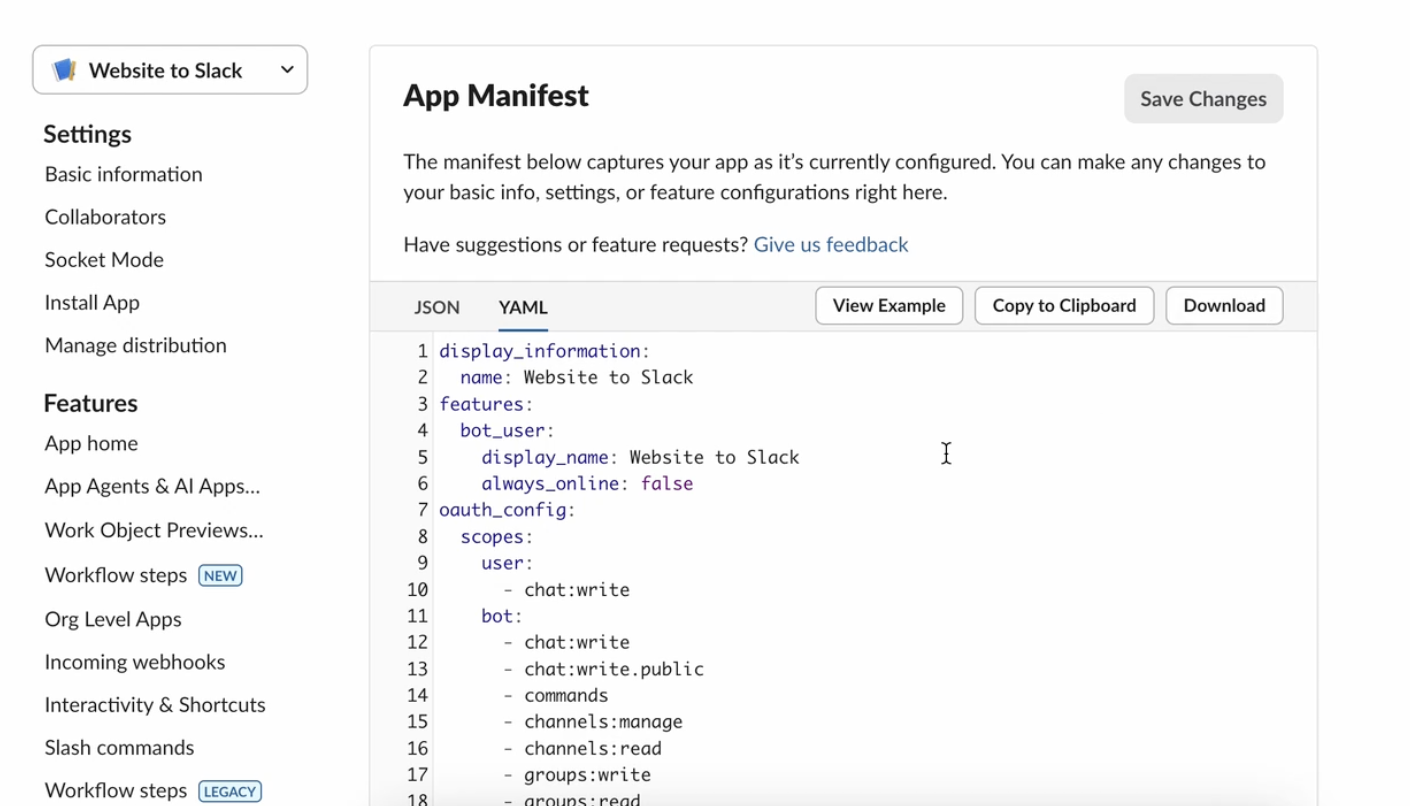
You will import a manifest on api.slack.com/apps. The manifest defines scopes, event subscriptions, and features your Slack app needs.
- Download the website_to_slack manifest file provided with your integration.
- Open it in a text editor.
- Replace all placeholder domain references (for example, example.com) with your real domain (e.g. your-domain.com) — both in request_url / redirect_uris and anywhere webhook endpoints are listed.
Example manifest fragment (edit your-domain.com):
settings:
event_subscriptions:
request_url: https://your-domain.com/slack/events
oauth_config:
redirect_urls:
– https://your-domain.com/slack/oauth/callback
permissions:
bot_user:
scopes:
– chat:write
– channels:read
– groups:read
– im:read
– users:read
– incoming-webhook
Save the manifest.
Check these video tutorials:








