
WPForms to Google Sheets
Automatically send WPForms submissions to Google Sheets in real time. This workflow template helps you collect, organize, and manage form data without manual entry.
Whenever a visitor submits a WPForms form, WPBot Automator captures the form data and adds it as a new row in your selected Google Spreadsheet.
Workflow Overview
Trigger: WPForms Form Submission
Action: Google Sheets → Add Row
Flow:
WPForms → Google Sheets
Use Cases
- Contact form submissions
- Lead generation forms
- Quote request forms
- Newsletter signups
- Customer feedback forms
- Event registrations
- Survey responses
Benefits
Automatic Data Collection
Store all form submissions directly in Google Sheets without manual copying and pasting.
Centralized Reporting
Keep all form data organized in a single spreadsheet for easy reporting and analysis.
Team Collaboration
Allow team members to access and manage form submissions through Google Sheets.
Real-Time Updates
New submissions are automatically added to the spreadsheet as soon as the form is submitted.
Supported Data
You can send any WPForms field data to Google Sheets, including:
- Name
- Email Address
- Phone Number
- Message
- Dropdown Selections
- Checkboxes
- Radio Buttons
- Custom Fields
- Hidden Fields
Setup Requirements
Before using this template:
- Create or select a Google Spreadsheet.
- Connect your Google Sheets account.
- Select the WPForms form you want to monitor.
- Map form fields to spreadsheet columns.
- Activate the workflow.
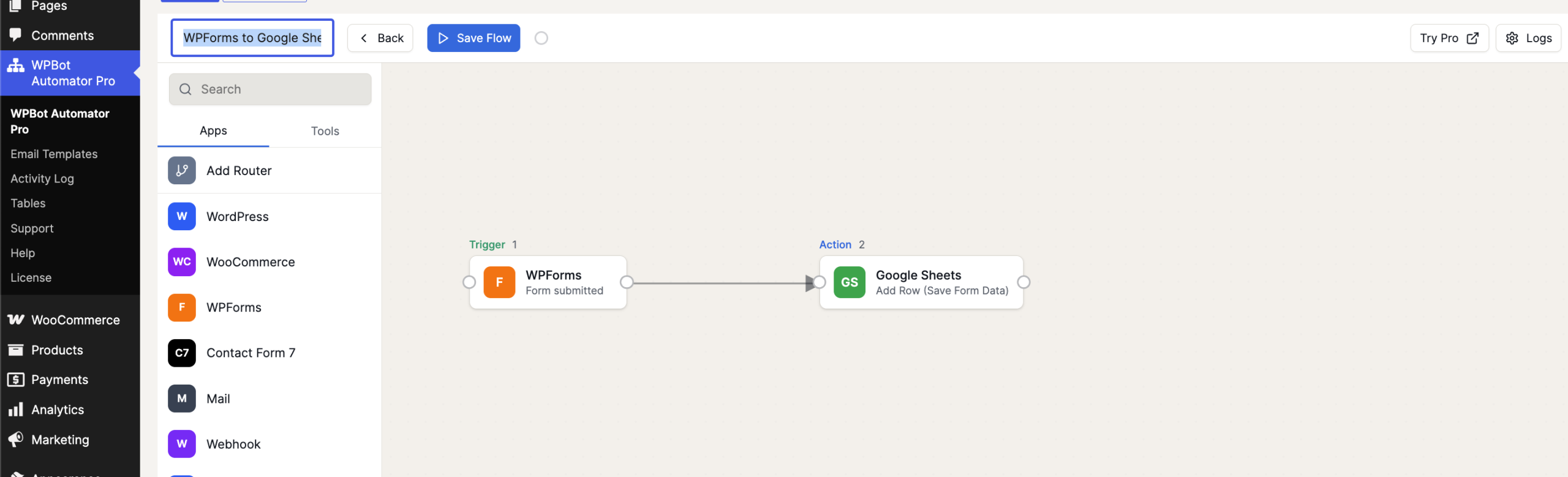
Once enabled, every new WPForms submission will automatically appear in your Google Sheet, helping you streamline data collection and improve workflow efficiency.








