
To train your AI using Retrieval-Augmented Generation (RAG) with Google Sheets on WPBot.pro, you use the integrated Knowledge Base system. This allows the bot to “read” your documents and provide answers based on that content
Here’s the exact process to follow:
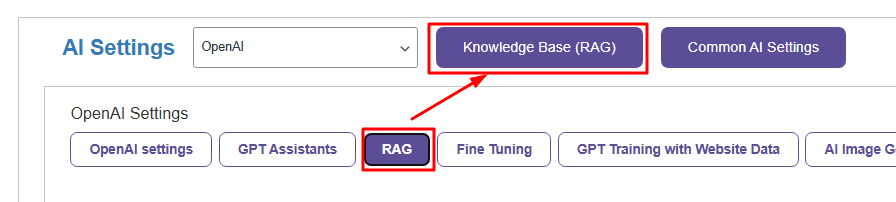
Go to WPBot Pro → AI Settings → RAG → Knowledge Base (RAG).
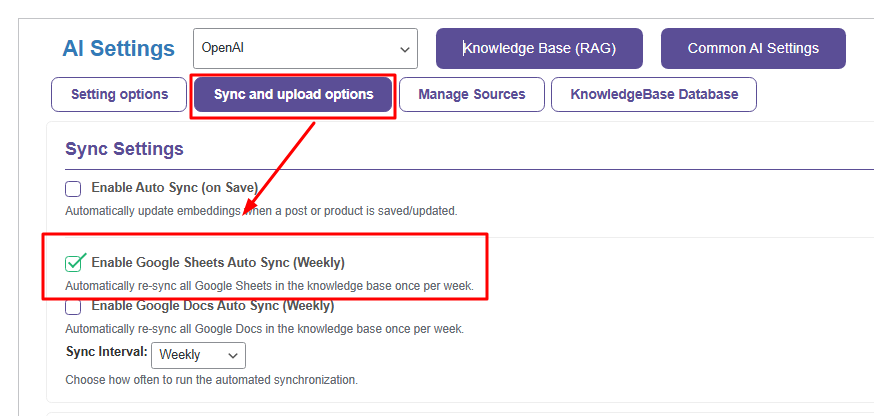
Click on Sync and Upload Options → Sync Settings.
Enable Google Sheets Auto Sync (Weekly).
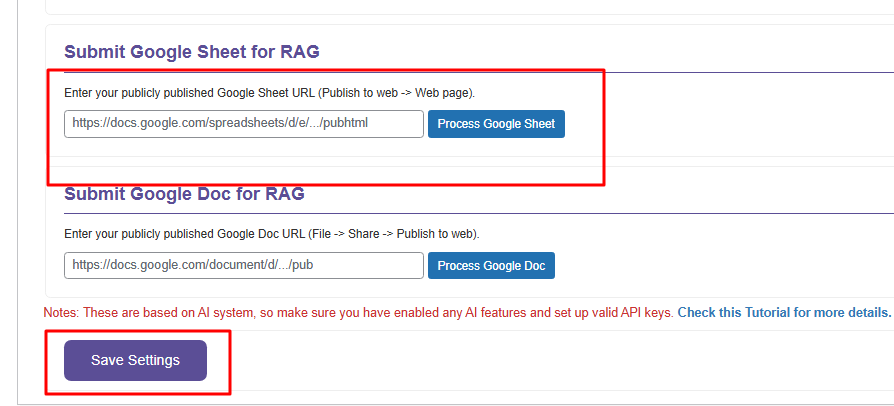
Scroll down to the Submit Google Sheets for RAG section.
Paste your publicly published Google Sheets URL into the field.
Click the Process Google Sheets button.
Finally, hit Save Settings.
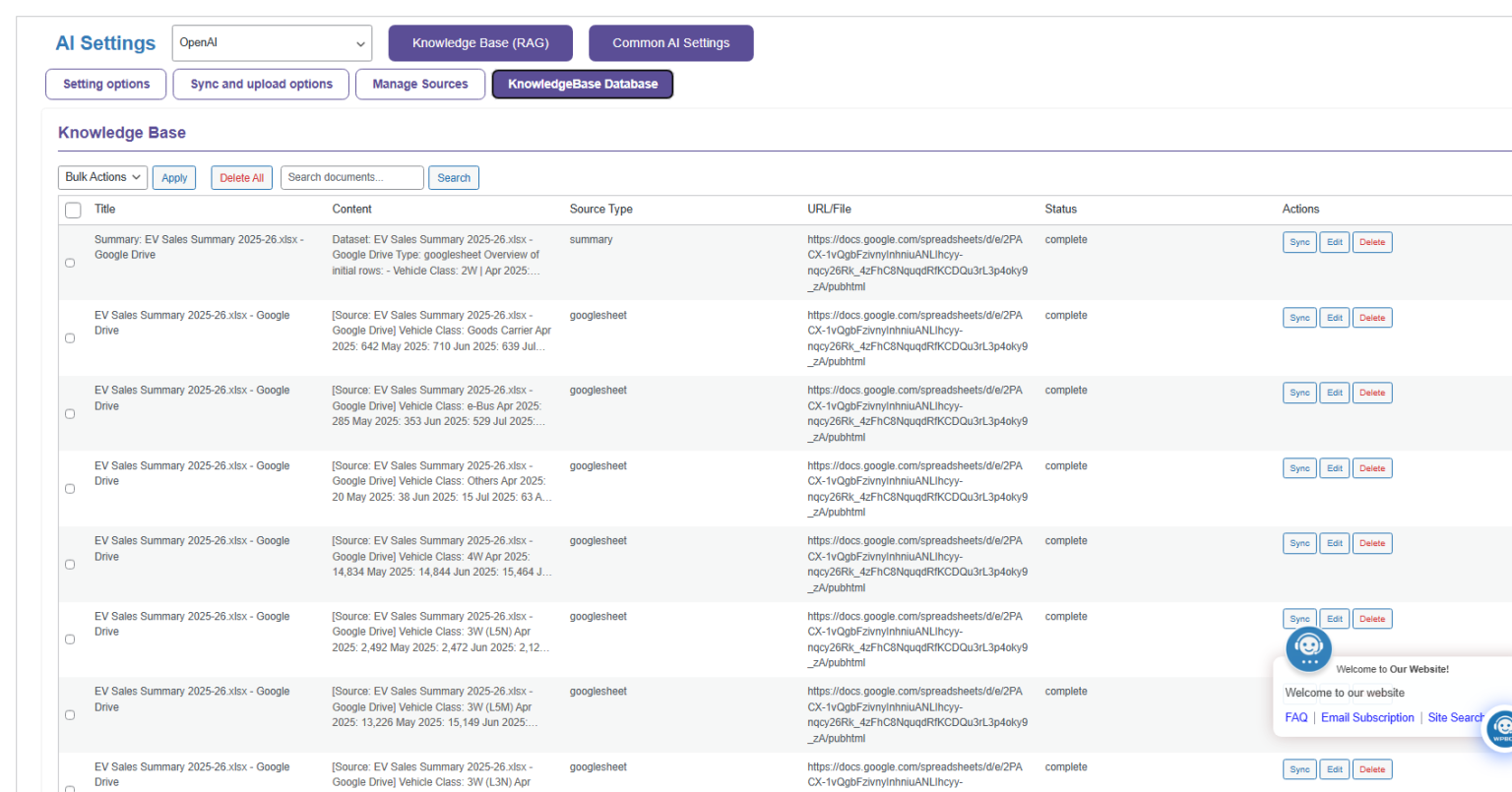
That’s it. It will now automatically sync and update your knowledge base with the Google Sheets every week.
How to Manually Sync Google Sheets
Here’s the fastest way to manually update your knowledge base:
Go to WPBot Pro → AI Settings → RAG → Knowledge Base (RAG).
Click on Sync and Upload Options.
Scroll to the Submit Google Sheets for RAG section.
Paste your publicly published Google Sheets URL into the field.
Click the Process Google Sheets button.
Once processing is complete, click Save Settings.
The document will now be synced and available.








