
Publish a photo to an Instagram Business account.
First need to open facebook developers account by below link:
https://developers.facebook.com/apps/
open facebook developers account and follow below steps:
Step 1:
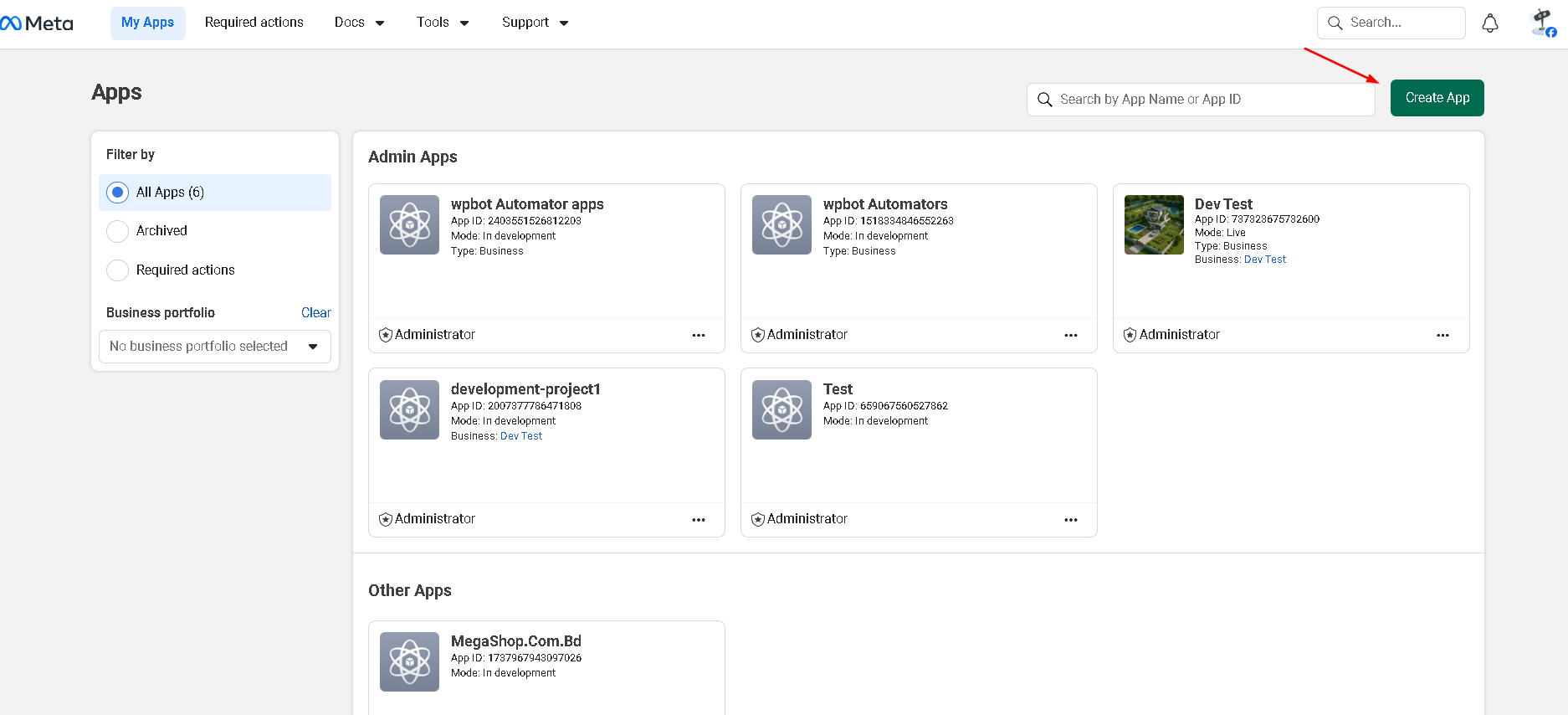
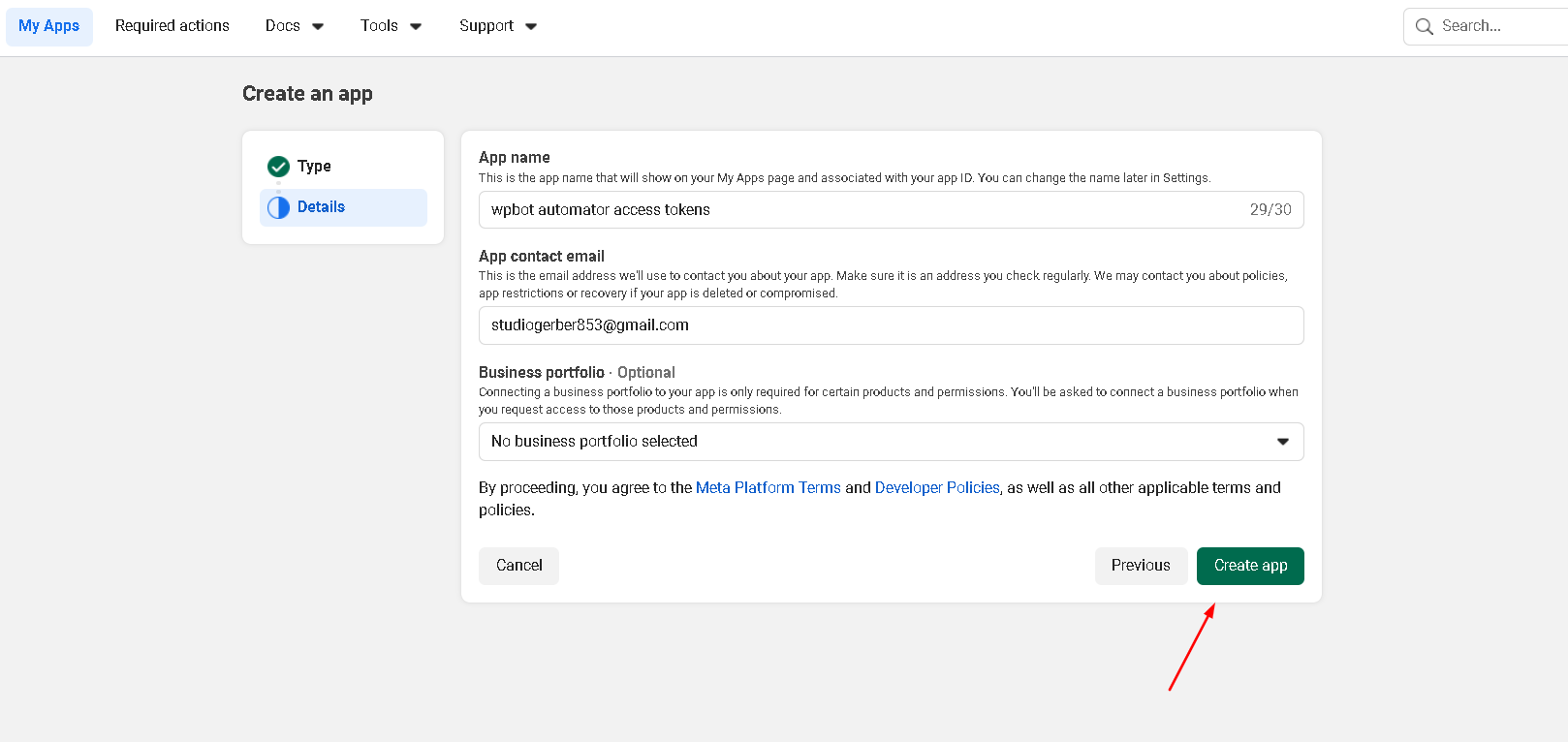
Click Create App button to create new Apps.
Step 2:
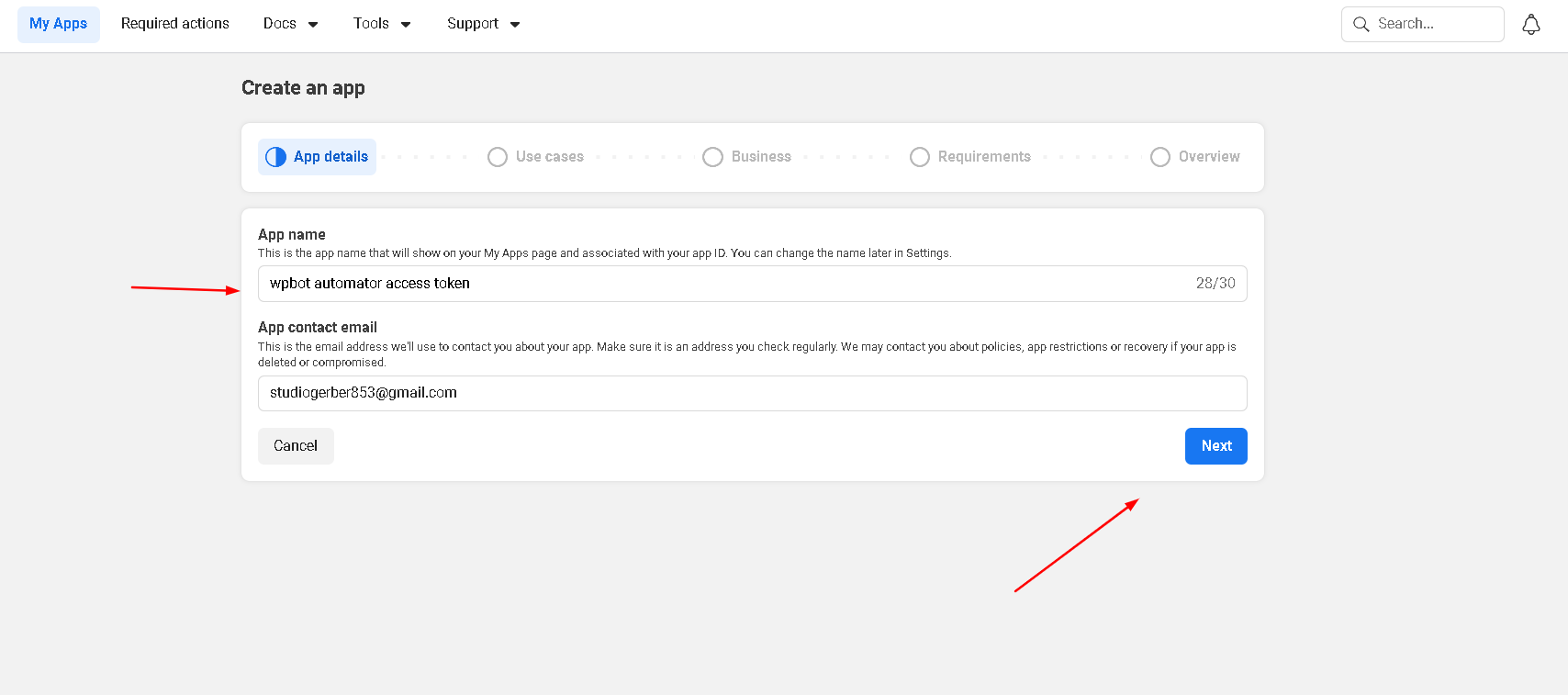
write your app name and click next.
Step 3:
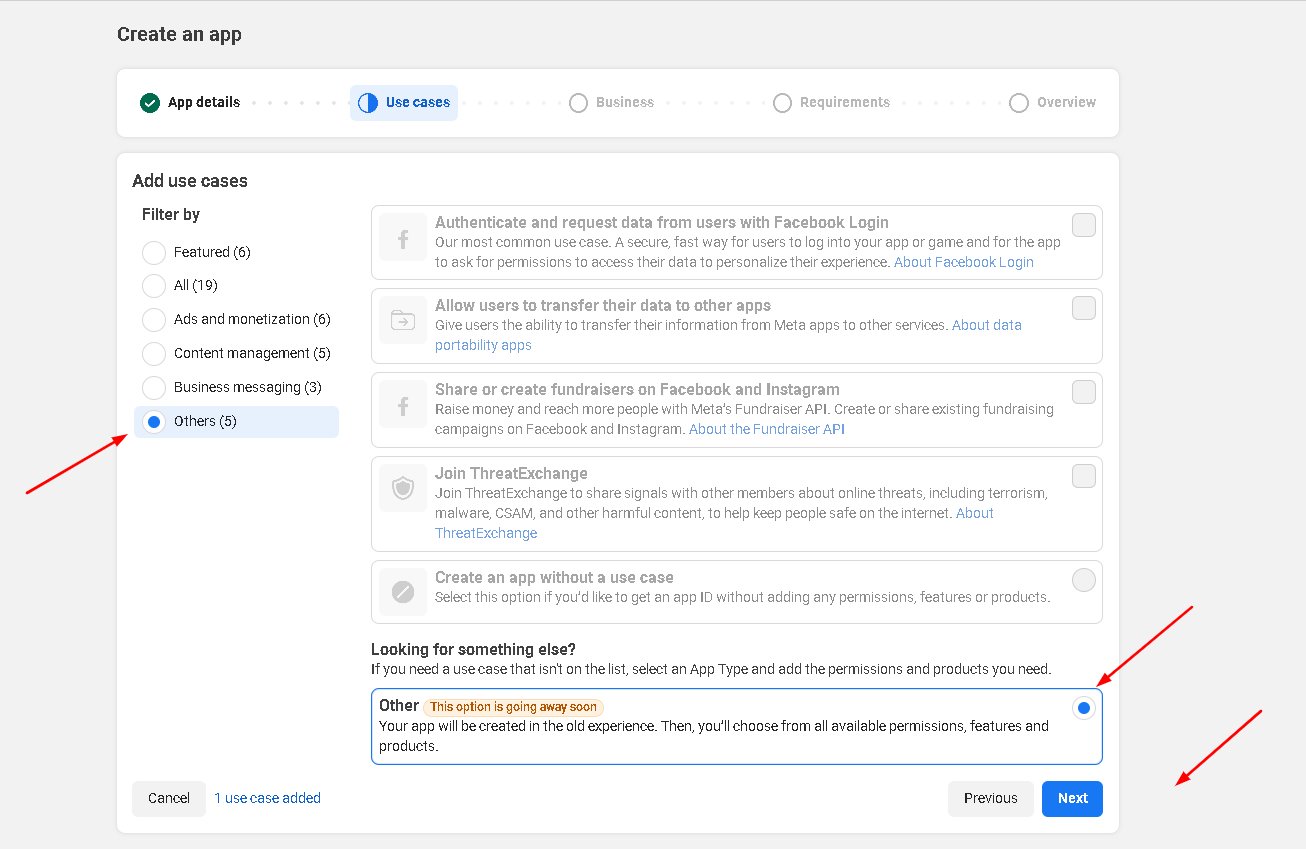
Choose others field and click next.
Step 4:
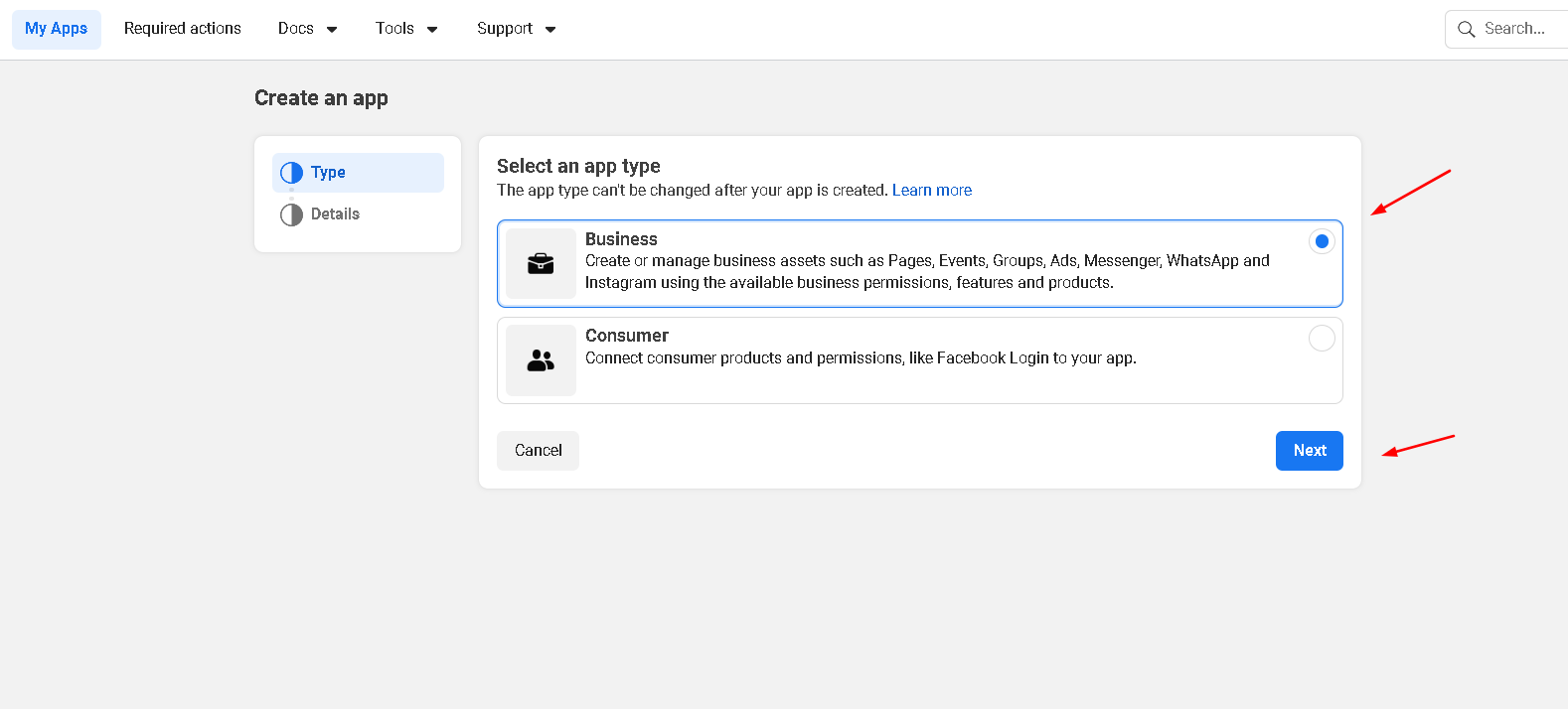
Choose Business field and click next.
Step 5:
Business Portfolio is a optional field, you can set empty this field. Click to create app.
Step 6:
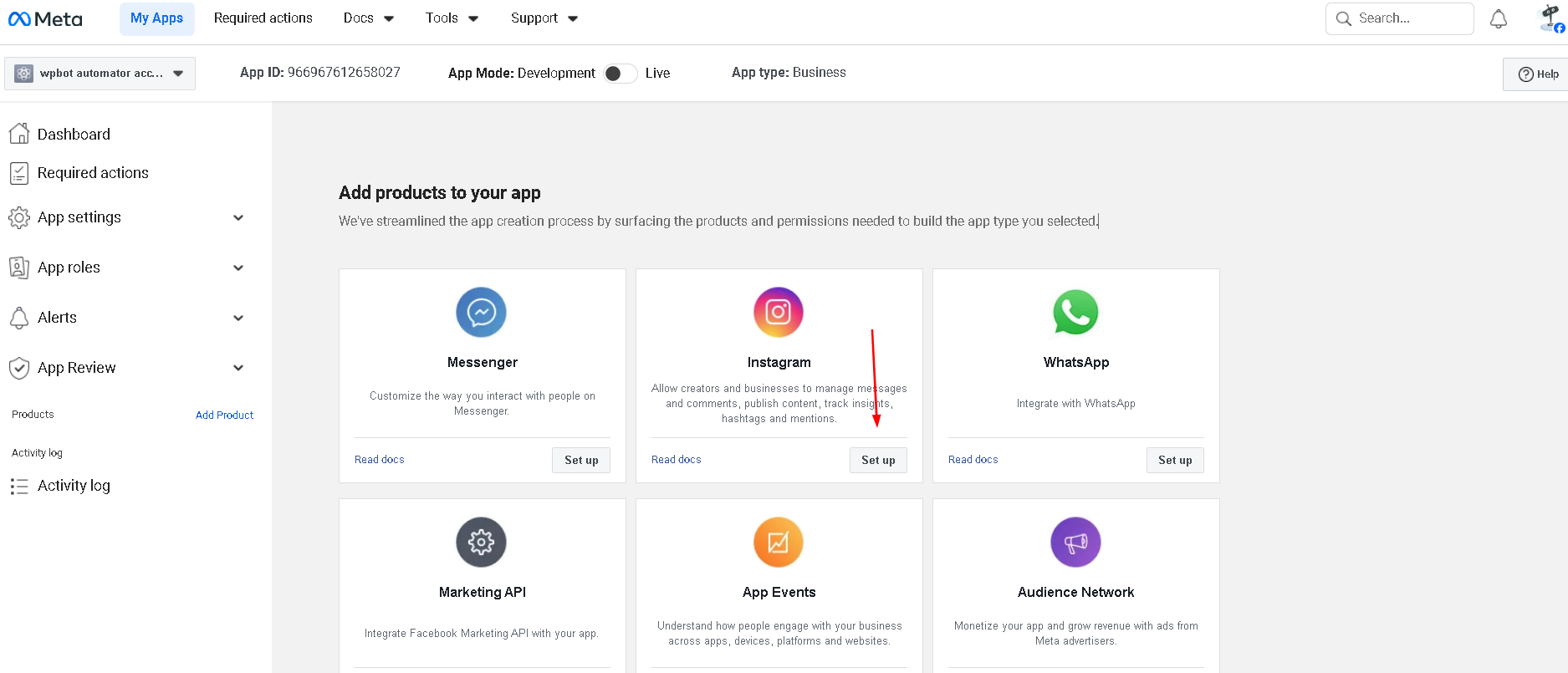
Click set up button to install instagram
Step 7:
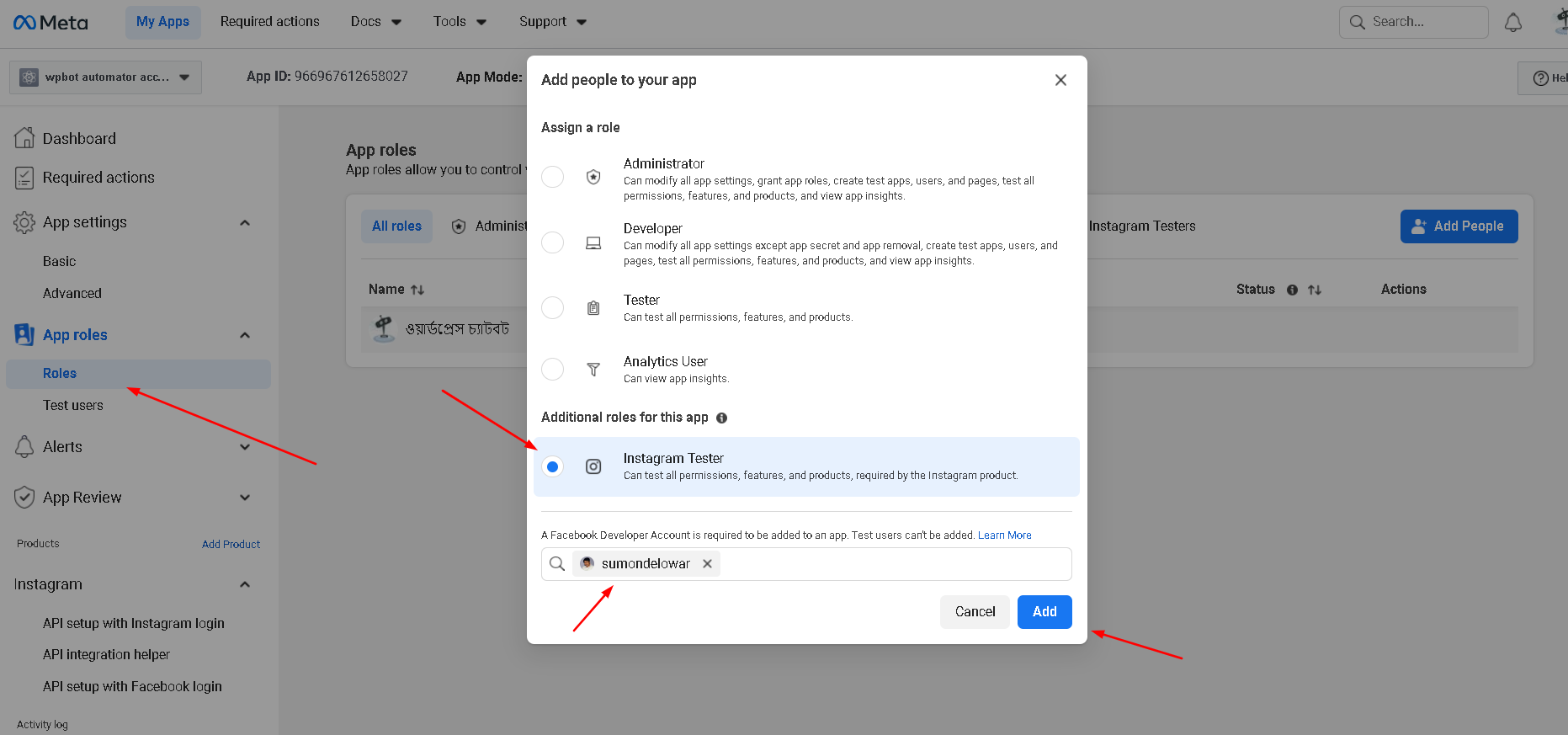
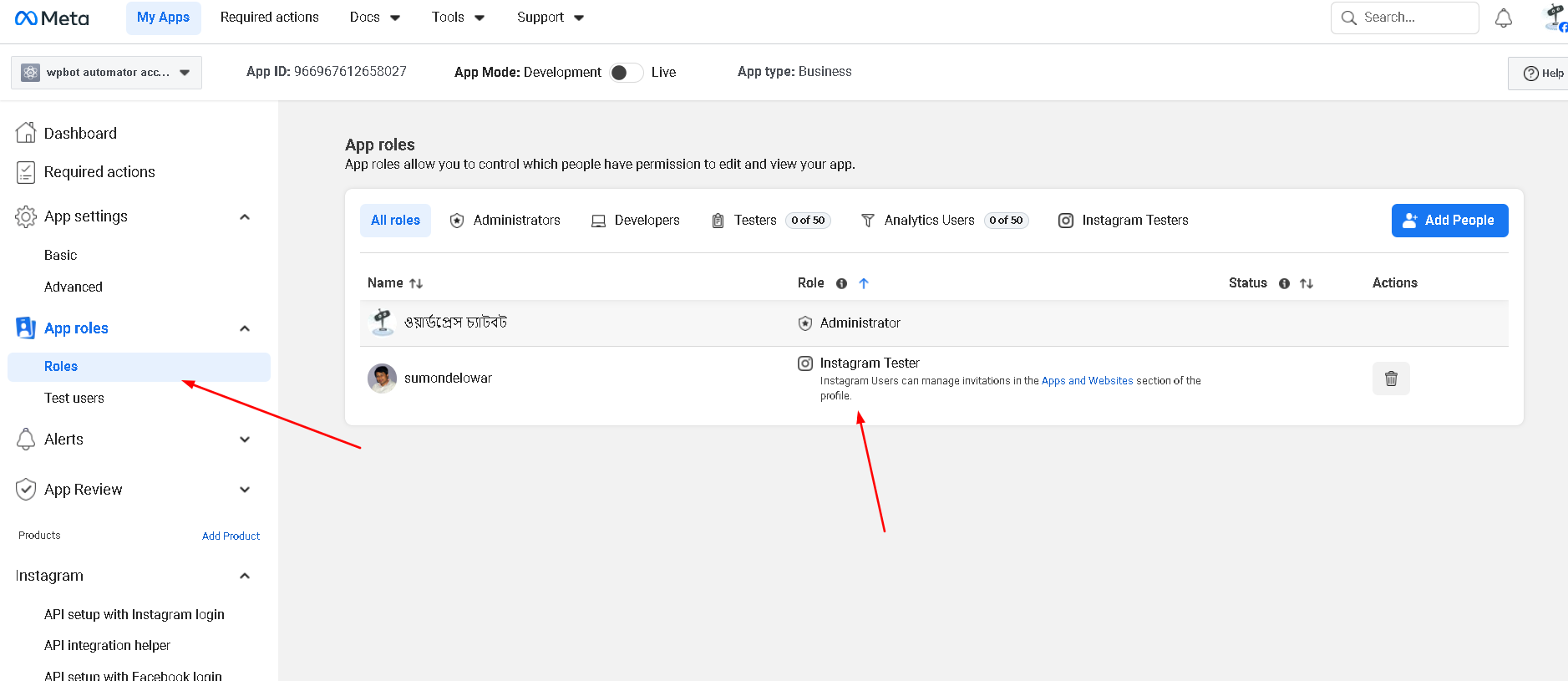
Click App roles -> Roles -> Add People button. Choose instagram Tester add a facebook developer account then click add button.
Step 8:
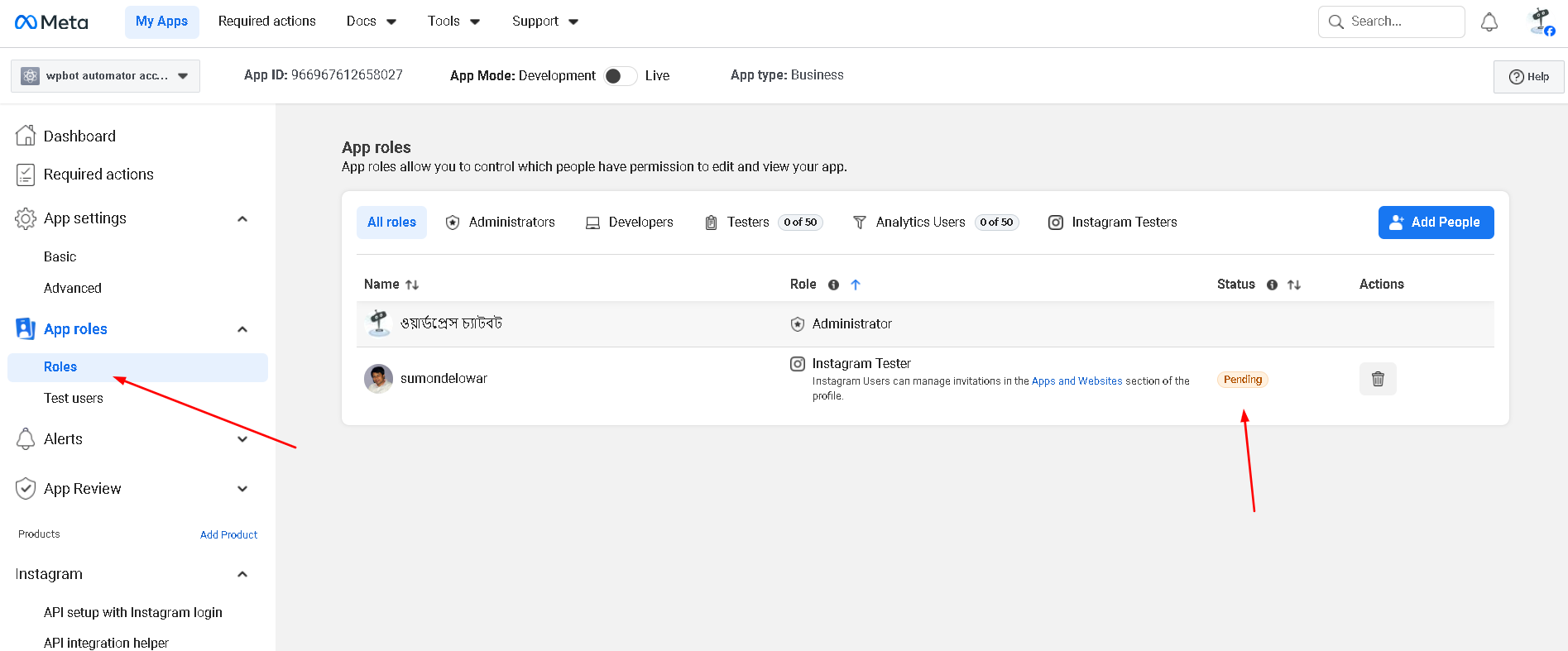
Instagram tester added but it need to allow from instagram account.
Step 9:
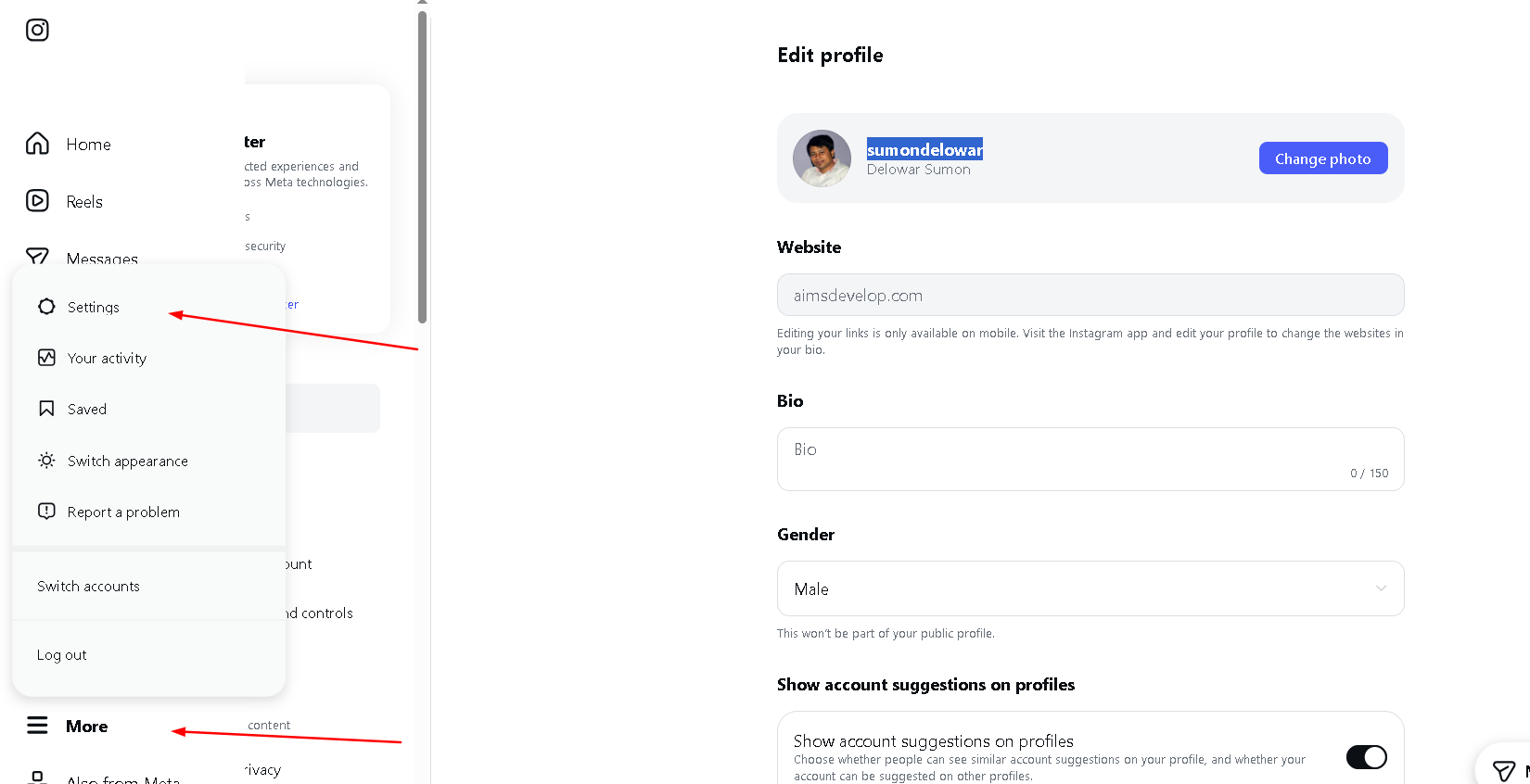
Go to instagram account and click more -> settings menu.
Step 10:
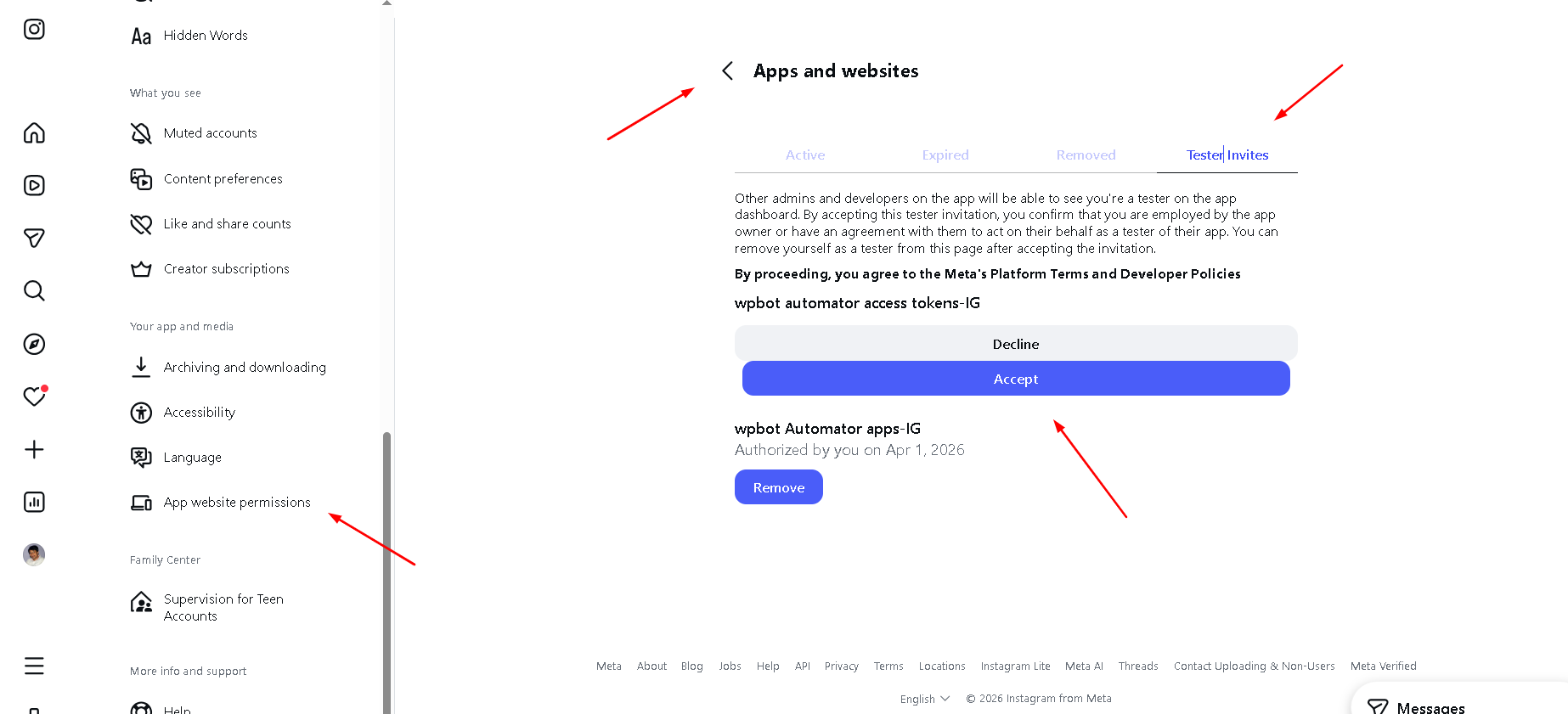
Scroll below and find out App Website Permissions and click this menu then show apps and websites tab. Then show tester/invites accept invite.
Step 11:
if you tester/invites accept invite then show roles active.
Step 12:
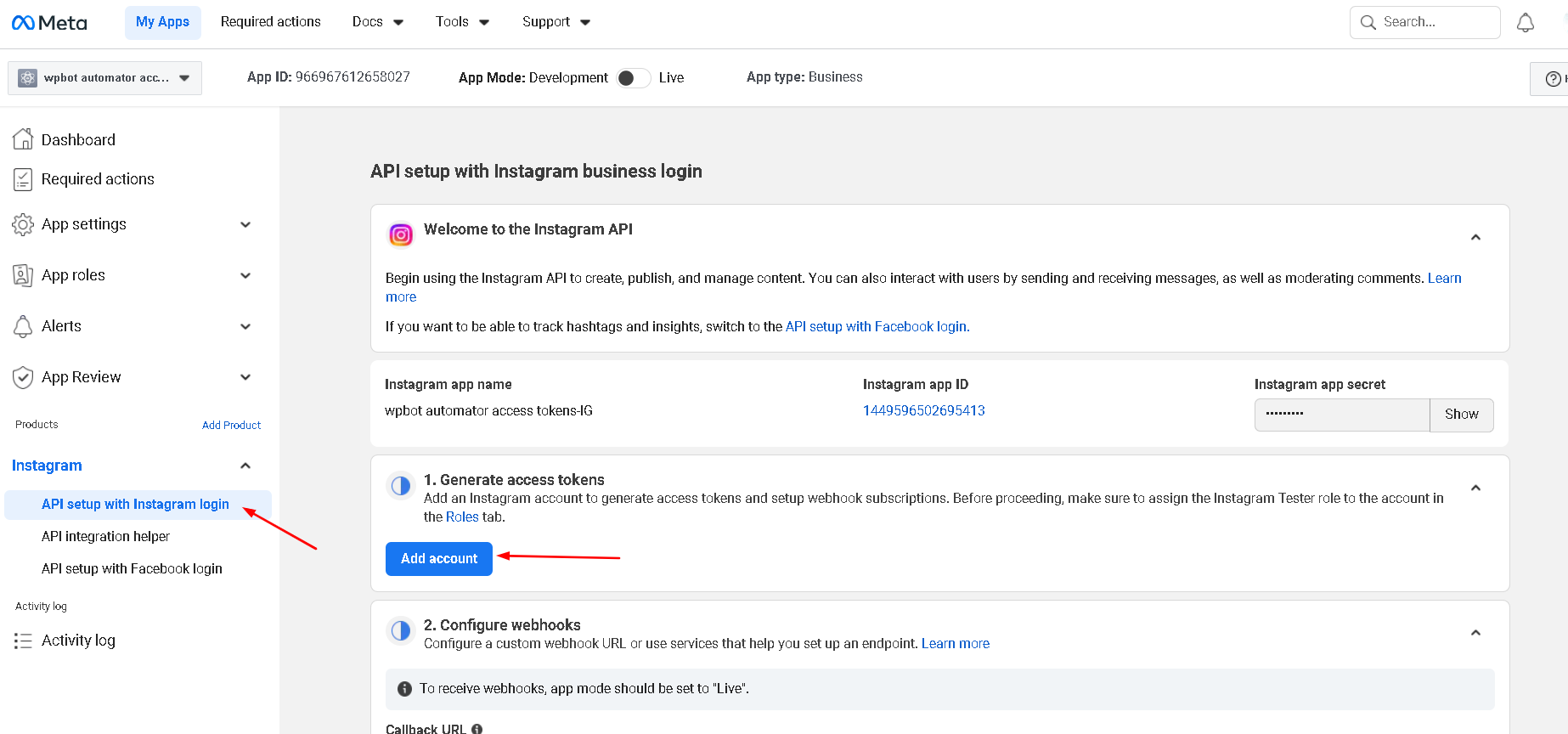
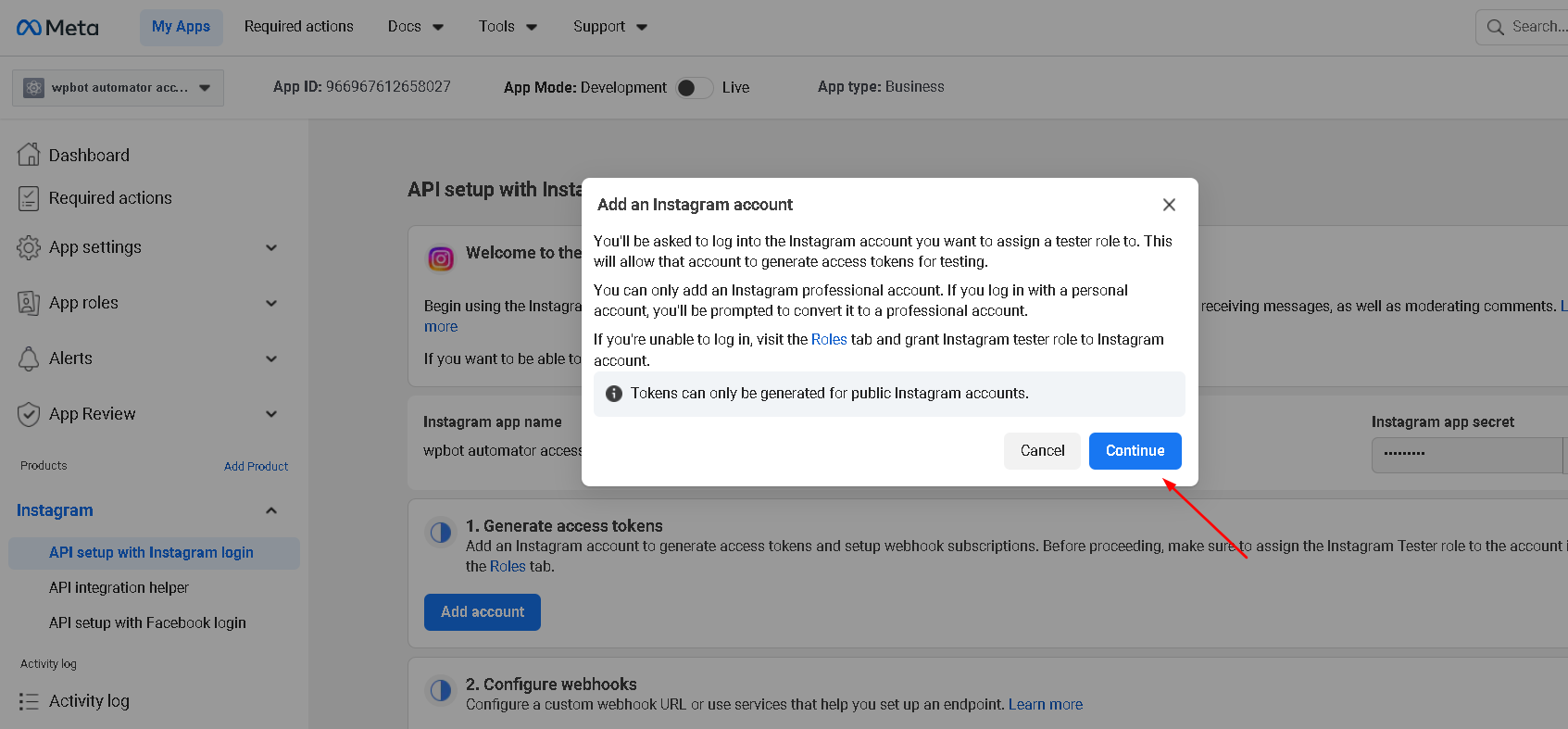
Click Instagram -> API setup with Instagram login menu, then click Add account button and add your instagram account.
Step 13:
Click Add account button and add your instagram account.
Step 14:
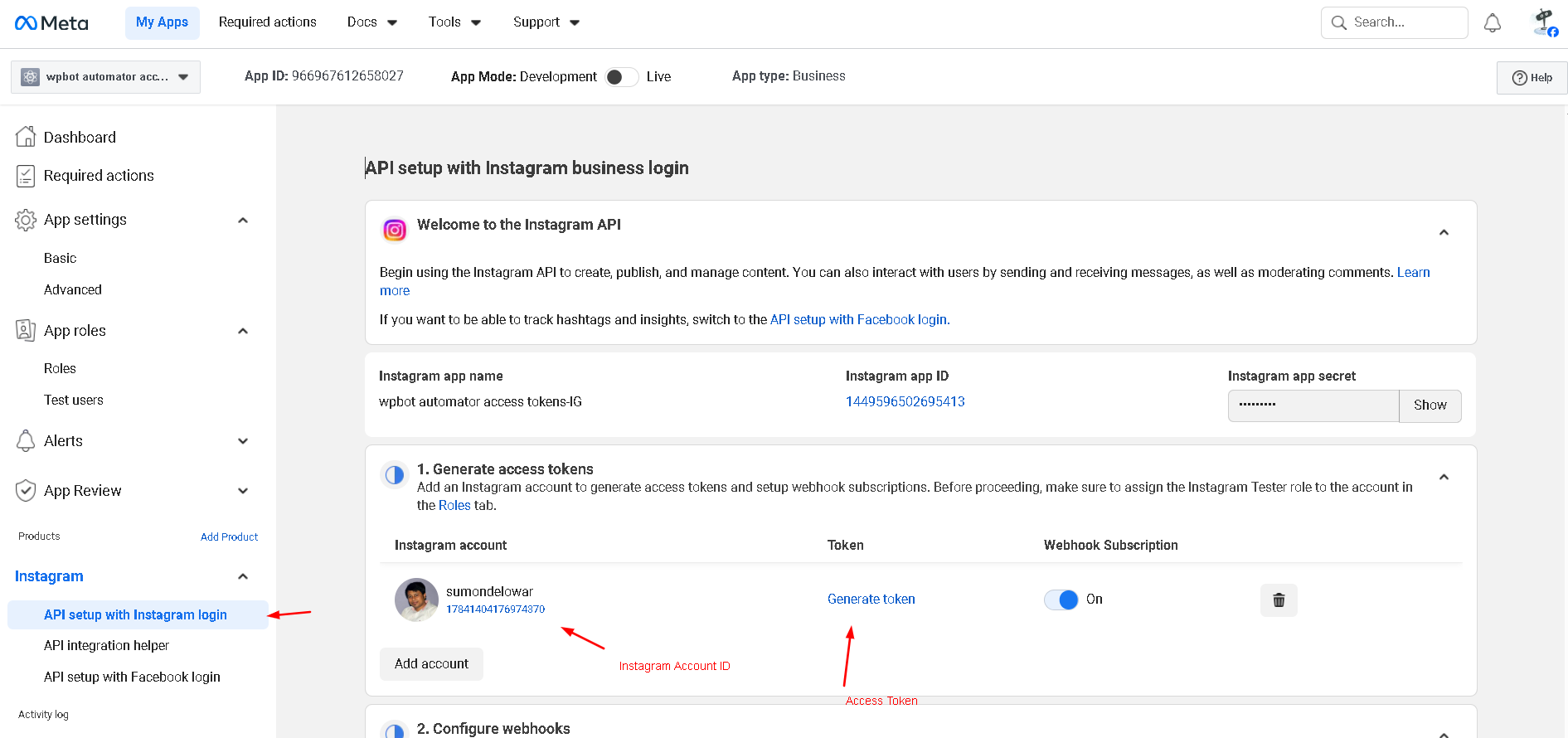
If successfully added instagram account, then showing Instagram Account ID and Generate Token, You can generate access token.
Step 15:
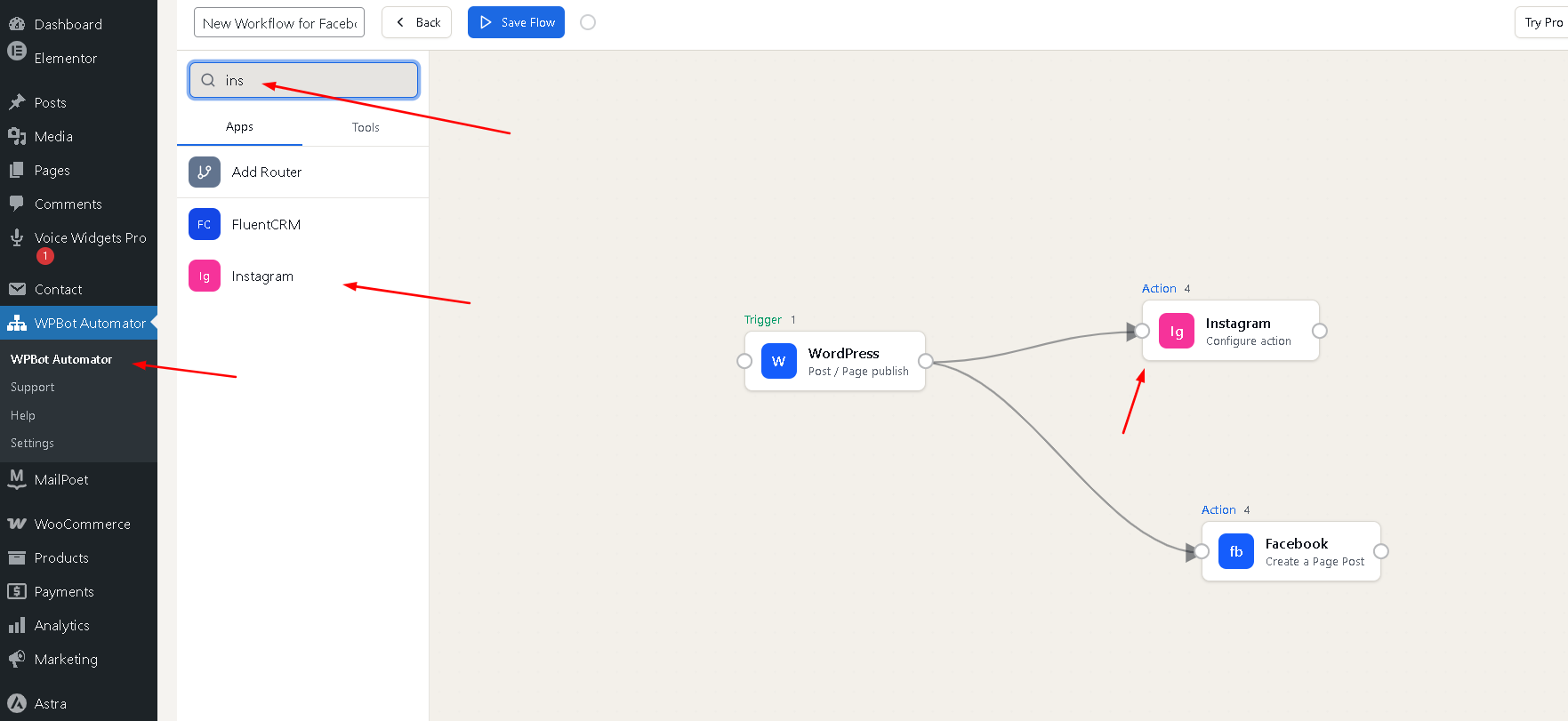
Add instagram from wpbot automator menu by following below instractions.
Step 16:
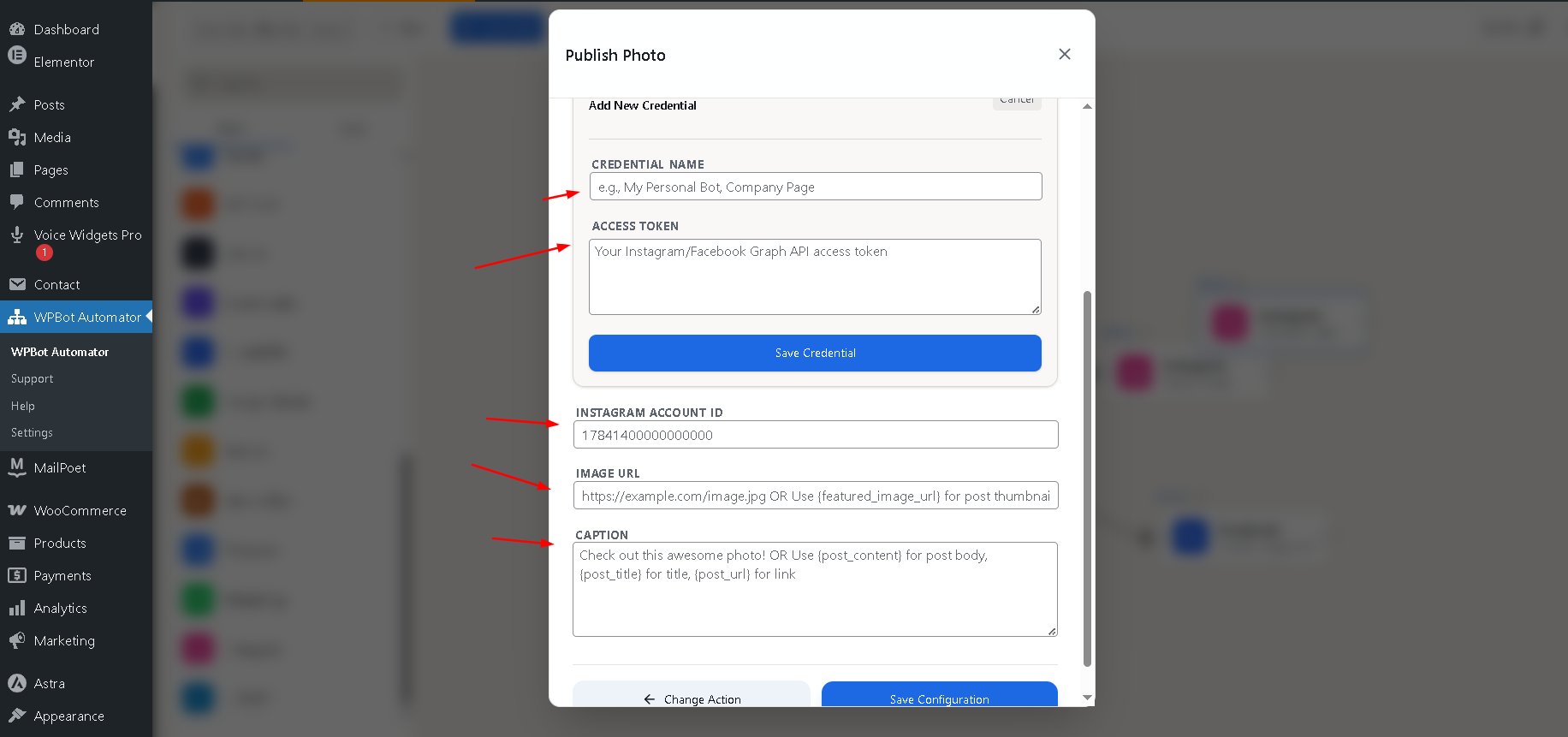
Set Instagram Account ID and Generate Token and other settings
Thanks








