The Context-Aware Start Menu is an AI-driven feature that dynamically displays menu options based on the user’s conversation and actions.
For example, if a user is asking about a product, the chatbot analyzes the context of the conversation and automatically shows the most relevant menu options or actions related to that topic. This helps users access the appropriate features or information more quickly without displaying unnecessary menu items.
How to Set Up the Context-Aware Start Menu
To set up the Context-Aware Start Menu:
1. Go to Settings → Start Menu.
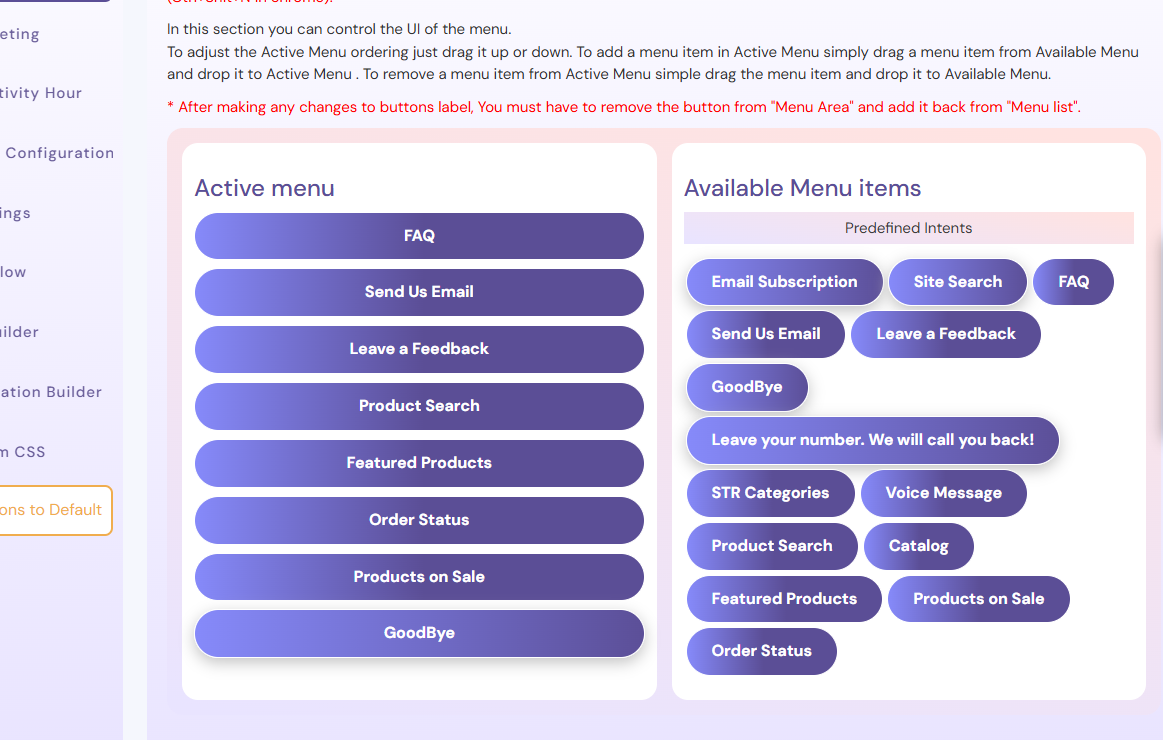
2. Move the menu items you want to display from Available Menu to Active Menu.
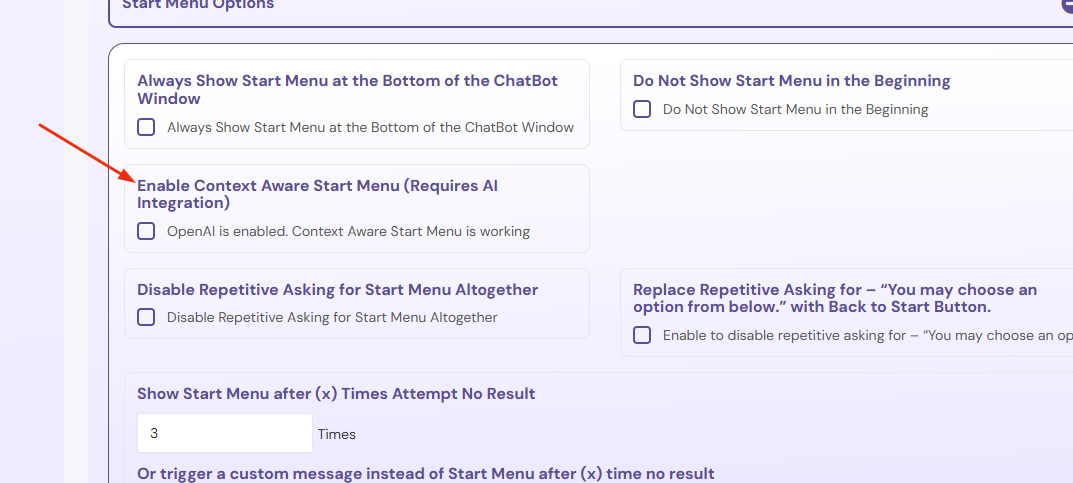
3. Next, go to Settings → General Settings → Start Menu Options.
4. Enable Context-Aware Start Menu (Requires AI Integration).
Once enabled, the chatbot will automatically display the most relevant start menu options based on the user’s conversation context. This feature requires AI integration to function correctly.