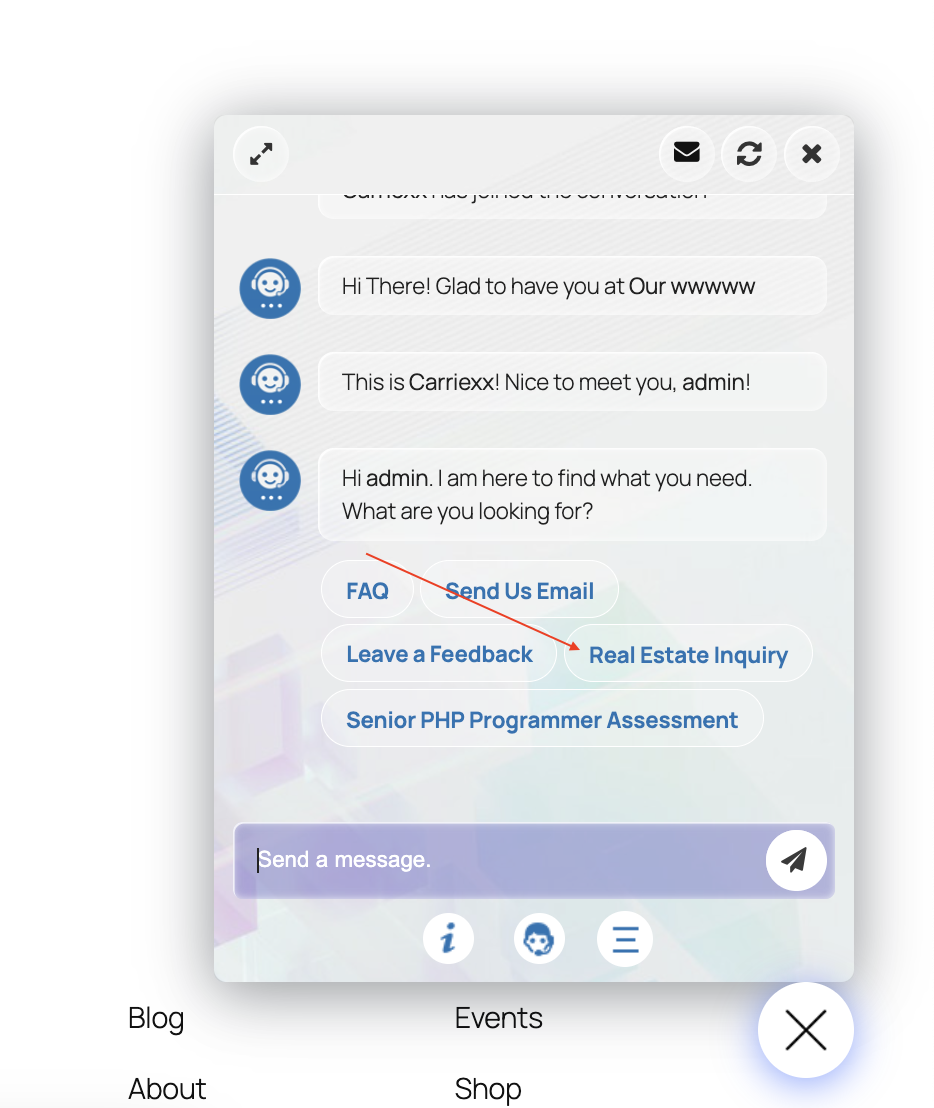
From your WordPress dashboard:
01. ChatBot → AI Actions
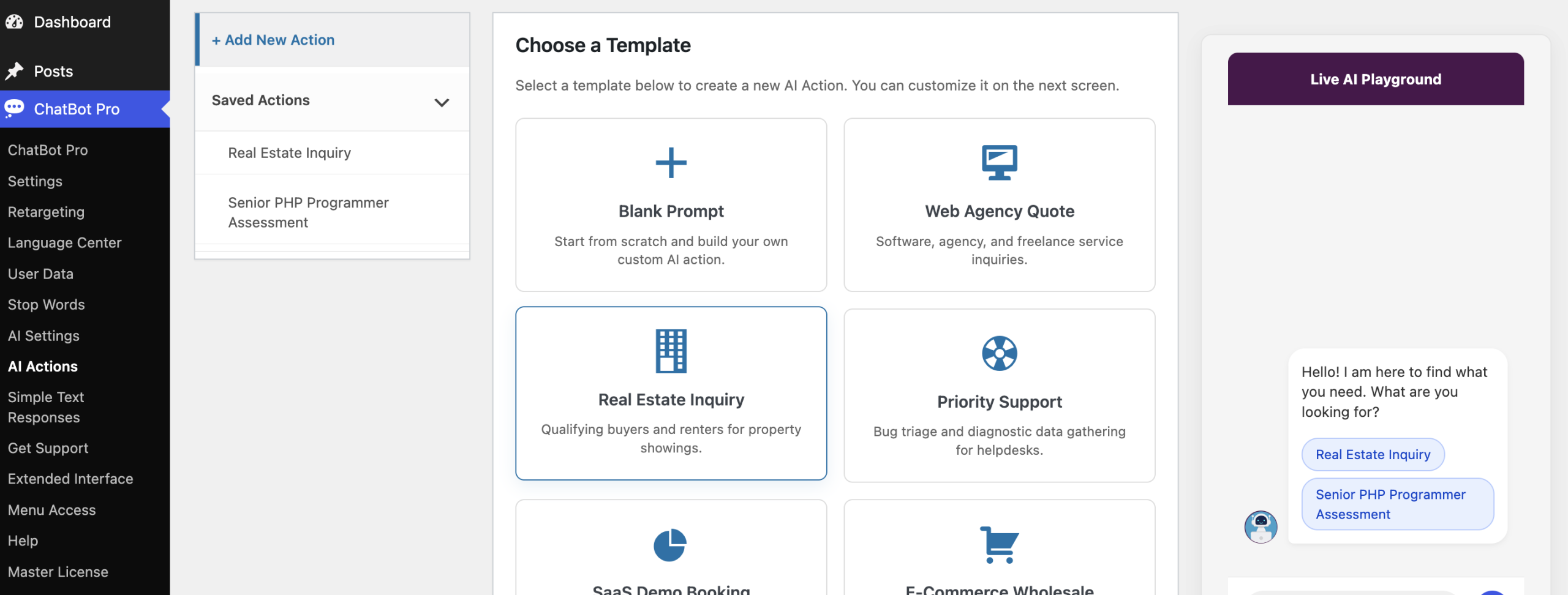
Here you can use prebuilt prompt templates OR click + Add New Action
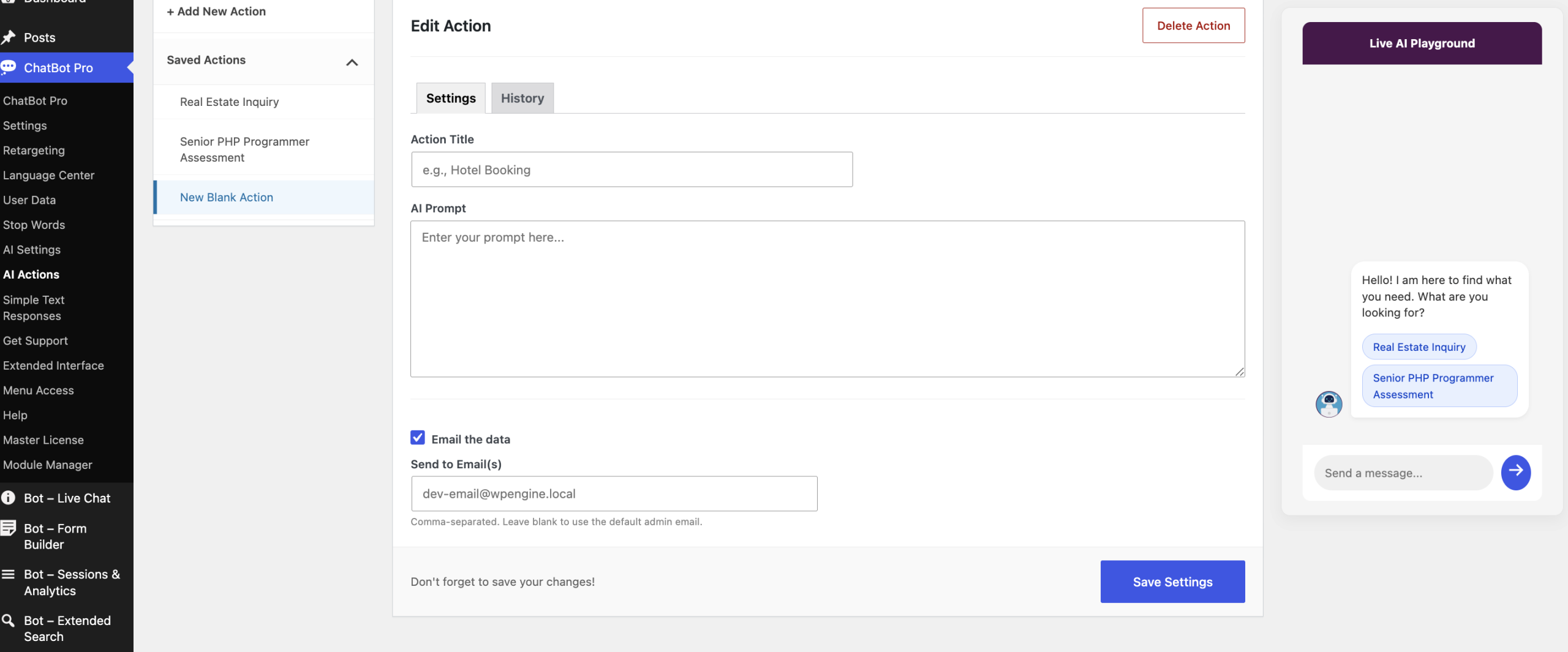
- Enter an Action Title
- Example:
-
Lead Qualification - Then, Write the AI Prompt
- Tell the AI what information to collect and how to conduct the conversation.
- Enable Email the data if you want the completed information emailed.
- Enter the recipient email address, or leave it blank to use the default administrator email.
02. Click Save Settings
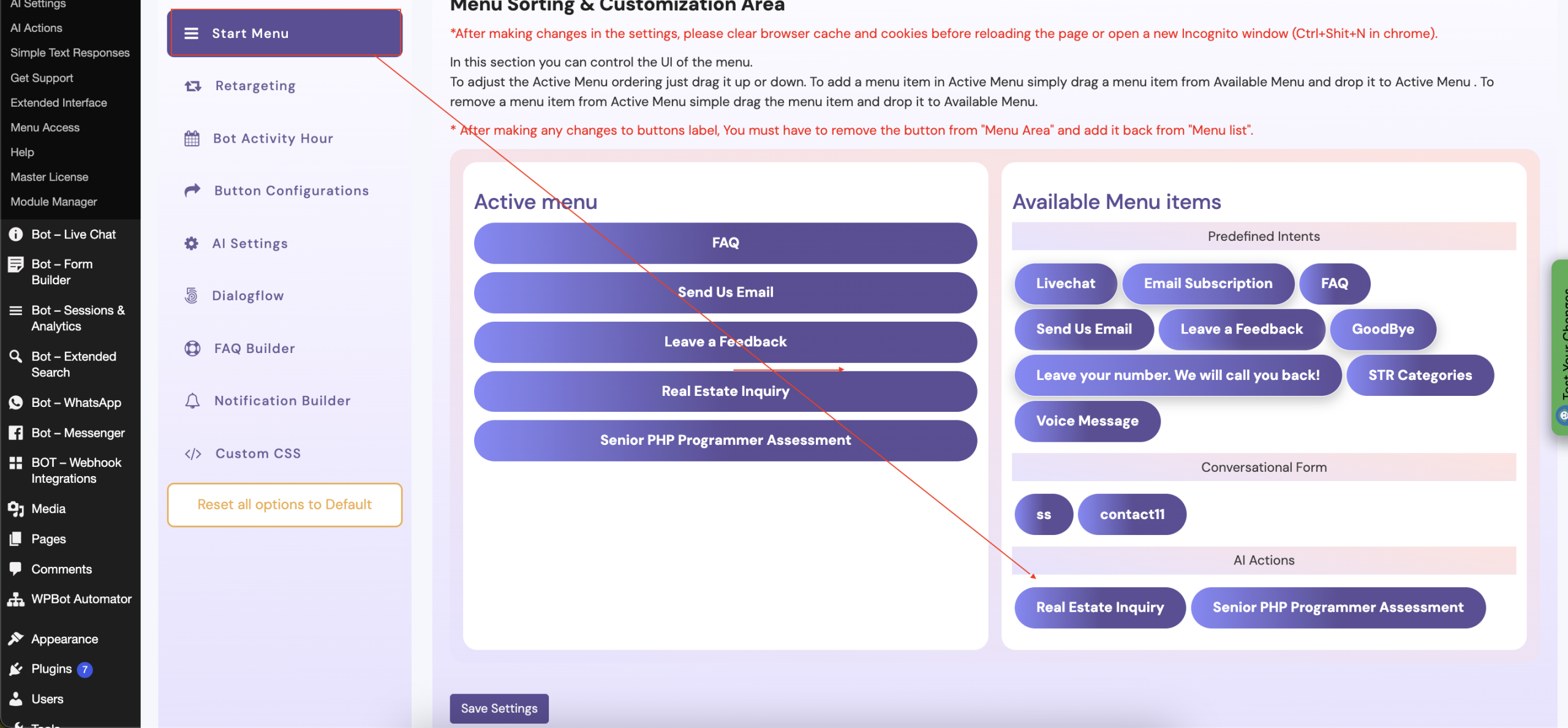
03. Then, from the Start menu area, you can set the Start menus. Just do double click to add the Active menu (left) area.
04. Finally, it will be available on the chat UI.