
Step 1: Create a LinkedIn App
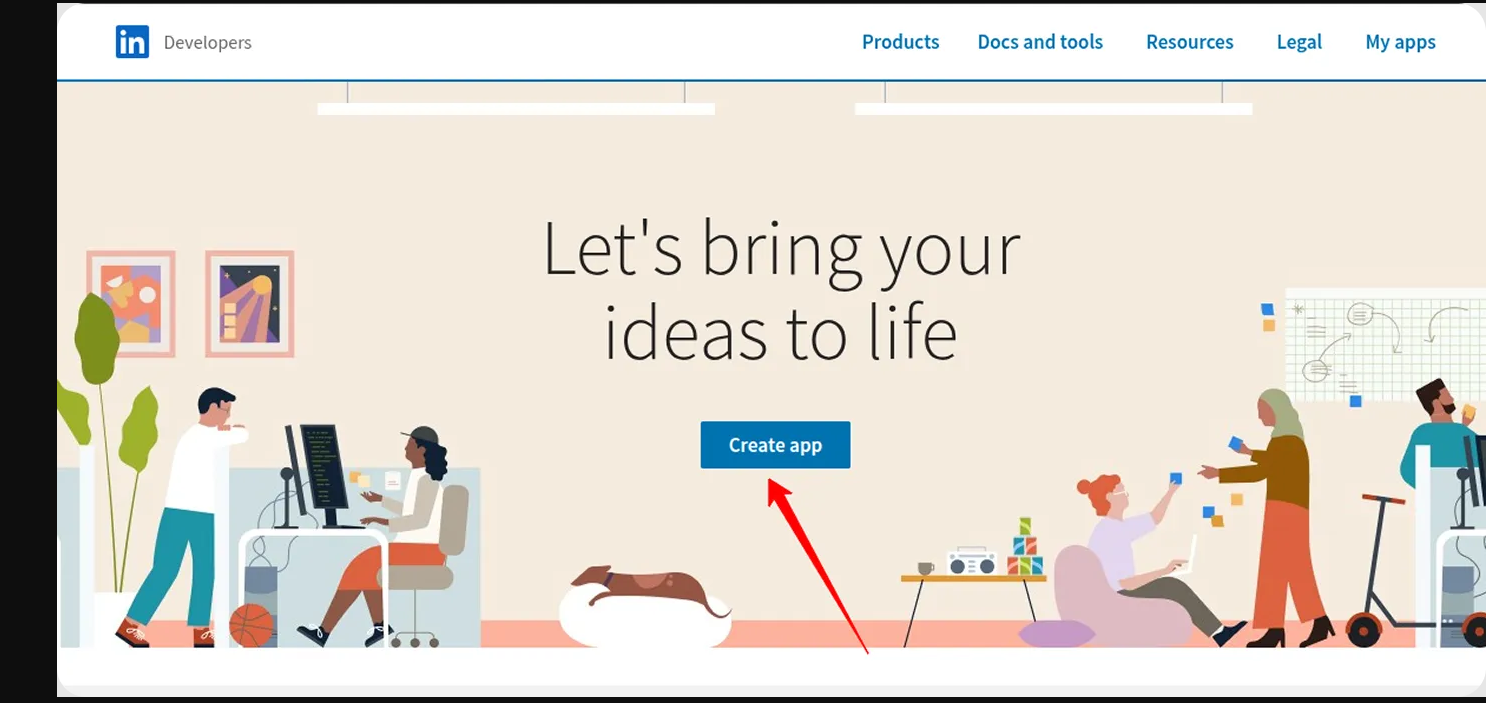
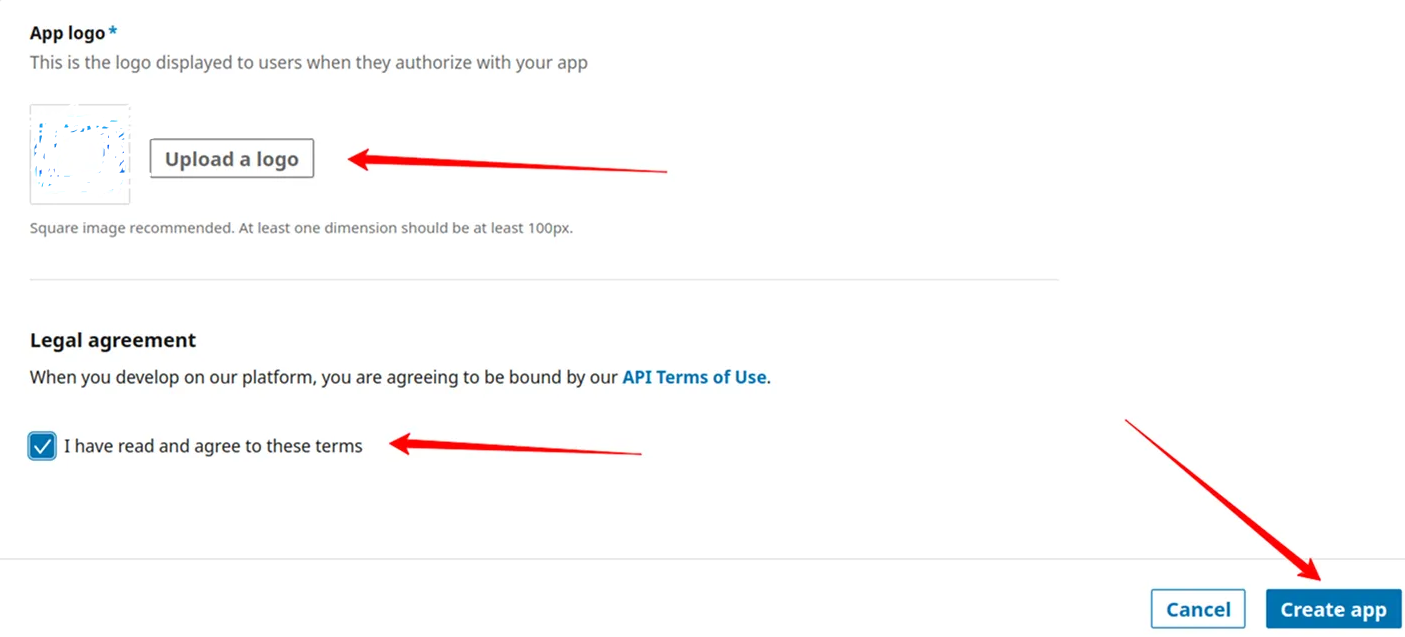
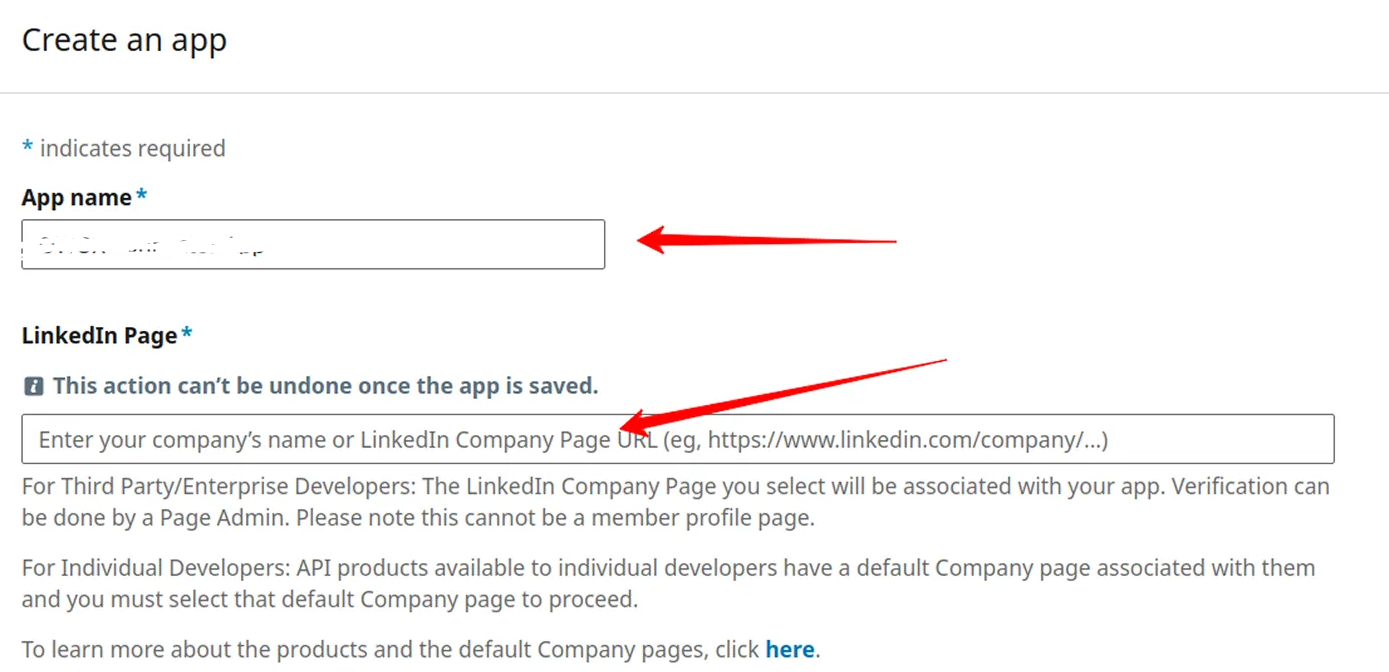
Visit the LinkedIn Developer portal ( https://developer.linkedin.com/ ).Click the Create App button.Enter your App Name and paste the link to your company’s LinkedIn page into the LinkedIn Page field.Upload your app logo, check the box to accept the legal agreement, and click the Create App button.
Step 2: Verify the App
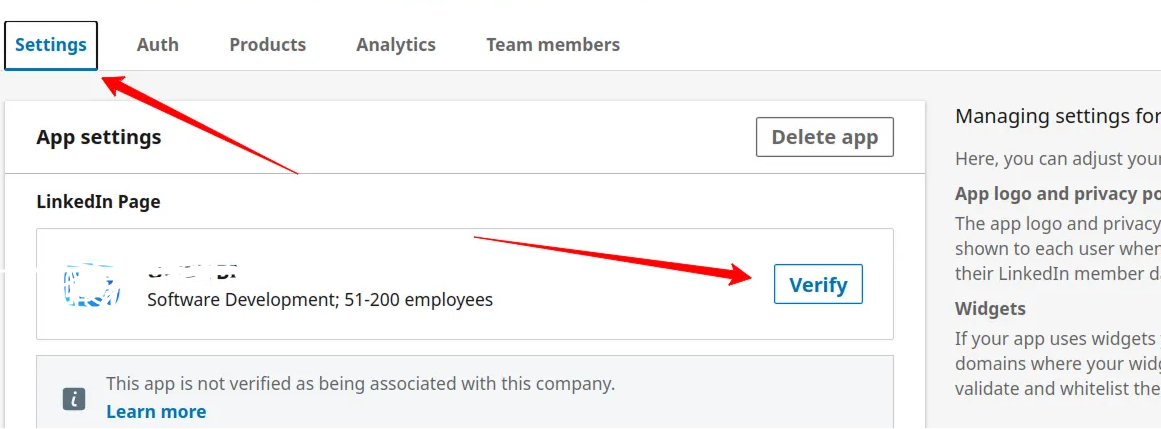
Go to the Settings tab and click the Verify button. Share the link with the administrator of your LinkedIn company page. The administrator must verify the app to grant it access to company data.Please ensure that the app is verified:
Step 3: Request Access to the API
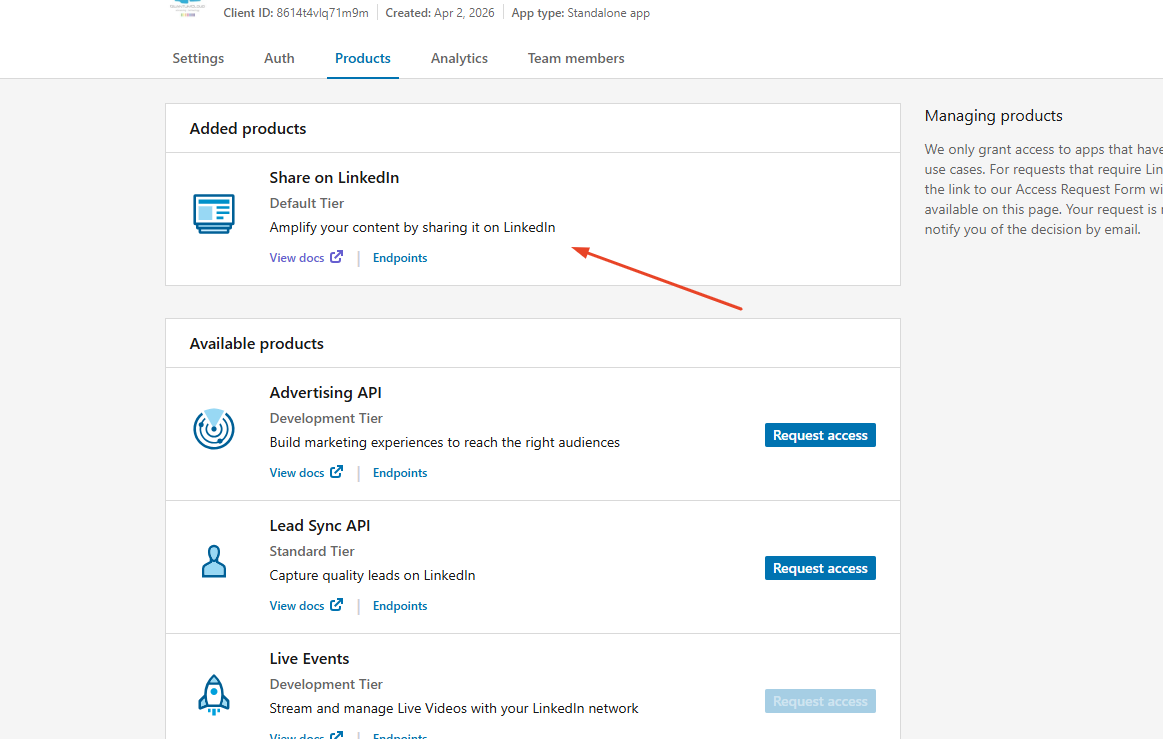
Once your app is verified, navigate to the Products tab and request access to the necessary APIs.
If you need a post on the LinkedIn Page from the Autometor — such as an AI response — request access to Share on LinkedIn.
Step 4: Generate a Refresh Token
Step 5: Save the Refresh Token








