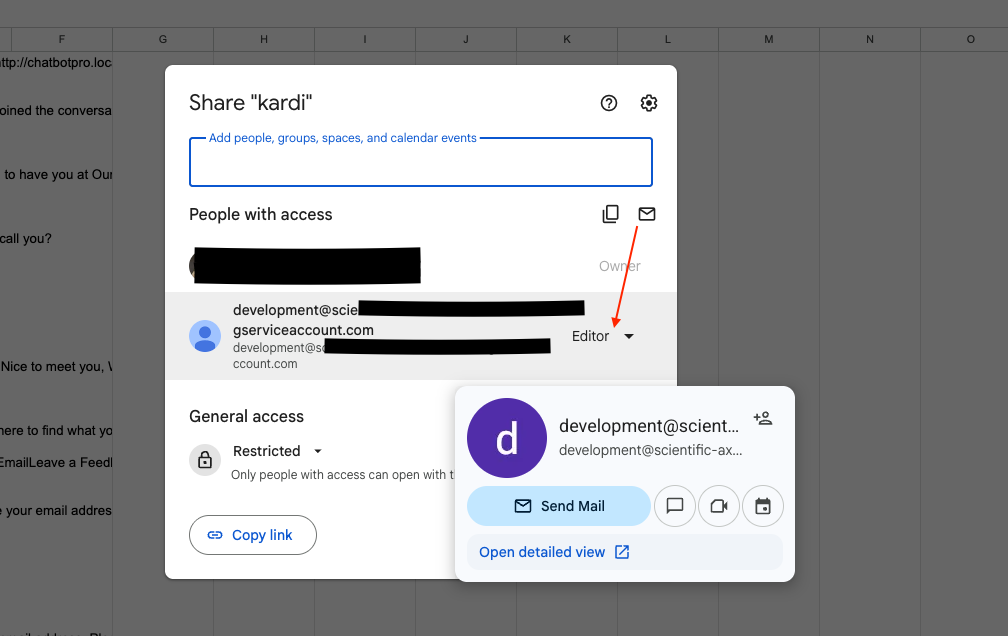
WPBot Automator to Google Sheets – WP AI Chatbot data saved on the sheet, also filtering with AI.
Here is the step-by-step setup configuration:
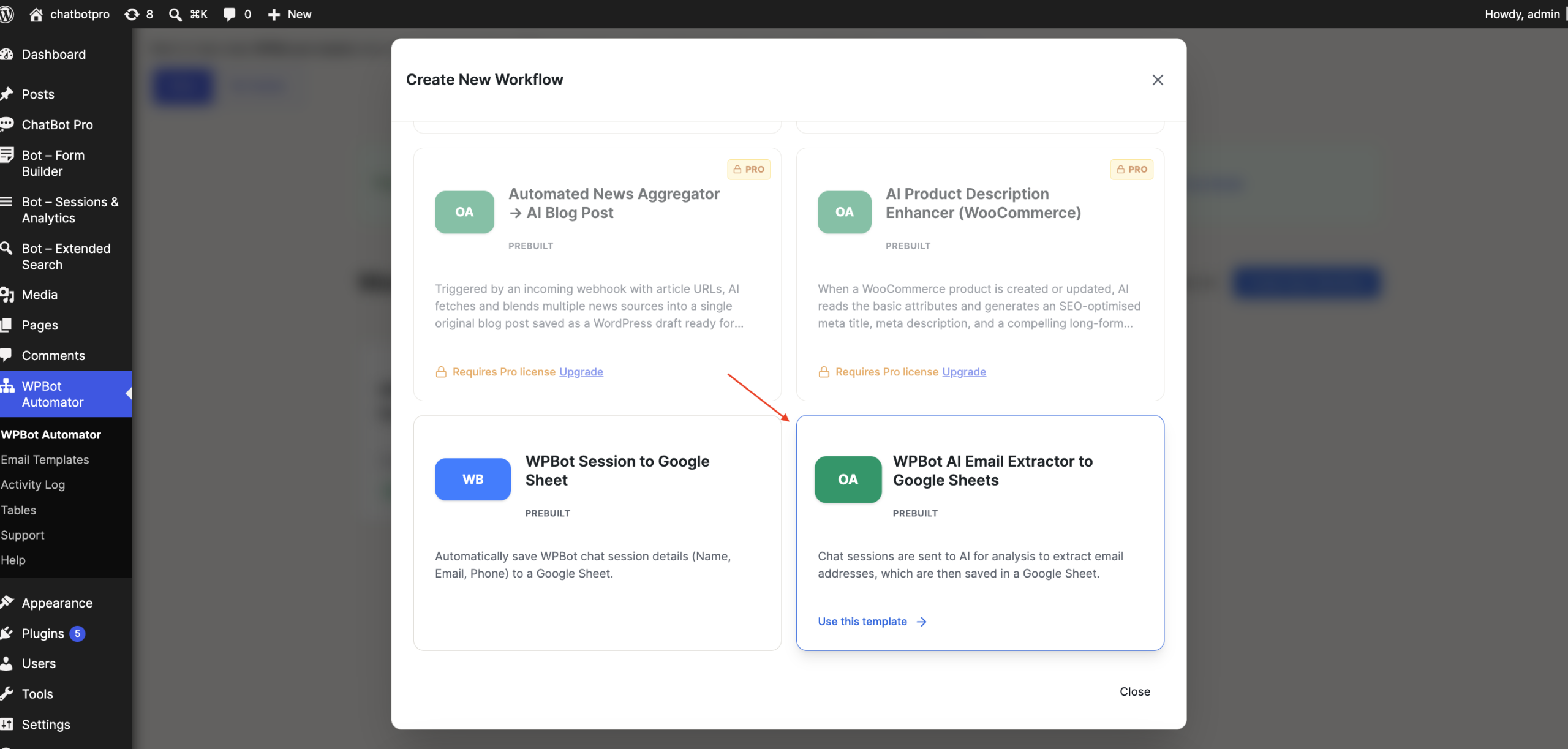
We have prebuilt templates:
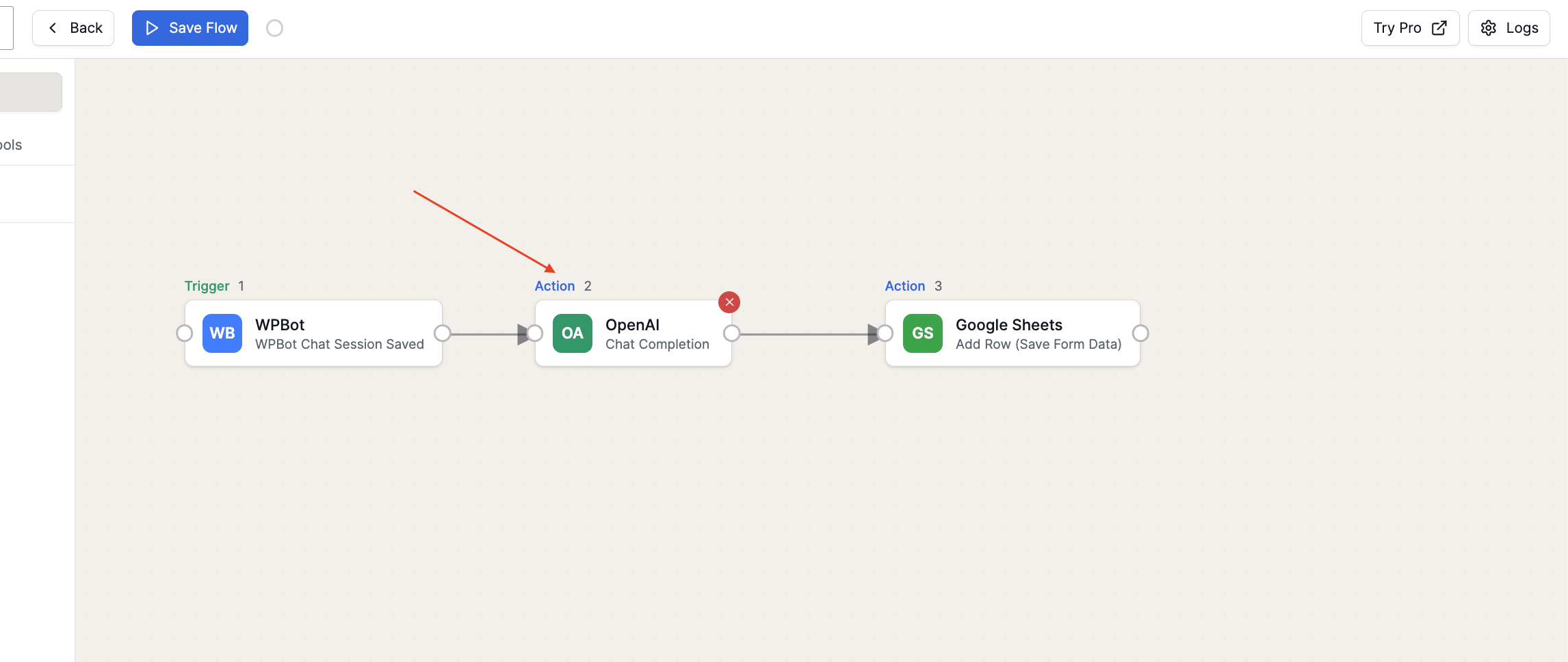
Then, here are some options that need to be configured for the workflow; you can also customize the flow.
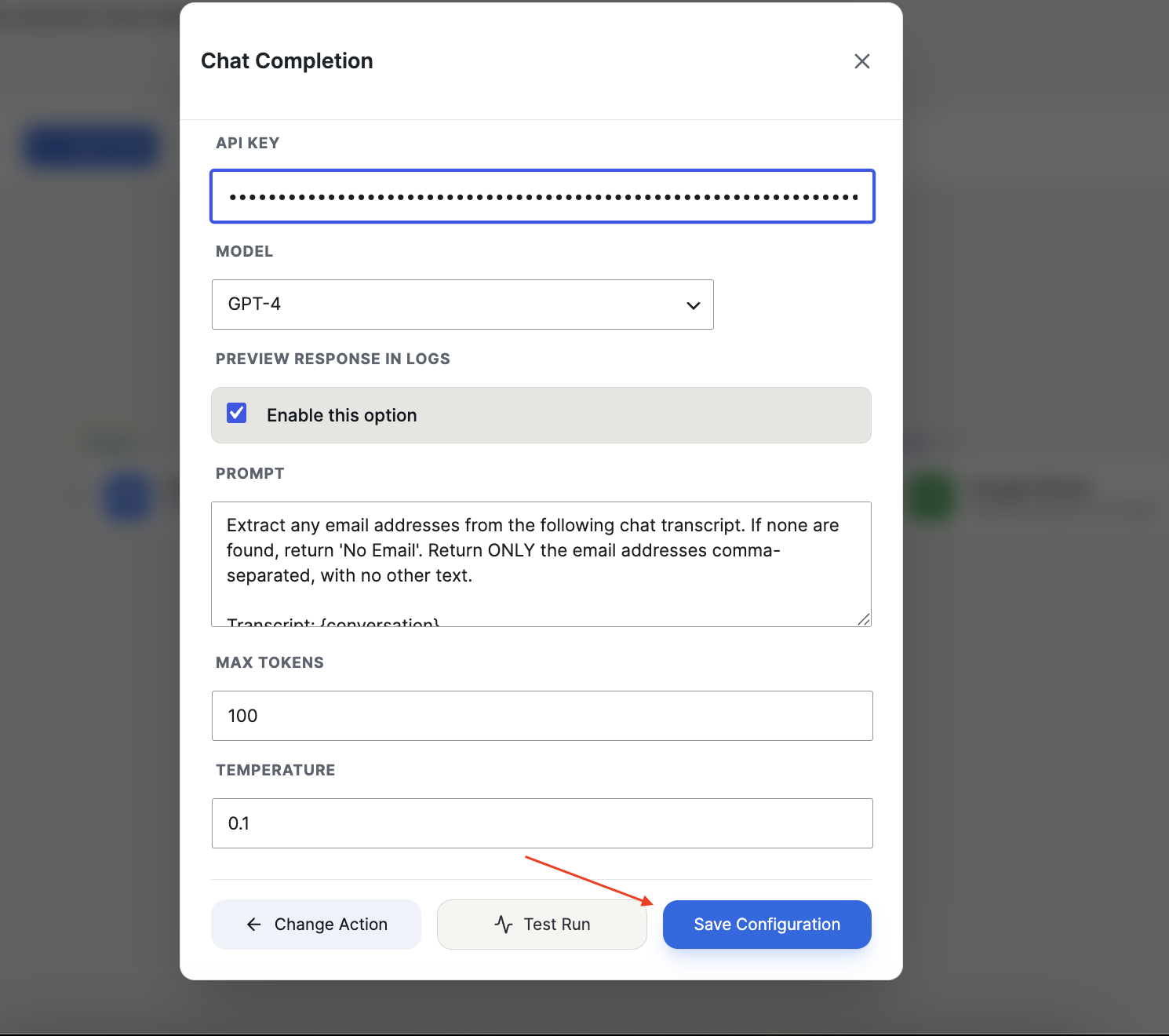
After clicking the OpenAI action, you will be able to see the following options that need to be configured.
Then, for the sheet, you need to add settings data , service account json data, spreadsheet Id, sheet name:
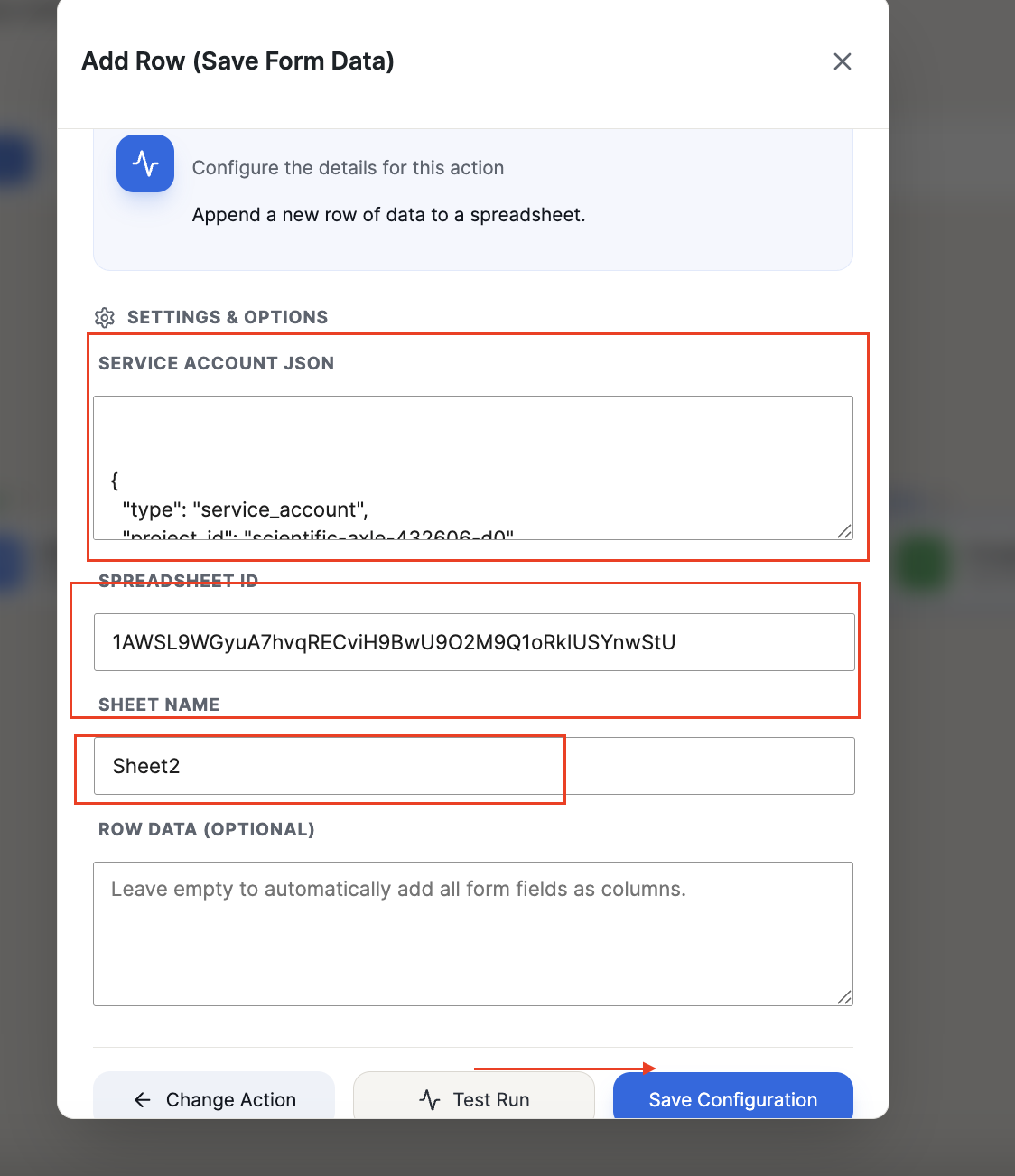
Also, need to provide the Google service account editor access.