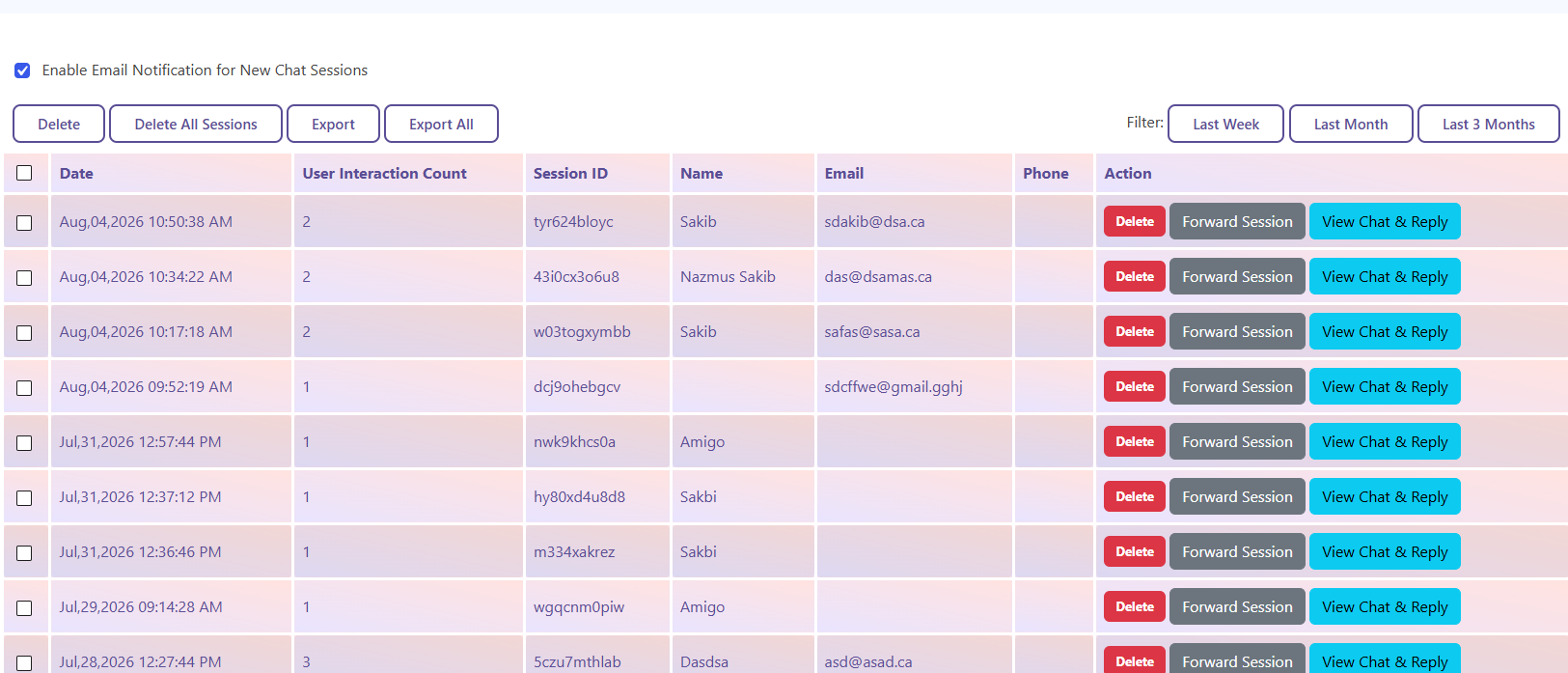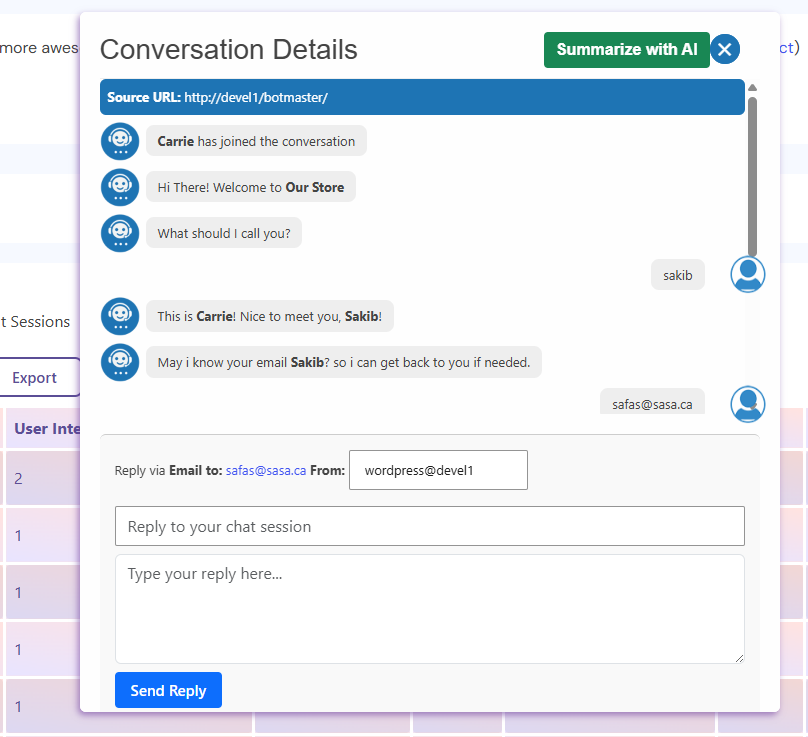
The chatbot administrator can reply to any chat session directly from the Session List.
1. Go to the Session List.
2. Click View Chat next to the desired session.
3. The selected conversation will open, including the user’s email address (if it was provided).
4. The administrator can send replies directly from this chat window.
If your site is using an AI service, the administrator can also view an overview of the entire conversation at a glance, making it easier to understand the context before replying.
Requirements:
To email users and associate an email address with a chat session, enable Asking for Email under:
Settings → General Settings → Greetings (Asking for Name, Email, etc.)
Once enabled, the chatbot will collect the user’s email address, allowing the administrator to email the user directly from the chat session.